HMI screens for control rooms, machine panels and robot teach pendants, designed with the operators who use them every shift.
Many HMIs grow one screen at a time until operators stop trusting them. As an HMI design agency for plants and machine builders, we redesign those screens and alarms to ISA-101 with your operators, then hand your engineers a component library ready to build.

Hyperfab
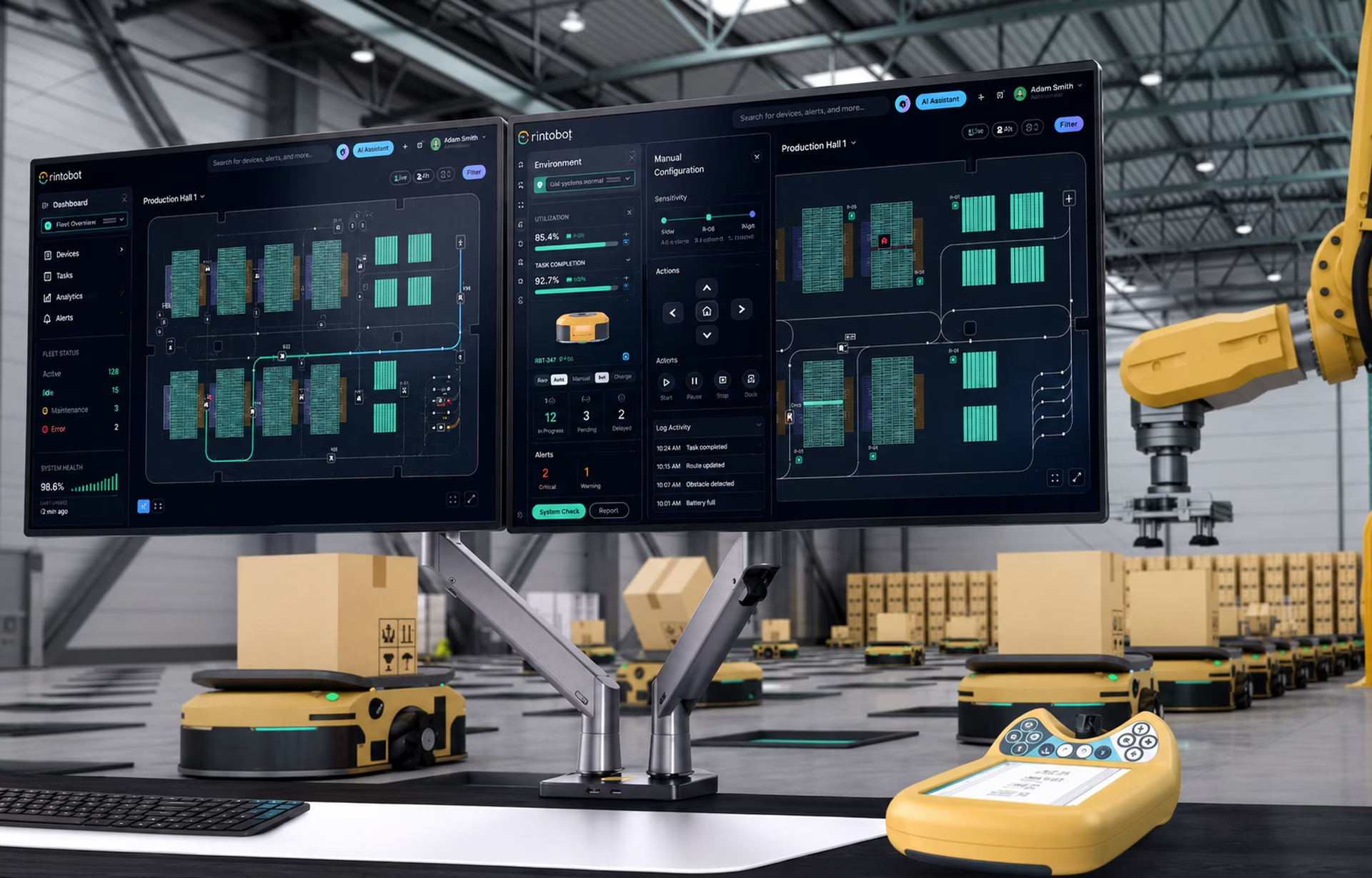
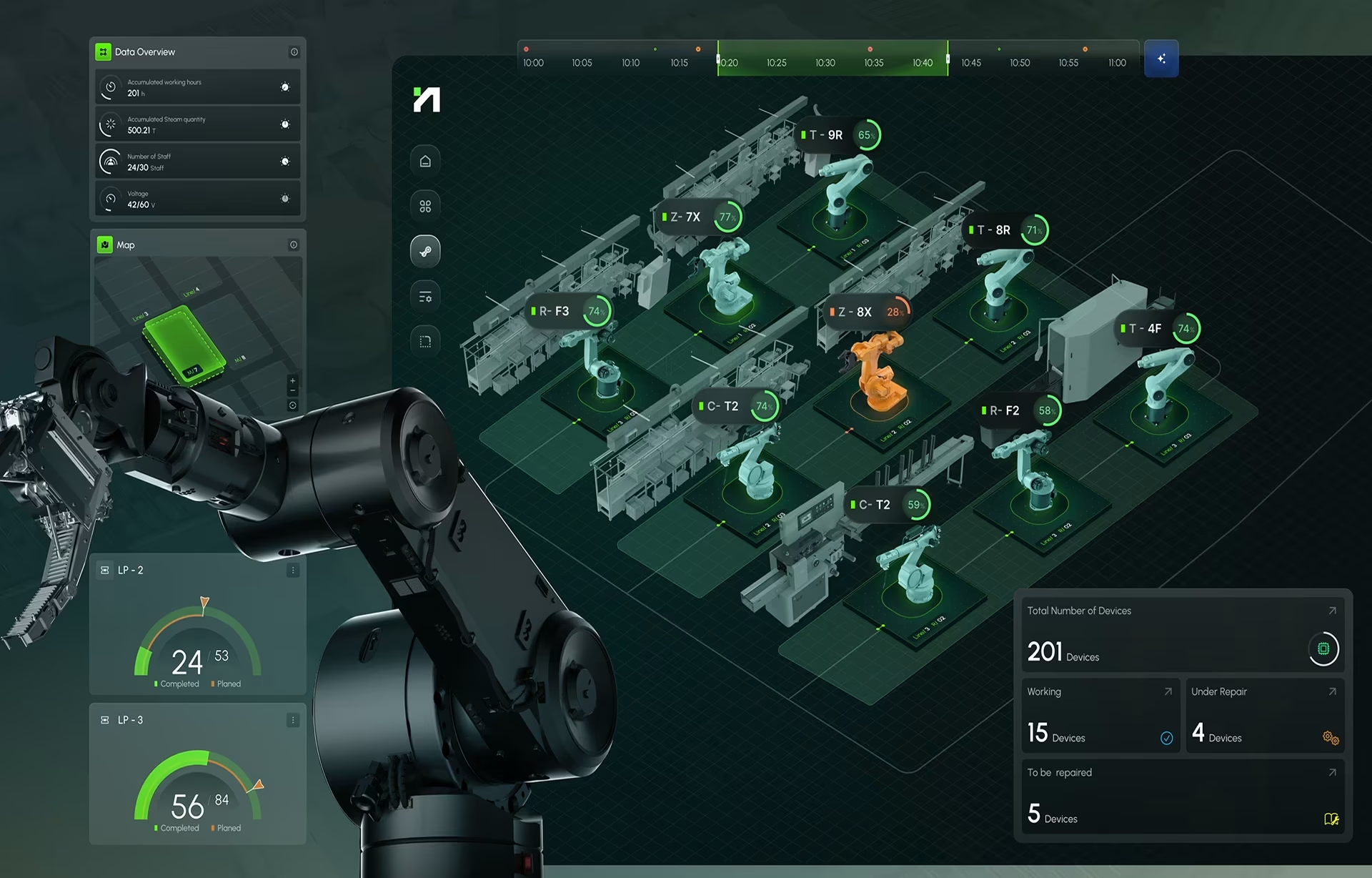
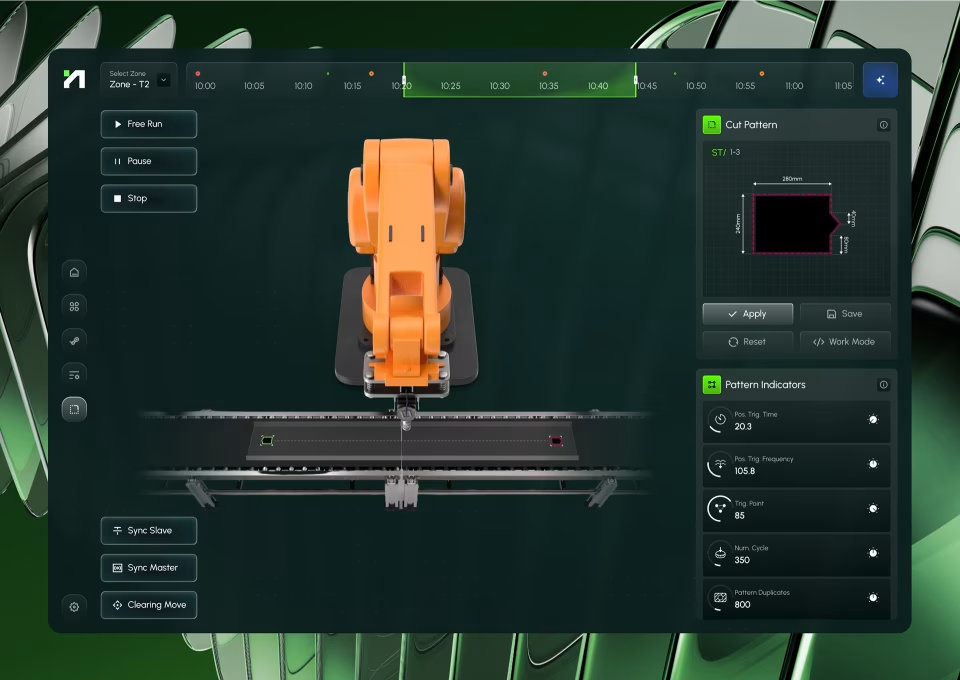
Robot control HMI
Robot control on AR goggles and desktop
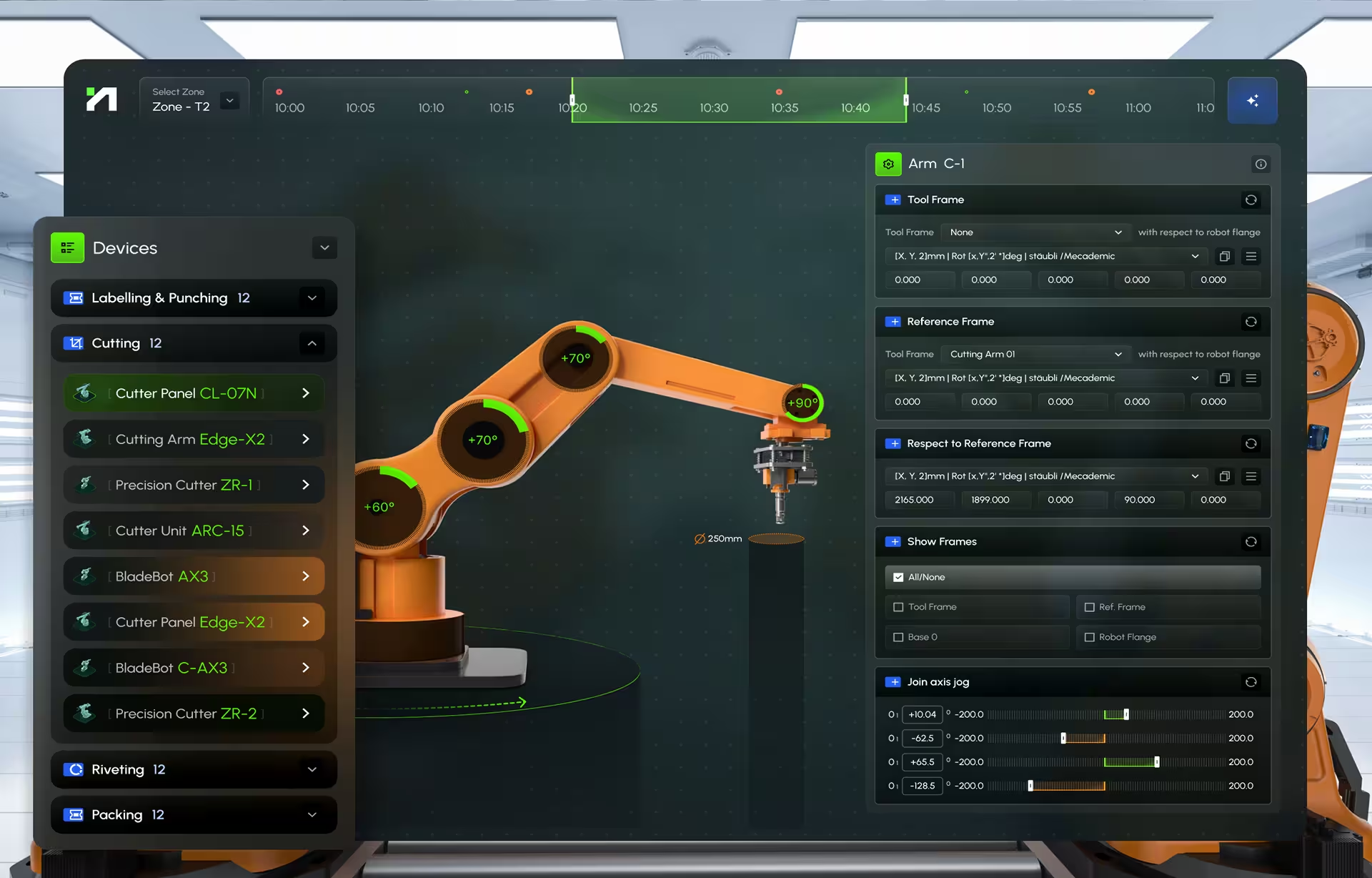
Hyperfab’s crews build walls for commercial buildings with robotic cutting, riveting and labeling units. We designed their AR goggle and desktop interface, from calibration on a 3D model to arm monitoring, and it is in daily use on site.
Vasolabs
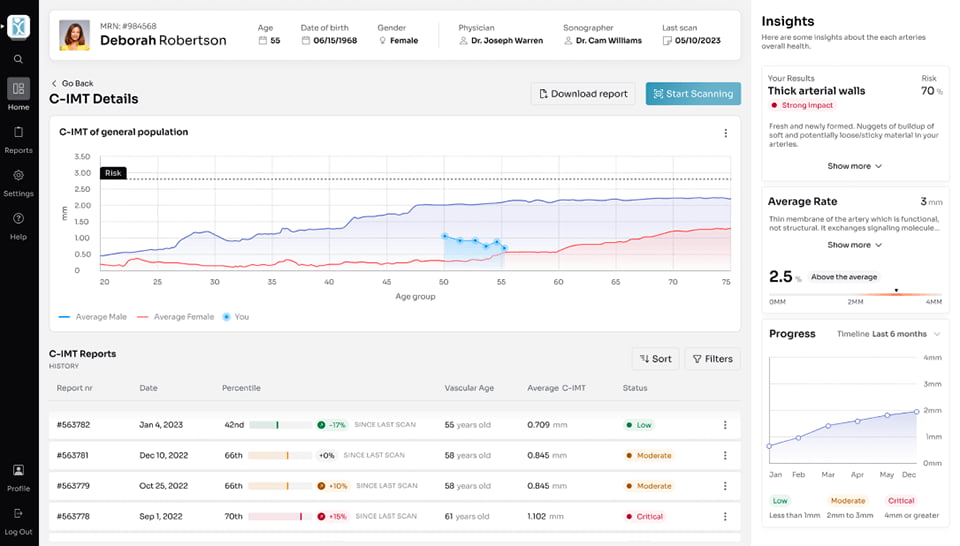
Scanning device HMI
Device interface for live artery scans
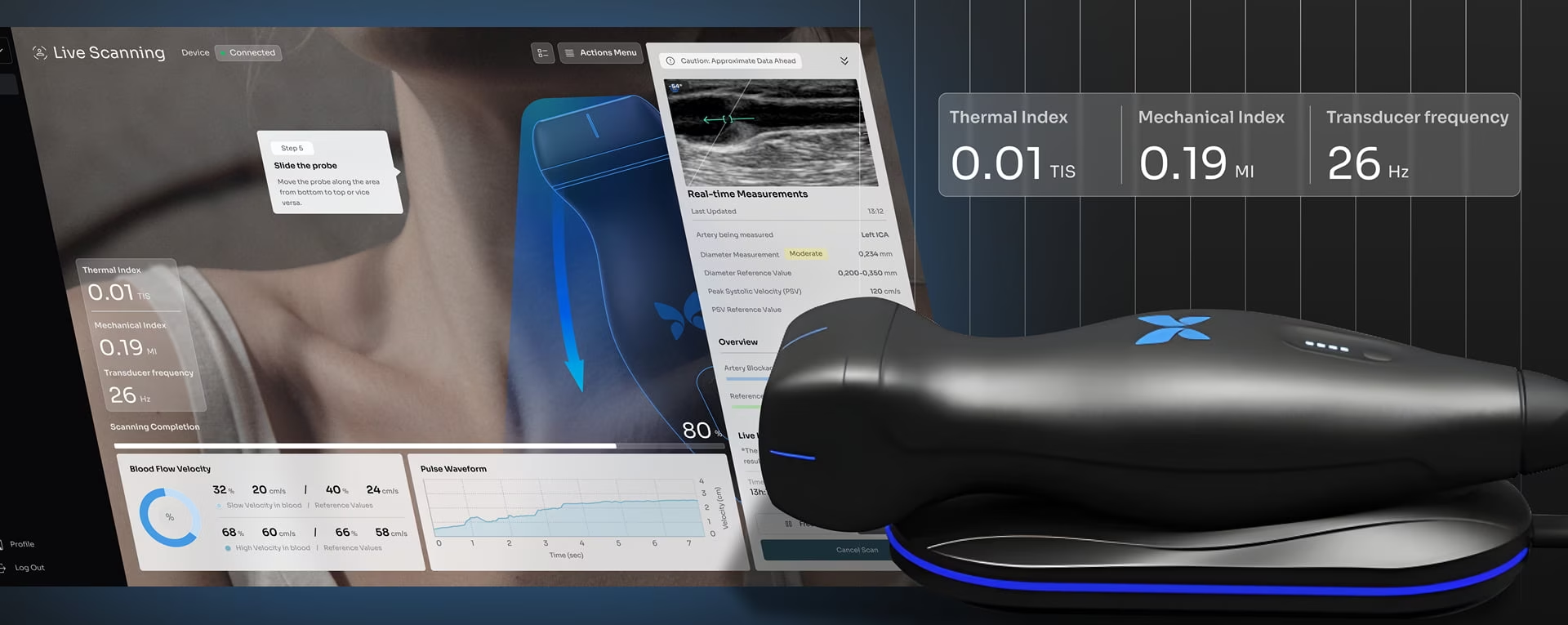
Vasolabs’ artery scanning tool runs during live ultrasound scans, so the screen cannot slow the clinician down. We designed the scan interface and the results view that compares a patient’s vascular age with their actual age.

Designed to the standards your engineers sign off
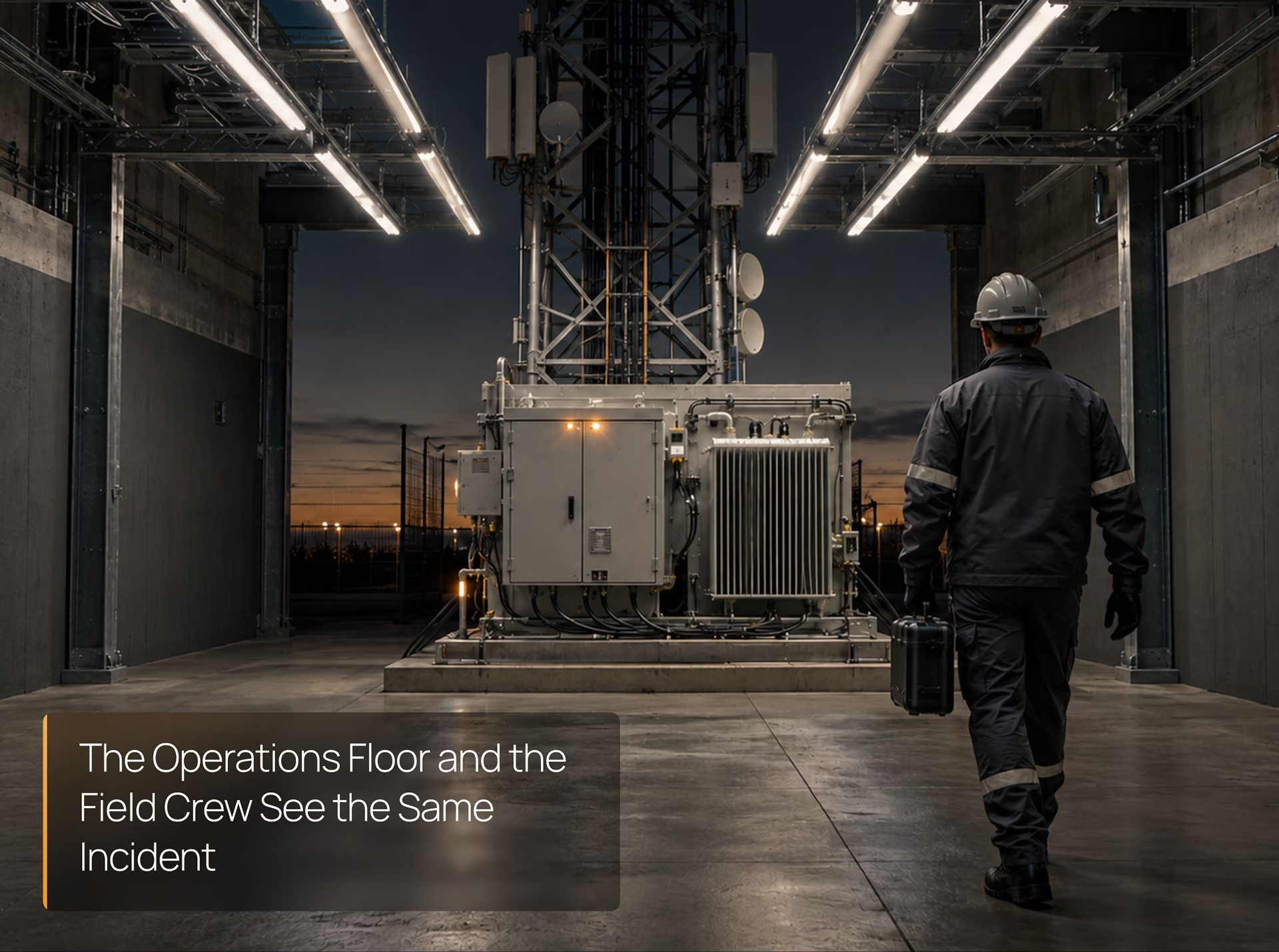
Every screen set comes with notes on how it meets the standards below, so your controls and safety review moves faster.
Display hierarchy, color and navigation follow ANSI/ISA-101.01, the standard for process HMIs, so every new screen matches the ones beside it.
Each alarm on screen has a priority, a cause and an operator response, and related alarms are grouped so one fault does not fill the page.
Remote and mobile access respects your zones and conduits, with roles, session timeouts and a visible sign on the floor when someone connects from outside.
Trips, bypasses and overrides stay visible and need confirmation. A safety state is never hidden behind a menu or a second tab.
Pendant and cobot screens show the robot's mode, reduced speed and safety zone before anyone moves an axis.
How an HMI design project runs
Five steps from the screens your operators use today to a screen set your engineers can build. Each one ends with a deliverable you approve before the next starts.
HMI audit
We review your current screens, alarm list and incident logs, then mark where operators lose time or miss alarms. You get a ranked fix list that sets the project scope.
- creen inventory
- Alarm list review
- ISA-101 gap list
- Ranked fix list
Floor research
We spend real shifts with your operators, from startup and changeover to fault recovery, and map who does what at each screen. You approve the task list before design starts.
- Shift observation
- Operator interviews
- Task analysis
- Role map
Style guide and screens
We set the display hierarchy, colors, symbols and alarm styles in one HMI style guide, then design every screen from it, from the plant overview down to a single device.
- Display hierarchy
- HMI style guide
- Alarm presentation
- Screen set
Operator testing
Operators test a clickable prototype under simulated alarms and faults. We fix what slows them down and test again until they recover from the top faults without help.
- Clickable prototype
- Alarm scenarios
- Operator test results
- Revised screens

Build handoff
Your engineers or integrator get a component library and specs for every screen. We review what they build against the design before it goes live on the floor.
- Component library
- Screen specs
- Build review
- Style guide

HMI Design Portfolio


Industries we design
HMIs for
Every industry has its own rules for what an operator may see and touch. These are the industries where we design HMIs today.

Lines, cells and packaging machines where one operator runs several stations and a missed alarm stops the line.

Hydro, wind and grid screens where operators track output and downtime across many sites, as in our EffiTrack plant monitoring work.

Depot, yard and AGV control screens where vehicles and people share space and the operator needs positions they can trust.

Lab analyzers and scanning devices where a technician uses the same screen hundreds of times a day and cannot afford a misread.

Mission and infrastructure control screens with strict access rules. Agencies can engage us directly as a GSA contract holder.

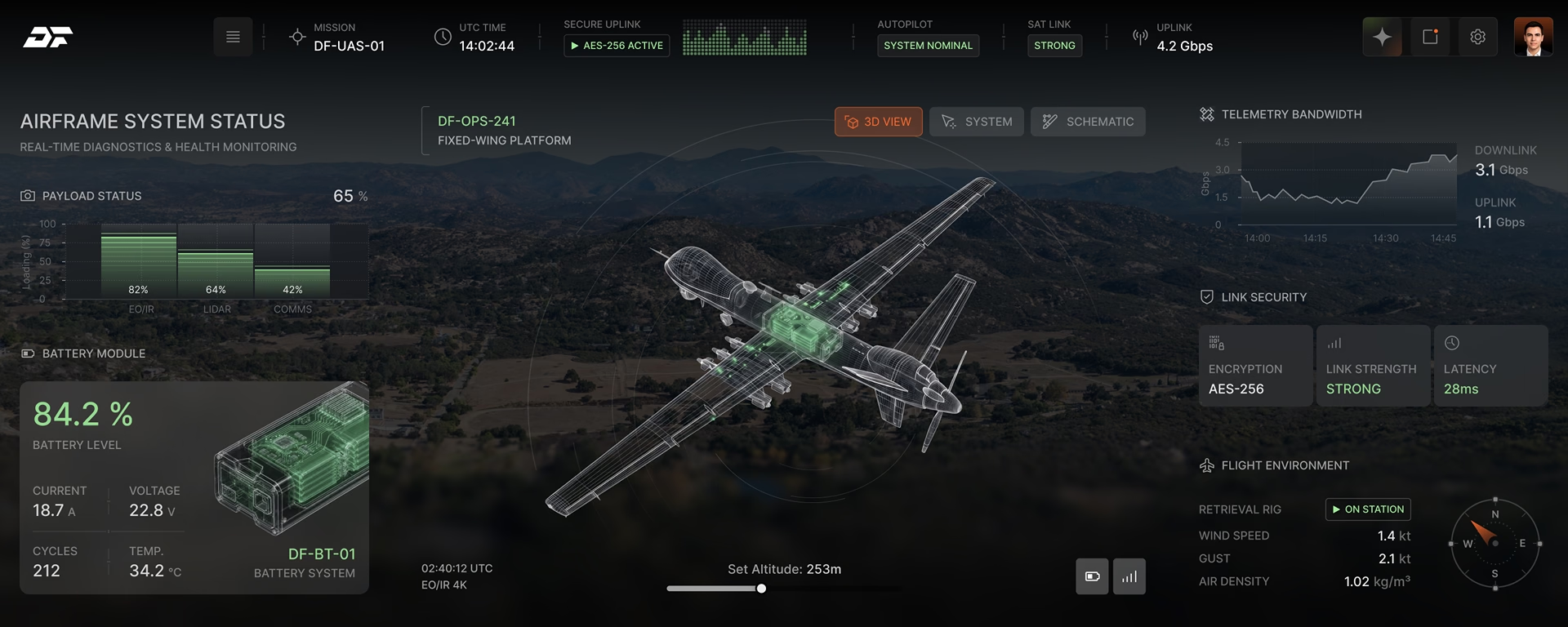
Plant-floor and remote HMIs inside IEC 62443 zones, designed so security and operations teams can sign off the same screens.
Industrial HMI design FAQ
Answers to what plant managers, controls engineers and machine builders ask us before a first call.
What is an HMI audit?
An HMI audit is a fixed-scope review of your current screens and alarm list against ISA-101 and ISA-18.2, plus a shift on the floor. You get a ranked list of problems and the screens that cause most of them.
What do your industrial HMI design services include?
Our HMI design services cover operator research, an HMI style guide, every screen from plant overview to single device, alarm presentation and a component library for your engineers. We design the HMI, and your team or integrator programs it.
How is HMI design different from HMI programming?
HMI programming connects screens to tags and control logic in Ignition, WinCC or FactoryTalk. HMI design decides what each screen shows, in what order, and how the operator responds. We do the design; your integrator builds it on your platform.
Can you redesign our SCADA HMI without stopping production?
Yes. A SCADA HMI redesign goes area by area, starting with the screens behind the most alarms and missed steps. Each area switches over only after operators have tested it, so the rest of the plant runs on the screens it knows.
Do you design teach pendant and cobot interfaces?
Yes. Teach pendant and cobot interfaces cover jogging, teaching points, editing programs and recovering after a stop. Hyperfab’s crews already run cutting, riveting and labeling robots on an interface we designed.
What should we look for in an HMI design company?
A strong HMI design company can show screens running on real machines, explain how it handles alarms and ISA-101, and hand your engineers specs they can build from. Our Hyperfab and Vasolabs work is in the portfolio on this page.
How much does industrial HMI design cost?
Industrial HMI design at Fuselab starts at $25,000, billed at $100 to $149 per hour. An HMI audit or a single machine panel sits near the start of that range, while a plant-wide SCADA redesign with alarm work costs more.
How long does an HMI design project take?
A single machine HMI usually takes 8 to 12 weeks from audit to handoff. A plant-wide SCADA HMI redesign runs in phases over 4 to 9 months, and each area goes live before the next one starts.
How do you design alarms so operators are not flooded?
Alarm design follows ISA-18.2: every alarm needs a priority, a cause and a response. On screen we group related alarms, lead with the first-out cause and keep the highest-priority alarm visible when dozens fire at once.
Which HMI platforms can your designs be built on?
Our designs are platform-neutral. Your team or integrator builds them in Ignition, WinCC, FactoryTalk View, AVEVA or an embedded framework such as Qt, from a style guide, screen specs and a component library we deliver.
Contact Our HMI Design Team
Fill out the form!
Human Machine Interface Design Blogs
What we have learned designing screens for machines and the people who run them.