Generative UI design is the discipline of building interfaces that an AI model assembles at runtime from data, user intent, and allowed components, rather than interfaces a designer specifies screen by screen in advance. Fuselab designs the constraint sets, component libraries, and fallback systems these products run on, for enterprise and regulated environments where the output has to be right every time.
What generative UI design actually is
A generative UI product is not a set of screens. It is a component library, the data contract each component accepts, and a constraint set the model composes within at runtime. The design work moves up front, where a single decision shapes every generated instance instead of one screen.
The distinction buyers most often miss: generative UI is not AI-assisted design.
AI-assisted design uses tools like v0 or Uizard to speed up work a designer still does in advance, then ships a fixed interface. Generative UI inverts that: the deliverable is the constraint system the model renders from at runtime, not the screens themselves.

Fuselab approaches a generative UI project
The timeline is the first thing that changes. Decisions lock early, design and engineering run together instead of in handoff, and the work continues past launch because the model keeps changing. The four phases below map a typical 12 to 20 week engagement.

Constraint discovery
The first two weeks surface the rules the generated interface cannot violate, through interviews with engineering, legal, and product. It is less about user journeys and more about naming the constraint environment the model will operate inside.

Component library definition
Weeks 3 through 10 hold most of the design effort, run in tight loops with engineering. Every component gets its data contract, validation rules, and schema built alongside it, so the artifacts are structured objects, not screens.

Fallback design
From week 6, fallback work runs in parallel with component design rather than after it. As engineering generates output against the library, every failure mode that surfaces becomes a design problem, and this phase does not finish.

Evaluation and QA
Evaluation starts around week 8 and continues past launch. The team builds an evaluation prompt set that runs against every model change, prompt revision, and new component, because each one can break output that passed before.
Where generative UI products break
Generative UI products fail in two predictable places, and Fuselab’s process is built around both. Teams underinvest in the component library that defines what the model is allowed to render, and they ship the generation capability before the fallback design that catches it when it misbehaves.

The component library is the real spec
The library defines everything the model is allowed to render, which means accessibility, data contracts, and validation have to live inside each component by default rather than being checked screen by screen later. Underbuild it, and the model has no safe vocabulary to compose from.

Fallback design is what holds it together
A generative UI product breaks the first time the model produces something the user cannot act on. Teams that ship the generation capability before the fallback layer find that out in production, which is why fallback design runs alongside the component work, not after it.
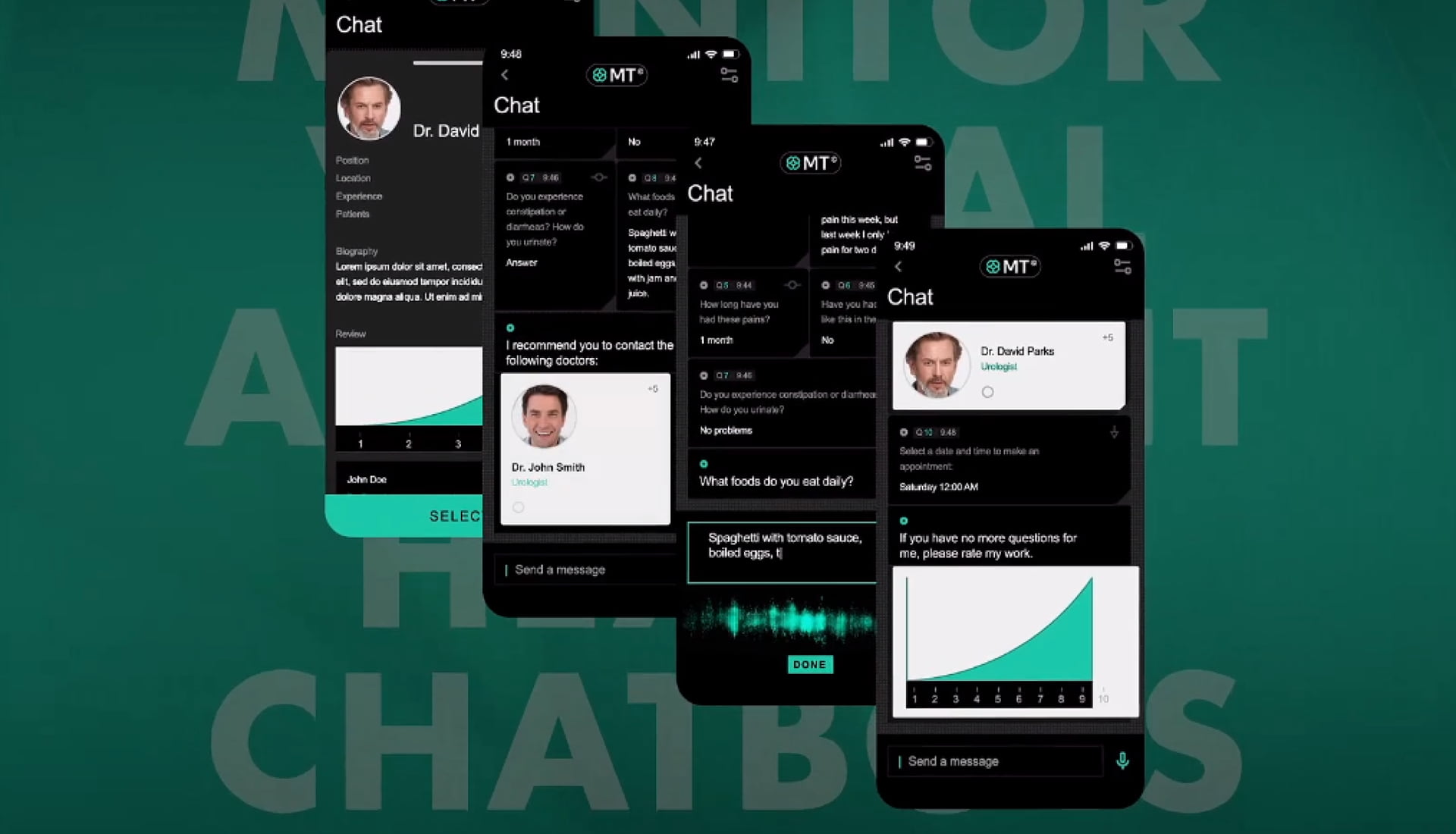
Generative UI is not the same as AI-assisted design
The two disciplines get conflated often enough that it is worth naming the difference on a page about generative UI. Generative UI is a runtime pattern: the interface the user sees is composed by a model at the moment of use. AI-assisted design is a process pattern: the design team uses AI tools during discovery and ideation to move faster, and then ships a conventional specified interface. A product team can do either without the other. Fuselab does both, and they require different deliverables. Teams working on conversational interfaces find that distinction sharper on the AI chat interface design service page.

What AI-assisted design looks like in practice
On the IMX Health MVP, the team used generative AI tools during early exploration, then shipped a fixed, specified interface where every screen was defined and built to spec. The AI shaped discovery, not what the user sees, which makes it AI-assisted design, not generative UI.

What a generative UI project delivers instead
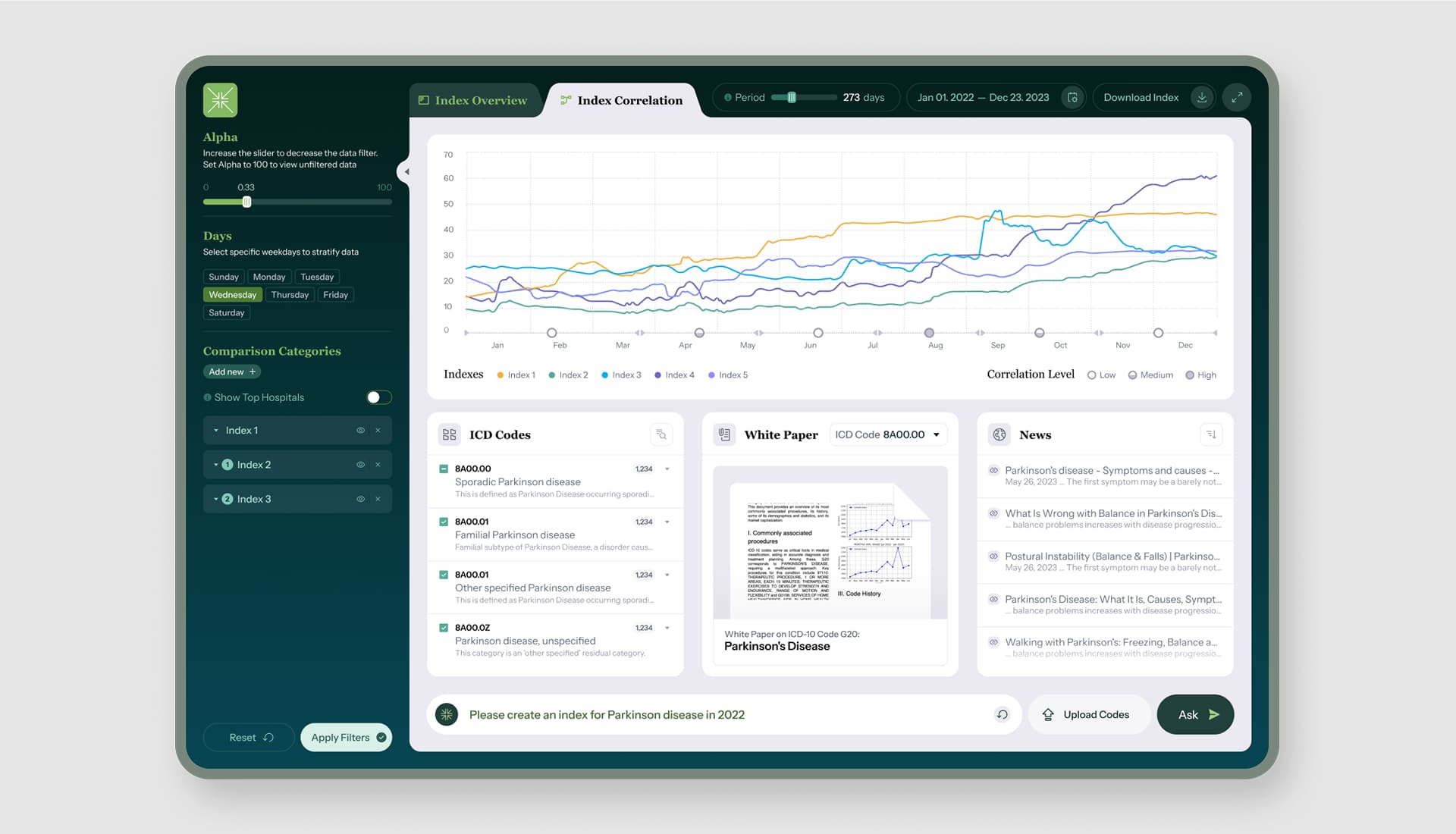
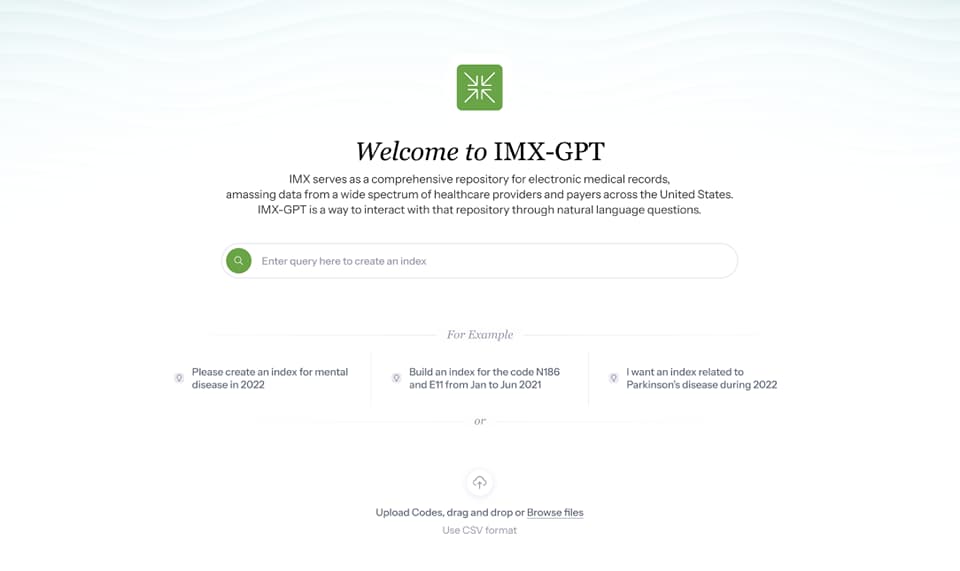
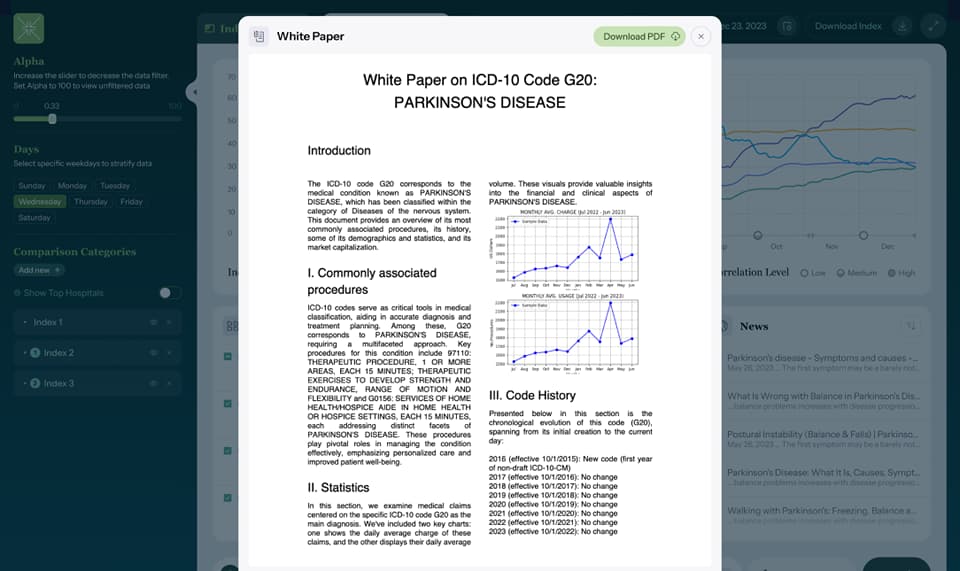
The interface assembles from the component library at runtime, so no two users necessarily see the same screen. Acceptance is measured against an evaluation prompt set, not a finished mockup.
Full generative UI program
Starting from a brief, with no engineering committed yet. Fuselab runs the complete engagement: constraint discovery, component library, fallback design, and the evaluation set, from week one through launch and into the post-launch QA cycle.

Structural design only
Engineering is already in place and needs design infrastructure to build against. Fuselab delivers the component library, data contracts, validation rules, and fallback templates, and the in-house team builds the renderer and validators from them.

Generative UI audit
The product has shipped and something in the generated output is breaking. Fuselab reviews the component library, the constraint set, and the fallback coverage against the failure modes surfacing in production, then returns a prioritized set of fixes.

Evaluation and ongoing QA
The product is live and the model keeps changing under it. Fuselab builds the evaluation prompt set that runs against every model change, prompt revision, and new component, so output that passed before does not quietly break.
Related Services and Solutions


Industries where generative UI earns its keep

A dispatcher’s screen reshapes around the event: a delay produces a rerouting card, a customs hold a compliance checklist. The design work sets the rules deciding which surface belongs to which event. A generated view that misstates a delivery window is worse than no view at all.

A generated clinical interface cannot drop information, misrepresent a dosage, or surface a recommendation without the validation context that supports it. No exceptions. The work concentrates on the validation layer every output passes and the fallback the system reverts to the moment it fails.

A financial reporting surface that composes itself around the instrument or query is generative UI in finance. Numeric accuracy is absolute: a misstated figure is a compliance event. Audit reproducibility is harder, pushing the work toward deterministic rendering and a fallback the model cannot override.

Records integrity separates public-sector generative UI from every other category. Every screen often needs to be reproducible for audit, FOIA, or compliance, which pushes toward deterministic rendering, not open-ended output. Fuselab holds a GSA contract, so federal and state teams can engage without competitive bidding.

Product pages that rearrange around stated intent and search results that compose themselves are generative UI in retail, and most buyers do not recognize them as such. The work guards two rules: a generated layout cannot break brand guidelines, and no variant can ever block a purchase.

Lab informatics and clinical trial dashboards carry heavy regulatory load. A generated view cannot misrepresent sample identity, dosage, or trial arm under any circumstance. The work concentrates on the schema-to-UI boundary: what renders from structured data with zero generative content, and what the model may compose within a narrow range.
Why teams bring generative UI work to Fuselab
Generative UI is unforgiving work: a weak constraint set or a missing fallback shows up in every instance the model renders, not one screen a designer can quietly fix later. Teams bring this work to Fuselab for the parts that decide whether it ships safely, the four below most often.
Constraint-first, not screen-first
The deliverable is the component library, validation rules, and fallback set the model renders from, locked up front, because a mistake in them repeats across every render.

Built for regulated environments
Healthcare, government, and finance products where a generated view cannot misstate a figure or break an audit trail. Fuselab holds a GSA contract for direct federal engagement.

Fallback and QA, not just generation
Generative UI breaks when the model misbehaves, not when it works. Fallback runs alongside component design, and the evaluation set keeps testing against every model change after launch.
Design and engineering in one loop
Components, data contracts, and schema are built in parallel, not handed off. The interface the user sees is assembled from infrastructure both teams shaped together.
Frequently Asked
Questions
What is generative UI design?
Generative UI design is the discipline of building interfaces a model assembles at runtime from a component library, live data, and a set of constraints, rather than screens a designer specifies in advance. The deliverable is the constraint system the model renders from, not a fixed set of layouts. The pattern appears most in adaptive dashboards, AI assistants, and LLM-powered internal tools.
What does a generative UI project actually deliver?
The deliverable is a component library the model renders from, the data contract and validation rules each component carries, and the fallback templates the system reverts to when generation fails. Engineering builds the renderer and validators against those artifacts. Acceptance is measured against an evaluation prompt set, not a final mockup.
How is generative UI different from AI-assisted design?
The two are opposite in where the AI acts. Generative UI is a runtime pattern, where the interface is composed by a model at the moment of use. AI-assisted design is a process pattern, where a designer uses AI tools to work faster and then ships a fixed, specified interface, so the deliverable differs entirely.
How is generative UI different from personalization or adaptive UI?
The difference is what assembles the interface. Personalization and adaptive UI rearrange or toggle pre-built screens using rules a designer defined in advance. Generative UI composes the interface from components at runtime, so a screen can appear that no designer laid out, which is why the constraint set and fallback design carry the weight.
How much does a generative UI design engagement cost?
Pricing is driven by scope: the size of the constraint set, the number of components and their validation rules, the regulatory load, and whether evaluation continues after launch. A full program typically runs as a 12 to 20 week engagement, with structural-design-only and audit engagements scoped smaller. Fuselab scopes each project against those factors rather than a fixed package rate.
How long does a generative UI project take?
Most engagements run 12 to 20 weeks, from constraint discovery through launch, with the bulk of the design effort in the component-library phase. Evaluation and QA continue past launch, because each model change can break output that passed before. Smaller audit or structural-design engagements run shorter.
What should a product team have in place before starting a generative UI project?
Two things matter most: knowing which parts of the generated interface can vary and which must stay fixed, and having engineering capacity to build the renderer and validators alongside the design work. The data source and the regulatory or brand constraints the output cannot violate also need defining early. Without those, the first phase becomes discovery rather than design.
Contact Us
Fill out the form!