8
min read
8
min read
 Oct 15, 2026
UX audit: how to evaluate an enterprise product before you redesign it

A UX audit tells you whether an enterprise product needs a redesign, or whether the real problem lives in the workflow, content, or operating model behind it. Done properly, it tells you whether redesigning the interface will solve the problem or just make an expensive mess look prettier. Most enterprise teams discover too late that their biggest issue was never visual design at all.
Search for “UX audit” online, and the same template comes up every time: a five-step process, a checklist, a paragraph on heuristic evaluation, and an e-commerce checkout used as the worked example. That version is built for a consumer or conversion-driven product, and for one, it works well. It falls apart on an enterprise product, where the gaps sit deeper, in workflow logic that breaks across user roles or compliance requirements nobody notices until an auditor does. This guide covers how to run a UX audit on an enterprise product, what a real checklist must cover, and what a regulated-industry audit catches that a usability pass misses.
What does a UX audit actually tell you?
A UX audit tells you whether your product’s problems come from the interface, the workflow behind it, or the organization around it. Teams arrive assuming the answer is redesign. Sometimes it is. More often the interface is fine and the real problem is a dated permission structure or a single broken onboarding step that nobody isolated.
That distinction is the entire reason to audit before you build. A full platform redesign for an enterprise product runs into six figures and several months. Commissioning that work to fix what turns out to be a misconfigured permission rule means spending the largest budget in the project on the wrong problem, then discovering the real one is still there.
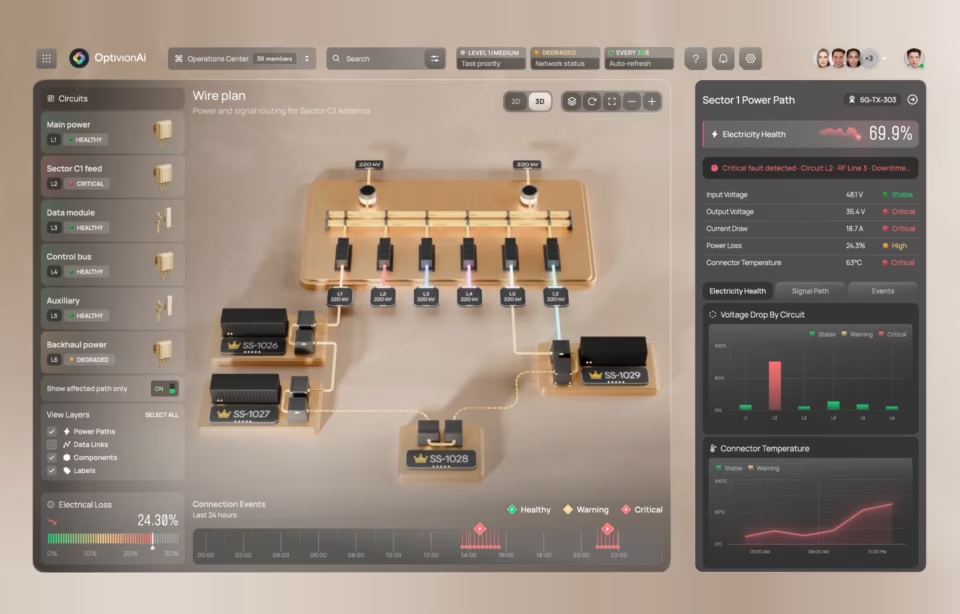
CyberDefend, a real-time security dashboard Fuselab built, is the kind of enterprise product an audit is built for: several user roles, live data, and operational decisions where a broken workflow costs far more than a dated visual.
What the audit buys you is precision. A misconfigured permission and a genuine design failure can look identical from the outside and cost wildly different amounts to fix. Knowing which one you are actually dealing with is the difference between a targeted change and a full rebuild.

How the audit actually runs
The UX audit process starts with one question: what is the product supposed to let someone accomplish, and where does that break down in practice? From there it reviews existing analytics, research, support tickets, and stakeholder goals, then maps how real people move through the product. Heuristic evaluation is one input, not the method itself.
Each input answers a different question, and the audit needs all of them. Analytics shows where people drop off, not why. A heuristic review, the expert-evaluation method formalized by Nielsen Norman Group, shows what an experienced reviewer thinks looks wrong, which is a hypothesis rather than evidence. Direct observation and user research show how the product is actually used, which is what separates a workflow that is genuinely broken from one that is simply unfamiliar.
It is also where an audit parts ways with usability testing. Usability testing watches real users attempt tasks and infers problems from what they do. An audit weighs those observations against the standard the product is held to: the regulation, the audit trail, the permission model. That is why an enterprise audit leans as heavily on workflow mapping and compliance review as it does on watching someone click.
The part that earns the budget is workflow mapping across roles. An enterprise product usually serves several user types inside one interface: an administrator, a frontline user, sometimes a compliance reviewer. The audit asks what happens when a filter or a permission behaves differently for two of them, and that question surfaces problems a screen-by-screen review never reaches.
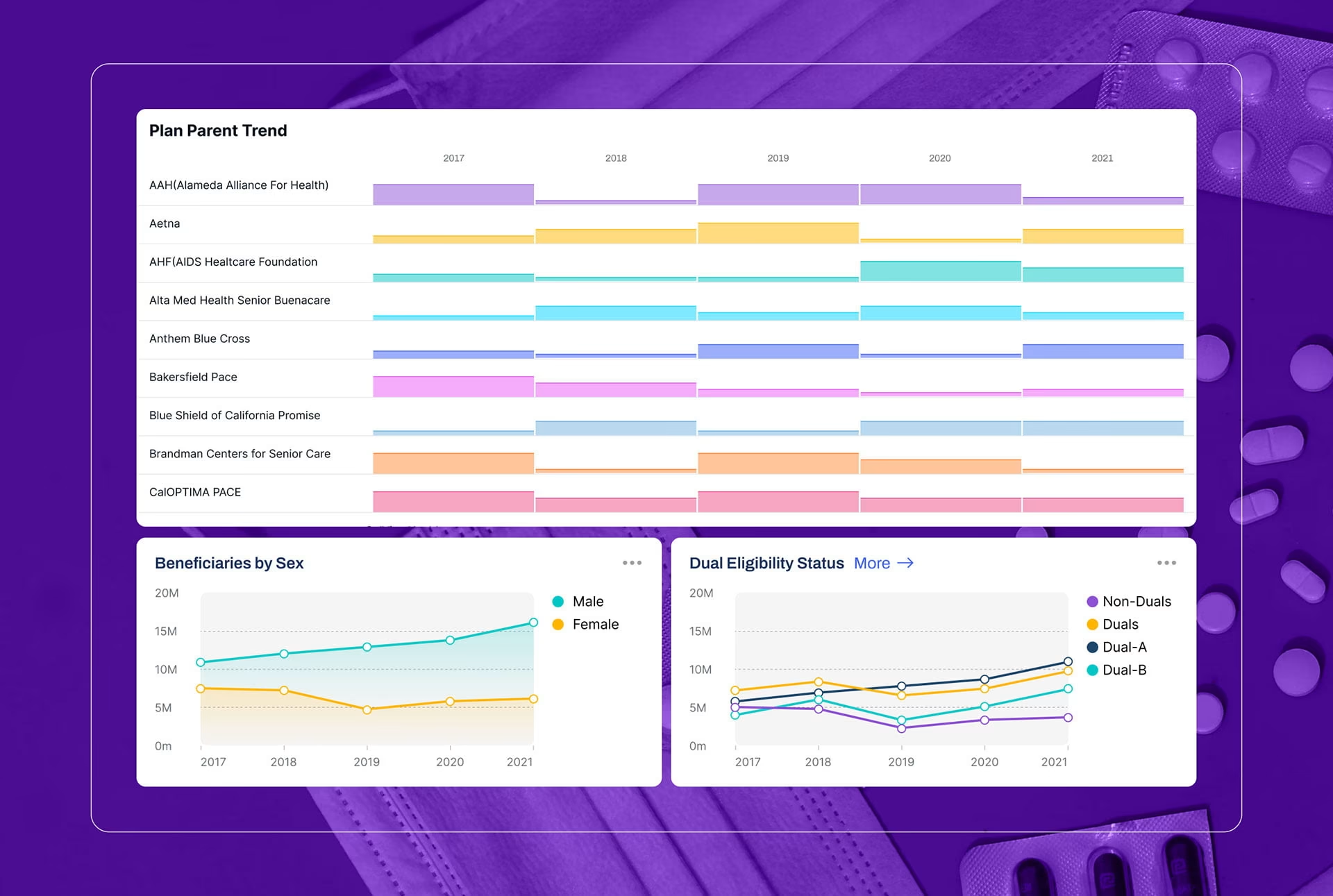
The work for California’s Department of Health Care Services (DHCS) is a good example of what that surfaces. The long-term care dashboards covered more than 784,600 beneficiaries across six data dimensions, and the people reading them were non-technical government stakeholders, policy staff and program managers who arrive with a policy question rather than a data query. Research showed they think about beneficiary data geographically, by county, not as raw numbers, which is why a choropleth map was chosen over a table for the distribution view. That is a finding a heuristic usability pass never reaches, because it is a question about how each user type frames the problem, not whether a control is labeled correctly.
Everything the audit gathers feeds one output: a clear view of what is working, what is not, and what to fix first, delivered as a findings report, annotated workflows, and recommendations rated by severity. That prioritization exists to make a single decision easier, where the next dollar should go, and just as often where it should not.
What a real UX audit checklist covers, beyond usability
A real UX audit checklist covers workflows, information architecture, accessibility, content, and operational reality, not just screens. Most downloadable checklists stop at interface patterns. Those patterns matter, but they miss the architecture and the role logic underneath the interface, which is where enterprise products usually fail.
Navigation and information architecture stay on the list because people cannot complete a task they cannot find. Accessibility stays on it because a product that excludes users creates support cost and legal exposure later. For a government or healthcare platform that means testing against Section 508 and WCAG specifically, not a general nod toward good practice.
Past those fundamentals, an enterprise checklist examines permission-conditional states. Does the interface stay correct and understandable when the same screen renders differently for an admin and a frontline user? It tests workflow continuity across multi-step processes, looking for the handoff between an approval step and a compliance checkpoint where a task quietly leaks. A federal or state platform has to satisfy obligations a commercial SaaS product never encounters.
A standard usability checklist asks whether a user can complete a task. A UX audit for an enterprise team asks whether they can complete it without breaking an approval chain or stepping outside what the product is legally required to do. That is a harder question, and it is why an enterprise audit examines systems, people, and process together rather than the interface alone.
When the audit says don’t redesign yet
Sometimes the audit’s most valuable finding is the one no team scopes for: not yet. The problems that justify holding off are rarely cosmetic. They are data quality, a duplicated system, or a governance gap, and a fresh interface does nothing for any of them.
Worse, a redesign laminates the problem in place. We have seen cases where rebuilding immediately would have carried a data or permission flaw straight into the new interface and buried it deeper, making it harder to find a year later, rather than easier.
A checklist-driven audit rarely reaches this conclusion, because it treats every gap it finds as a design gap. An audit run by the team about to pitch you the redesign has an obvious reason not to reach it either. That is the case for separating who runs the audit from who profits from its recommendation, and it is worth settling before the redesign contract is signed.
Who should run a UX audit?
The right person to run a UX audit is someone who understands the specific ways your product can fail. A healthcare platform and a consumer app can both have usability problems, but only one carries regulatory obligations, audit trails, and multi-role workflows, and a reviewer who has never worked inside those constraints will not know to test for them.
Internal teams know the product deeply, and that knowledge is real. But familiarity creates blind spots. It is hard to be objective about a workflow you designed, and harder still to flag a compliance gap that traces back to a call your own team made two years ago.
Outside reviewers bring distance and notice the assumptions insiders stopped seeing. The honest combination is usually both: an internal team’s product knowledge paired with an external reviewer who has actually worked under the same constraints. A consumer UX specialist can run a clean usability review on a regulated healthcare platform and never flag the compliance and workflow gaps that matter, because they were never trained to look for them.
Here is how the main audit types differ, what each one catches, and when it applies.
Conclusion
A UX audit is cheaper than redesigning the wrong thing. In enterprise products the costly failures rarely start in the visual layer. They start in workflows and constraints nobody examined until the redesign was already underway. A good audit narrows the uncertainty before the expensive decision, so the team invests in the problem that actually exists rather than the one that was easiest to assume.

Frequently asked questions
What actually happens during a UX audit?
A UX audit reviews the product, existing analytics, user research, support tickets, and stakeholder goals, then maps how each role moves through the product. The aim is to locate where the experience breaks down and why, before any redesign is scoped. The output is a prioritized roadmap, not a long report.
Do I really need a UX audit, or should I just redesign?
An audit comes first whenever you cannot yet name exactly where the product fails and why. Redesigning without that answer often carries the real problem, a workflow or data issue, straight into the new interface. If the failure is already identified and isolated, you may not need a full audit.
How is a UX audit different from someone reviewing the UI?
A UI review looks at screens: layout, typography, spacing, and visual consistency. A UX audit looks at whether someone can complete their task across every role that touches the product, and whether the workflow underneath holds up to the standard the product is accountable to. A reviewer tells you a screen looks dated; an audit tells you whether the product works the way it was designed to.
How long does a UX audit usually take?
Most audits take two to six weeks, depending on the product’s complexity and how available the stakeholders are. Large enterprise platforms run longer because their workflows span multiple systems and teams. A tightly scoped audit on a single workflow can finish faster.
What does a UX audit cost?
An audit is billed against senior design hours, which for US specialist agencies run roughly $100 to $150 an hour. A focused audit on one workflow sits at the lower end, while a full enterprise audit covering multiple roles and a compliance review is a project-scale engagement. Fuselab’s Clutch profile lists a $25,000 minimum project size, a useful anchor for a thorough enterprise audit.
When is the right time to audit a product?
The right time to run an audit is before you commit to a redesign, not after one is already underway. It is also worth running on a cycle, particularly once a product has grown past its original user base or added a new role, a new regulation, or a new AI-driven feature. Each of those changes the workflow in ways the original design was never tested against.
What do you do with the findings once the audit is done?
The findings become an ordered set of next steps. Some ship immediately, while others set redesign priorities or feed a larger transformation effort. What you are paying for is knowing the order to act in.