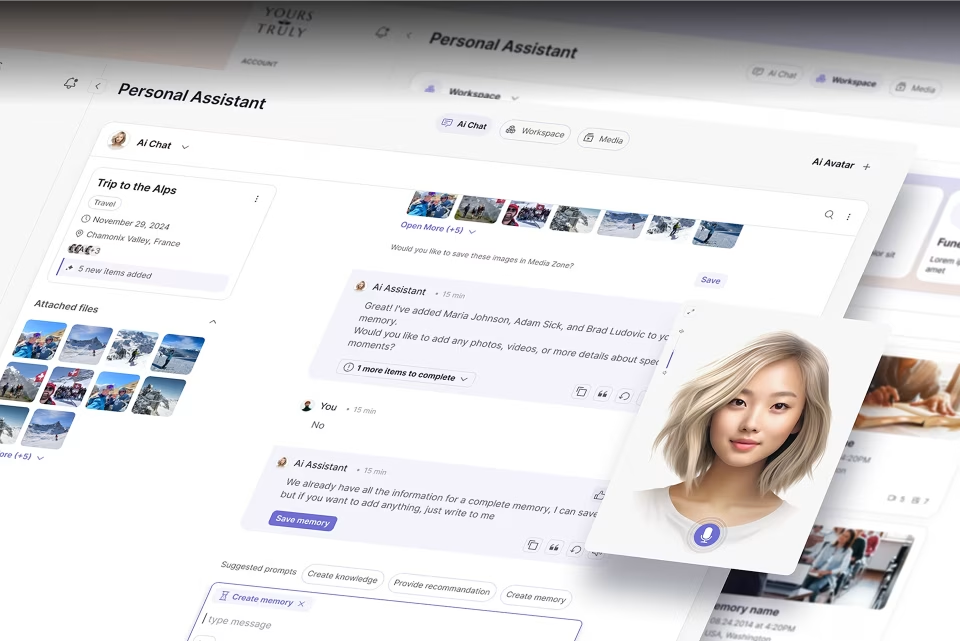
Conversational AI design: a practical guide
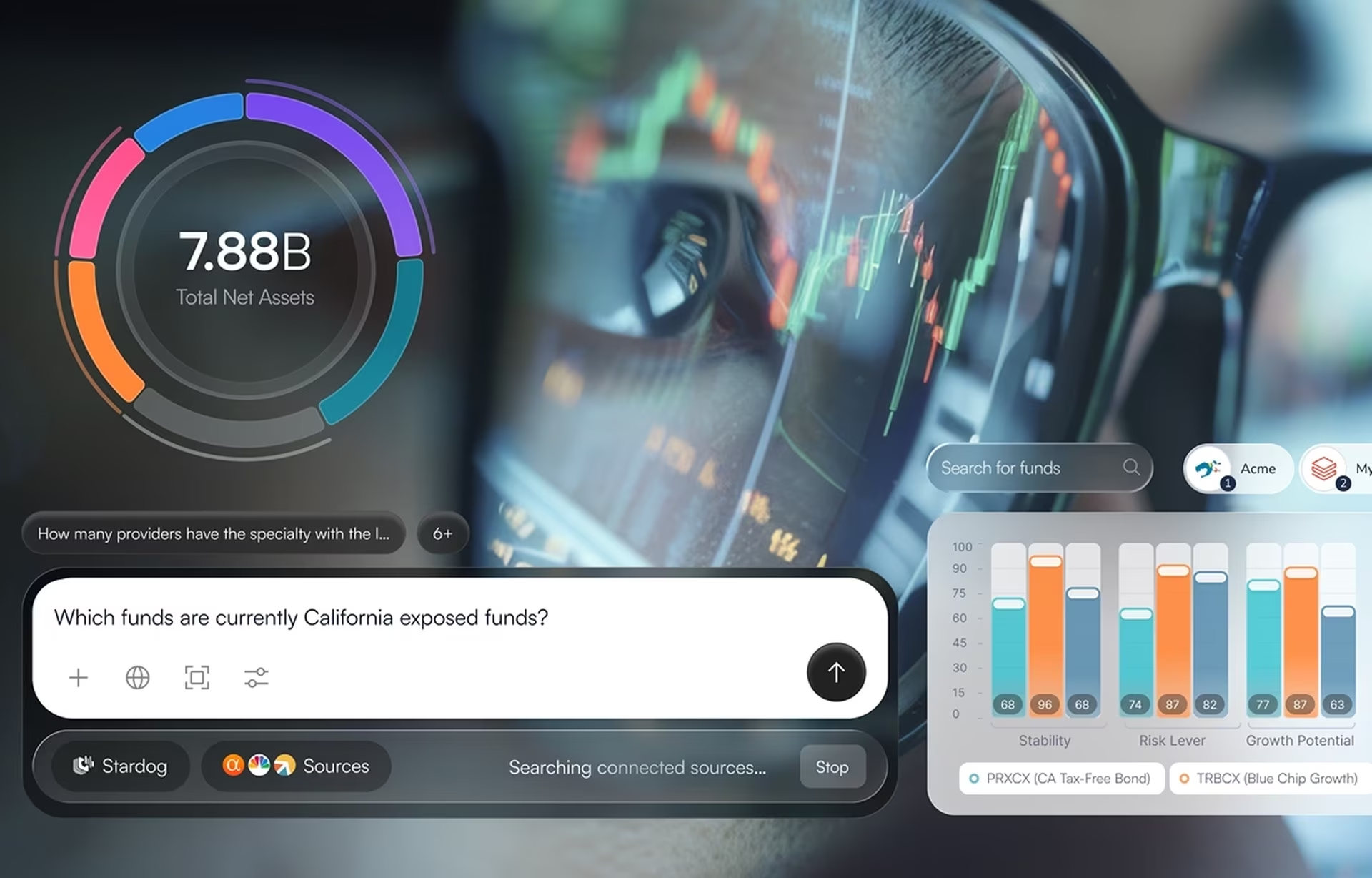
Most advice on designing an AI assistant starts with the happy path, which is the part a modern language model handles with little help. Conversational AI design is the work of deciding what an assistant shows and does when people talk to it in plain language. The hard part sits where the model has no answer, a weak one, a wrong one, or a question it should not take.
Picture a support assistant that answers a refund question in the same confident paragraph whether it found the refund policy or stitched a reply from two unrelated help articles. The customer cannot tell the difference, and the first wrong refund promise lands on support. Customers rarely give a second chance: in Gartner’s 2026 survey of 3,566 customers, only 27% said they would try a chatbot again after a negative experience.
This guide is for the product lead or head of customer experience about to ship a text assistant inside a web or mobile product. The assistant might answer customers from a help center or employees from internal documents. The guide moves from what the work covers to the moments where trust is won or lost, then to measurement and project steps, using examples from Stardog Voicebox and ClyHealth.
What conversational AI design covers
Conversational AI design covers four decisions a team settles before anyone draws a chat bubble, and writing the dialogue is a small part of the work. Scope is which questions the assistant takes, and provenance is which sources an answer may draw on. Confidence is how the screen signals how far to rely on an answer, and fallback is what the assistant does when it cannot answer.
Scope and provenance are the decisions teams expect to make, and they usually make them in a spreadsheet: a list of topics the assistant owns and a list of documents it may search. The gap is on the screen. A user should learn the scope before typing anything and see the source next to each answer, or the spreadsheet never reaches the person it was written for.
Confidence is the decision teams most often hand to engineering by accident. A confidence signal on screen is a design treatment of retrieval results and model scores, never a raw probability shown to the user. Someone has to decide which states the screen distinguishes, what each state looks like, and what the user should do in each one. If nobody decides, every answer gets the same styling.
Fallback runs from a clarifying question to a full handoff to a person, and users remember it because they meet it when they are already frustrated. Conversational UX is the visible layer of all four decisions: the message layout, suggested prompts, citations, and handoff screens a user touches. It comes last because it can only express decisions someone has already made.
How machine learning changed conversational design
Machine learning changed conversational design twice. Classifiers made intent-based bots better at recognizing what people asked, but every reply was still written in advance. Large language models removed that limit. An assistant can now produce a fluent answer to almost any question, including questions its sources cannot support, so the design has to mark where reliable answers end.
Three architectures run side by side. Intent-based bots match a message to a fixed list of intents and return a reply someone wrote in advance, so their failures look like failures. LLM-powered assistants generate each reply from company content, so the same question can get a new answer next week. Agentic systems run multi-step work across tools and need their own article, though single approvals are covered here.
The change that matters most on screen is the line between generated and sourced text. When a model’s paraphrase of the refund policy is styled exactly like a quote from the policy, the user reads both as fact and has no reason to check either. We treat a generated sentence the way a dashboard treats a forecast: it should never look as certain as a measured value.
Scripted-era patterns still have a place. Quick-reply buttons and a fixed topic menu help when the assistant’s job is narrow, but putting them in front of a model that could handle open questions hides capability the team paid for. The opposite error is an empty text box with no visible scope or sources, which leaves users to find the boundaries by walking into them.
Conversational AI design vs scripted chatbot design
Scripted chatbot design maps known inputs to known outputs, so a designer can review every reply before launch. Conversational AI design handles answers nobody wrote in advance. The designer sets rules for scope, sources, confidence, and fallback, and those rules must hold across thousands of replies the team will never read one by one.
The table changes how quality gets checked. A scripted flow can be walked end to end and signed off. An LLM assistant has no finite set of paths, so quality depends on the rules it follows at the edge of its knowledge and on a review loop that keeps reading real answers after launch.
Ownership of the design decisions shifts as well. The content owner decides what the assistant may cite, support leadership decides when a person takes over, and compliance may decide which topics it must refuse. The designer turns those decisions into things a user can see, and screen-level patterns such as message layout are covered in our guide to chatbot UI patterns.
When conversational AI is the wrong interface
A benefits portal with four enrollment fields does not need a chat window, and adding one makes the task slower and less predictable. Conversational AI fits when people arrive with ambiguous questions, do not know the vocabulary the system uses, or ask from a long tail no menu could cover. It fits poorly when the task already has a fixed structure.
Customer support over a deep help center is the most common strong case. Internal search across policy documents is another, and so is data exploration where an analyst knows the question but not the query language. Stardog Voicebox sits in that third group: analysts ask about funds in plain language while the structured data stays on screen.
Form entry, standard approvals, and any workflow that must give the same answer to the same question every time work better as regular screens. A conversational surface adds variance exactly where an auditor expects none, and a guess styled as an answer is harder to catch inside a chat than inside a form.
Most products land on a combined model. A structured interface handles the predictable majority of the workflow, and a conversational surface handles the ambiguous part. The combination works when each surface has a clear job and the user can tell which one they are using. Deciding which interactions belong in which surface comes right after the question audit in every assistant project we run.
The five moments that decide whether users trust an assistant
Five moments decide whether people keep using an assistant: no answer, low confidence, a wrong answer, an out-of-scope question, and a request for a person. They are where users decide how far to rely on the assistant, and none of them shows up in a demo, so they get designed before the happy path does.
Microsoft’s Guidelines for Human-AI Interaction group 18 guidelines by when they apply, and one group covers how a system should behave when it is wrong. The table below turns that group into screens, system behavior, and logs that design and engineering can sign off together. The fifth moment, a request for a person, gets its own section, because a good handoff depends on systems outside the conversation.
No answer
Saying no well is a design decision. In our October 2026 outlook on AI products we argued that the most important button in an AI product is the one that says no. The no-answer moment is where an assistant first needs it. Letting the model write something anyway is the common failure.
An empty result often means the wording missed, so the system retries once with a rephrased query. If that also finds nothing, the screen admits the miss in one sentence and offers two or three related questions, each one the assistant can answer. Test every suggestion against real retrieval before launch, because a stale suggestion list rarely shows up in normal testing.
Low confidence
Models do not lower their voice when they are unsure, so the interface has to. The useful pattern is a shorter answer that covers only what the sources support, names what is missing, and asks one question to narrow the request. A long, fluent answer with a small warning icon reads as confident no matter what the icon says.
The marker itself needs restraint. A loud warning on every reply teaches people to skip it, because a signal that never changes carries no information. A quiet default state with a visible flag on the answers that need checking works better. The real design decision is where the threshold for that flag sits and how loud the flag is.
Wrong answer
Every assistant will be wrong sometimes, and the design question is how fast the user can tell and how cheap the fix is. Visible sources let a user check a claim against its origin. A one-tap flag lets them report a problem without writing a complaint, and a correction that continues the conversation keeps the context they already gave.
Flagged answers are the most useful log the assistant produces. Each one becomes a review item, and the reviewer’s verdict shows whether the source content or the model caused the problem. Content problems go to the content owner and model problems go to engineering, so the flag needs a route to both teams from the first day.
Out of scope
An LLM will answer a tax question inside an HR assistant if nothing stops it. Scope has to be set twice, once in the system rules and once on the screen. Microsoft’s first guideline covers the screen half: make clear what the system can do, before the user has to find out by asking.
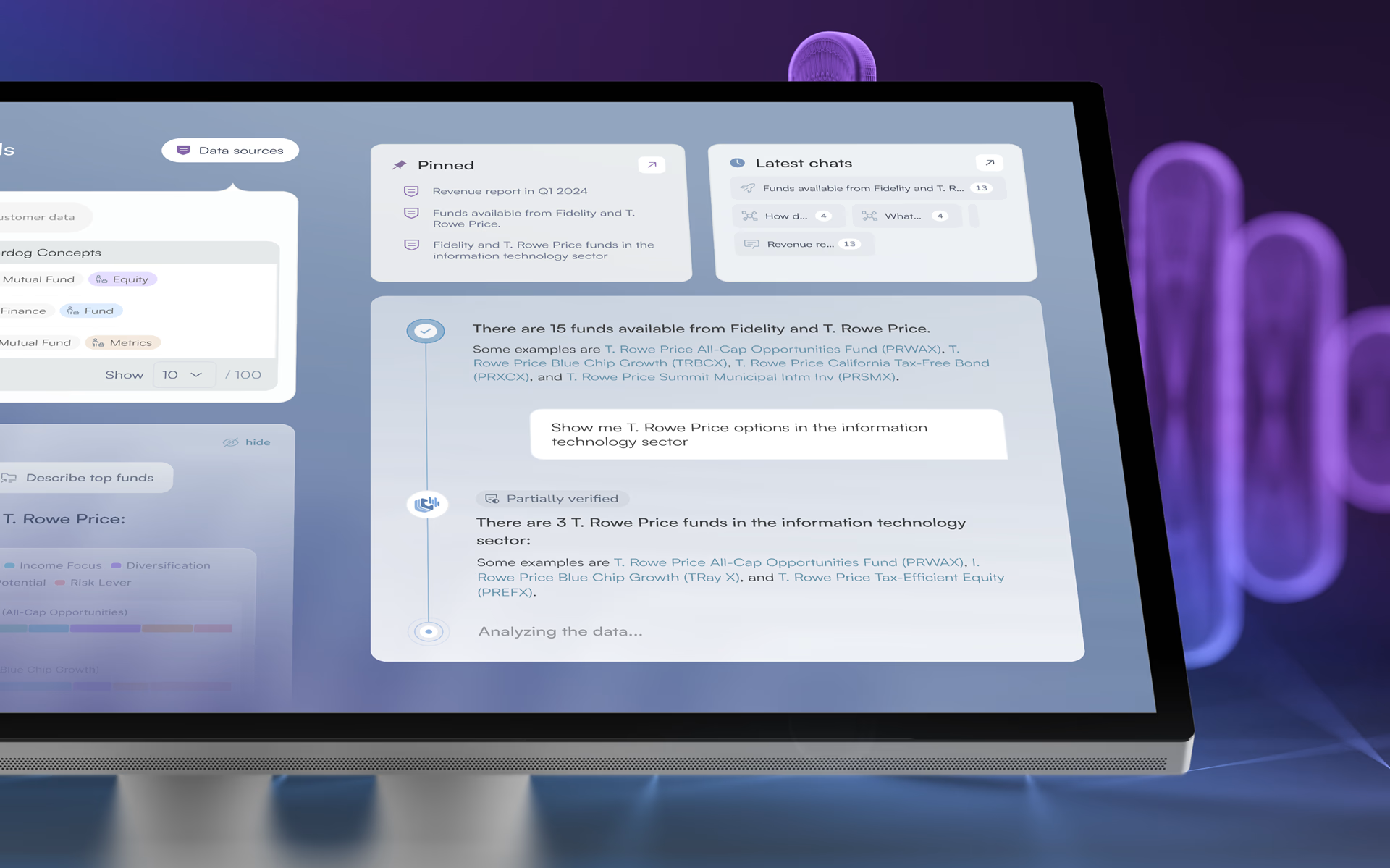
On Stardog Voicebox, the opening screen does that job. Dataset context is visible before anyone types, ready-to-use prompts show the kind of question the assistant handles, and recent conversations load on first view. When a question does fall outside the job, a specific decline with a link to the right team tells the user where to go next, which a generic refusal cannot.
Showing sources and confidence on screen
Sources and confidence signals turn an answer into something a person can check. Keep the evidence beside the answer, and show confidence as a few plain states tied to that evidence rather than as a number. Google’s People + AI Guidebook describes numeric confidence displays as risky because they presume users understand probability.
Stardog Voicebox shows how this works for financial analysts. A split panel keeps a structured fund data table beside the AI chat, so the source data stays in view as each answer appears. Each response carries a verification marker that separates high-confidence answers from those that warrant manual review, and its prominence was tuned so it neither alarms nor disappears, the quiet default the low-confidence section argues for.
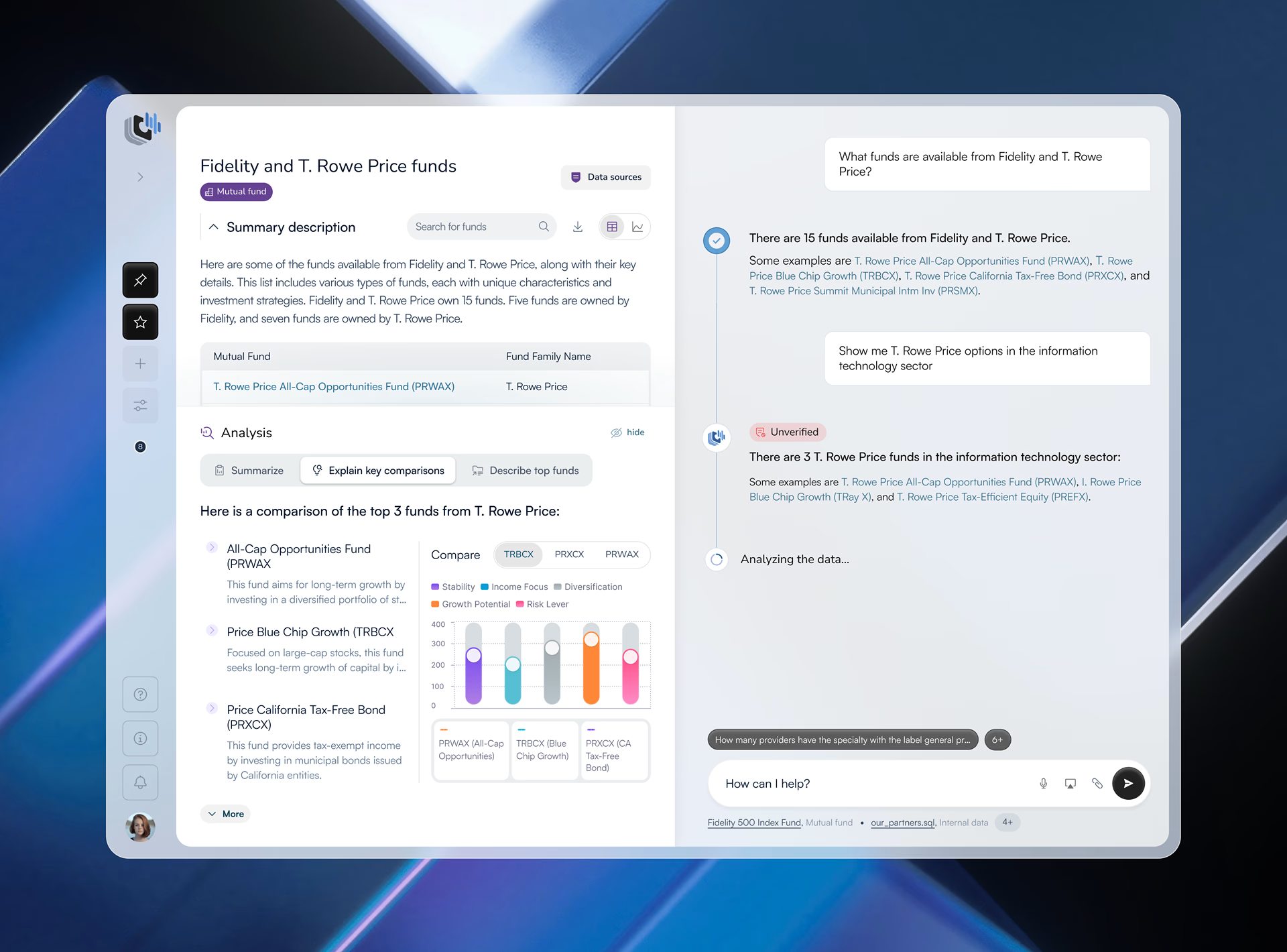
That marker tells an analyst where to spend checking time, so nobody has to audit every answer. The previous version of the product showed stagnation and mid-session drop-off. Comparing post-launch figures with that version, the Voicebox case study reports a 20% increase in time spent engaged and a 27% increase in new user conversion.
Those figures cover the whole redesign, including the entry screen, the workspace, and the markers, so they show the combined effect of all three. They also say nothing about whether the markers were accurate. A marker is only as honest as the signal behind it, and checking that takes the calibration review described in the measurement section.
The same principle carries more weight in clinical software. The ClyHealth AI health assistant makes clear to providers and patients that each answer comes from that patient’s own record, not general health guidance. Its supplement module places the formulation reasoning next to each recommendation, so a provider reviews the logic before approving it for a patient.
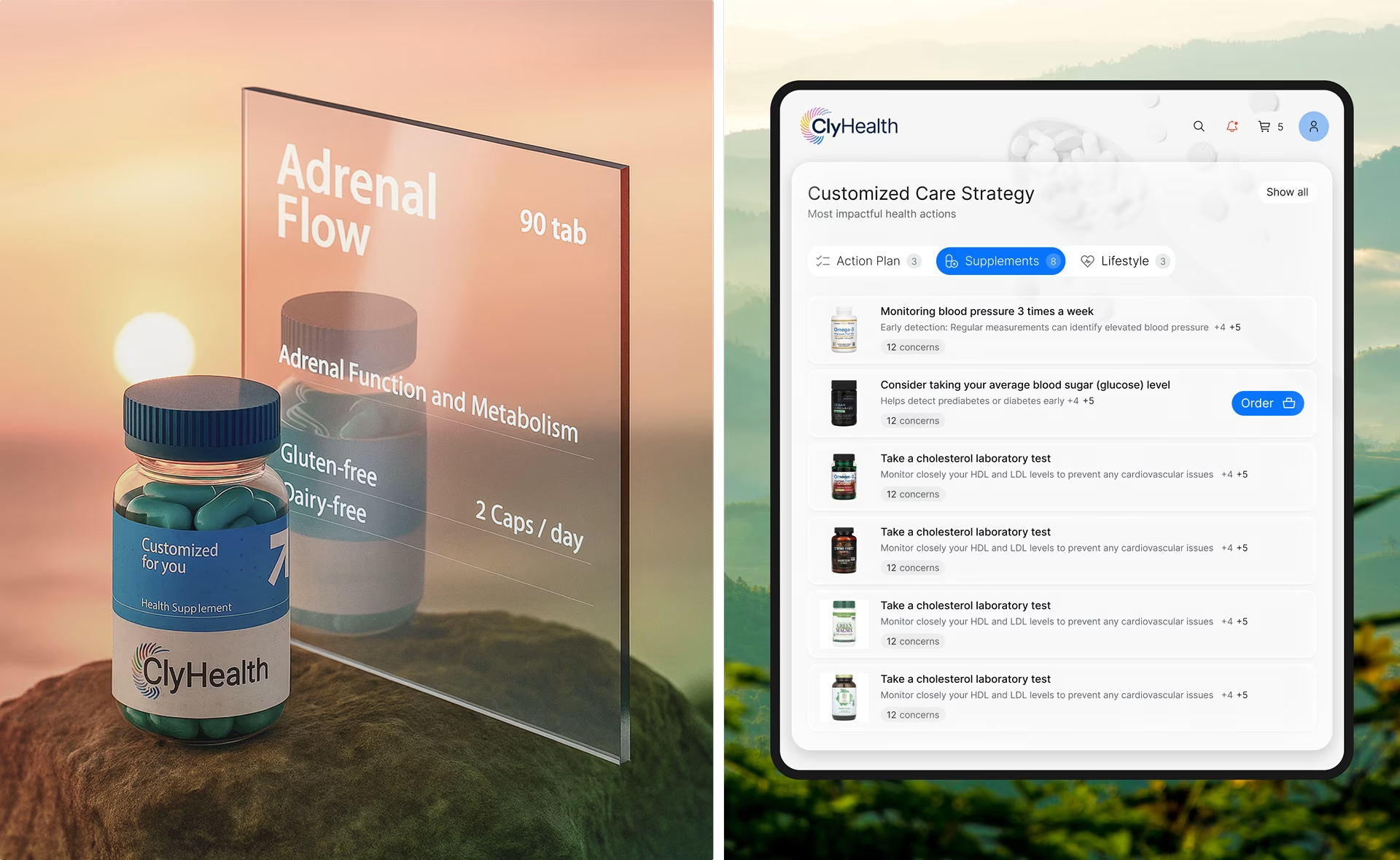
Regulators care about the basis of a recommendation too. The FDA’s January 2026 guidance on clinical decision support software for healthcare professionals lists a clinician’s ability to independently review that basis among the conditions for staying outside device regulation. Whether a product qualifies is a regulatory question, but the screen decides whether the basis is visible.
Designing the handoff to a person
Gartner’s survey produced a second finding, published in August 2026: 87% of customers say an option to reach a human agent is essential when a company uses generative AI for service. Handoff is the fallback a user should always be able to see. Designed well, it passes the full context so nobody repeats themselves, and it sets an honest expectation about the wait.
The route to a person belongs on screen from the first message, well before any failure. It has to be designed in five places: the triggers, the actions that wait for a person, the context that travels with the conversation, the availability message, and the exit itself. Each one fails in a different way, and most depend on routing, ticketing, or queue systems the design team does not own.
Triggers. Decide in advance when the assistant offers a person proactively, on top of the route that is always visible. Common triggers include a direct request, two failed attempts at the same goal, and sensitive topics such as complaints or billing disputes. A direct request always wins, because an assistant that tries one more answer after someone types “agent” turns a solvable question into a complaint.
Actions that wait for a person. Once an assistant can take actions, such as issuing a refund or changing an order, the trigger list needs one more rule. We apply the reversibility test from the same outlook: can the action be cheaply undone, and does it stay inside the team? An action that fails either question waits for a named person’s approval, however confident the model sounds.
In a customer-facing assistant, the second question routes most account actions to a person, and that is the right default. Teams then release specific low-risk actions, such as a delivery address the customer can change back, one at a time. Some actions are never released: money above a set limit, access changes, regulated decisions such as a claim or a clinical recommendation, and anything proposed alongside a low-confidence answer.
Context transfer. The agent who picks up should see the transcript, the user’s goal as the assistant understood it, and the answers already given. If the user has to repeat the question, the handoff failed even though the transfer worked. This part depends on the ticketing or CRM system, so it needs engineering time scheduled before launch.
Honest availability. If nobody is available until Monday, the screen should say so and offer a ticket or a callback. A promise that an agent will be with you shortly, followed by a queue that never moves, costs more goodwill than the unanswered question did. Wait times shown on screen should come from the live queue.
A visible exit. Teams sometimes hide the route to a person to protect containment numbers. That moves the frustration into the conversation, where it is harder to see and slower to fix, and it rarely cuts the workload because determined users find the phone number anyway. Approval steps and audit trails are covered in our guide to enterprise conversational AI.
How to measure a conversational AI assistant
Measure an assistant by how it behaves at its limits as well as by how many conversations it closes. Four quality measures come first: citation coverage, evidence support, correctness, and calibration. They sound alike and catch different failures. Recovery rate, handoff quality, and flag rate come from the logging column of the five-moments table.
Containment, the share of conversations that end without a person, was a fair headline metric for scripted bots. With an LLM assistant it can mislead, because a conversation that ended on an unsupported answer counts as contained even when the user acted on bad information. Containment is still worth tracking, as long as it is not the only number on the dashboard.
Each measure catches something the one before it misses. Citation coverage can be perfect while the cited passage says something else, which is what evidence support catches. An answer can be fully supported by an outdated policy and still be wrong, which is why correctness is judged against what the content owner says is current, not against the document the assistant found.
Calibration ties the screen to those verdicts. When high-confidence answers fail review as often as flagged ones, the markers are noise and users learn to ignore them. Calibration is also the measure teams skip most easily, because it depends on the correctness review and cannot be computed from logs.
Three operational measures complete the picture. Recovery rate tracks how often users still reach a useful outcome after a no-answer or low-confidence moment. Handoff quality tracks time to a person and how often users had to repeat themselves. Flag rate and review time track how often users flag answers and how quickly the team traces and fixes the cause.
Only citation coverage can be read from a dashboard alone. Evidence support, correctness, and calibration all come from one weekly review of sampled conversations, scored once and used three times. That review needs an owner and a weekly slot from the first sprint, so put the owner’s name in the project plan next to the launch date.
How to start a conversational AI design project
A new assistant project starts with questions and failures: audit what users ask, decide which questions the assistant should own, and write the five moments into a spec. Most projects take 8 to 16 weeks from question audit to launch-ready design, including two to four weeks of audit and discovery and six to twelve weeks of design.
- Audit real questions. Pull support tickets, site search logs, and chat transcripts, then sort the questions into four groups: answerable now, answerable with new content, needs a person, and out of scope.
- Decide what belongs in conversation. Move fixed-structure tasks such as form entry or standard approvals to regular screens, using the fit test from the section on when conversational AI is the wrong interface.
- Write the failure spec. Fill in the five-moments table with an owner for each row, the confidence states the screen will show, the threshold for a visible flag, and the actions that wait for approval.
- Prototype with real output. Test real content and real model responses, include questions the assistant should decline, and note which declines send users looking for a phone number.
- Build the review loop, then launch narrow. Set up logging, flagging, and the weekly review before launch, and widen scope only as the logs show which topics the assistant handles well.
The 8 to 16 week range assumes one assistant on one or two channels, drawing on content that already exists. Each extra channel or connected system adds time, and a regulated review process usually puts a project at the top of the range. Build and launch follow on the engineering team’s schedule, and content that has to be written or cleaned before launch needs its own owner.
Launching narrow is also Gartner’s 2026 advice to service leaders, who are told to expand a chatbot’s scope only once its performance is reliable. Our AI chat interface design engagements follow this order, with the question audit and the failure spec agreed before any screen is drawn.
What to check on your own assistant first
Before redesigning anything, ask your assistant three questions it should not be able to answer and watch the screen. If a guess looks the same as a sourced answer, or the route to a person appears only after two failures, fix those first. Record what you see in the five-moments table, and the gap between today’s screen and the spec is your first backlog.
Frequently Asked Questions
What is conversational UX?
Conversational UX is the visible layer of an AI assistant: the message layout, suggested prompts, source citations, confidence states, and handoff screens a user touches. It expresses earlier decisions about scope, sources, confidence, and fallback, so it is designed after those decisions are made.
What does machine learning add to conversational AI?
Machine learning lets a conversational assistant generate answers nobody wrote in advance, so the same question can get different replies and the assistant can answer beyond what its sources support. The design has to show which answers are grounded in a source, signal doubt, and handle failures a scripted bot never produced.
What is the difference between conversational design and conversational AI design?
Conversational design is the broader craft of writing dialogue and flows for any conversational interface, including scripted bots and voice menus. Conversational AI design applies that craft to systems that generate their own answers, so it adds grounding, confidence signals, evaluation, and fallback work that scripted flows never needed.
Should a conversational AI assistant guess or admit it doesn't know?
A conversational AI assistant should admit it doesn’t know, because a wrong guess costs more trust than an honest “I couldn’t find this.” The best response says so in one sentence. It then offers related questions the assistant can answer and a clear path to a person.
How long does a conversational AI design project take?
Assistant design projects typically take 8 to 16 weeks from question audit to launch-ready design: two to four weeks of question audit and discovery, then six to twelve weeks of design. The range depends on how much content the assistant draws from, how many systems it connects to, and how strict the review requirements are.
What should an AI assistant design team show in its portfolio?
An AI assistant design team should show at least one shipped assistant with its failure states designed, including no-answer, low-confidence, and handoff screens, alongside the normal answers. Polished chat bubbles alone say nothing about how the team handled the moments that decide adoption.
What should I look for in a conversational AI design agency?
A conversational AI design agency should be able to point to at least one shipped product where the agency designed the conversation patterns, confidence display, and recovery logic for a machine-learning-powered system, not only the visual surface of a chat window. The portfolio matters more than the deck. Agencies without a named conversational AI project in their work have done chatbot UI, which is a different and narrower discipline.