11
min read
11
min read
 Oct 7, 2026
Accessibility audit: a WCAG and Section 508 guide for 2026
An accessibility audit is a structured evaluation of a website, application, or digital document against the WCAG success criteria and, where the law requires it, Section 508, combining automated scans with manual testing using real assistive technology to identify where people with disabilities encounter barriers. It has shifted from good practice to a legal requirement, because the 2024 ADA Title II rule now binds state and local governments to WCAG 2.1 Level AA on fixed 2027 and 2028 deadlines.
What is an accessibility audit?
An accessibility audit is a structured review of a digital product against the WCAG standard and, where it applies, Section 508. It pairs automated scanning with manual testing of assistive technology, maps every barrier to a specific success criterion and severity level, and returns a prioritized remediation plan rather than a pass-or-fail score.
A useful audit answers two questions at once: where the product blocks people with disabilities, and what designers and engineers should change to remove each barrier. Automated tools catch only part of the picture. They flag missing alt text, low contrast, and unlabeled fields, but they cannot judge whether a checkout flow makes sense through a screen reader.
Each finding ties to a WCAG success criterion, describes who it affects and how badly, and recommends a concrete fix. That structure turns the report into a roadmap that engineering can act on, not a compliance verdict. For teams selling to federal agencies, the same evidence base supports a VPAT, the accessibility conformance document buyers request during procurement.

Why accessibility audits matter now
Accessibility audits matter because most digital products fail WCAG today, and the legal exposure is now concrete. The WebAIM Million 2026 analysis detected WCAG failures on 95.9% of the top one million home pages, and ADA Title II now binds state and local governments to WCAG 2.1 Level AA on deadlines in 2027 and 2028. And anyone following the search requirements in the world of LLMs knows there are many similar needs across smart search engines and 508 compliance, as strange as this might sound.
The WebAIM Million 2026 report found that 96% of all detected errors come from just six recurring failures: low-contrast text, missing alternative text, empty links, missing form labels, empty buttons, and missing document language. Most barriers are not exotic. They are the same handful of mistakes a disciplined review catches early.
The audience is not niche either. The World Health Organization estimates 1.3 billion people, about 1 in 6 worldwide, live with a significant disability. For a VP weighing where audit budget goes, that is a share of the market the size of a continent, and the same fixes that serve them tend to improve the product for everyone.
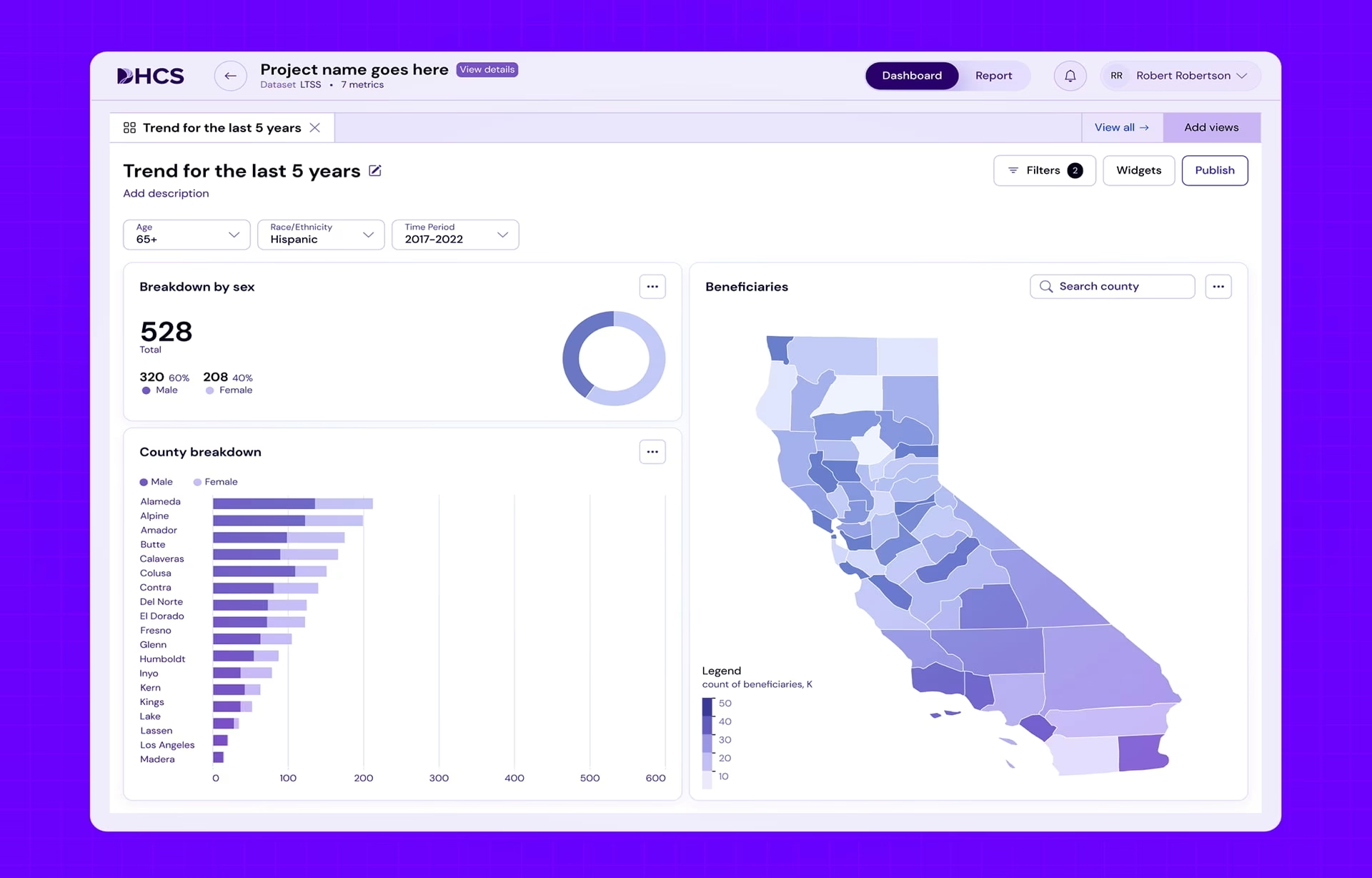
Where audits pay off most is early. In our work on the DHCS Medi-Cal experience for the California Department of Health Care Services, a government engagement we took on as a sub-contractor, accessibility shaped navigation, forms, and content hierarchy from the first wireframe rather than surfacing in final QA. An audit against a product built that way finds fewer structural barriers, and honestly, just saves us a lot of time and headache.
Section 508, WCAG, and ADA: how the compliance rules differ
WCAG, Section 508, and the ADA are related but not interchangeable. WCAG is the technical standard the W3C publishes. Section 508 is federal procurement law that adopts WCAG as its requirement for agencies and their vendors. ADA Title II is public law that now requires state and local governments to meet WCAG 2.1 Level AA.
WCAG, from the World Wide Web Consortium, defines how digital content should behave for people with visual, auditory, motor, and cognitive disabilities. It sets the success criteria at three conformance levels, A, AA, and AAA. When an organization says it meets WCAG, it is claiming conformance with those specific technical criteria, not a general intention to be accessible.
Section 508 works differently. Rather than writing its own rules, the Revised 508 Standards adopt WCAG 2.0 Level AA as the mandatory bar for federal agencies and the vendors and contractors that sell to them. It also reaches beyond web pages to electronic documents, so PDFs and software fall inside its scope.
ADA Title II changed the landscape in 2024, when the Department of Justice extended it to the web content and mobile apps of state and local governments, requiring WCAG 2.1 Level AA. The deadlines are fixed: public entities serving 50,000 or more people must comply by April 26, 2027, and smaller entities by April 26, 2028.
What an audit checks: WCAG’s four principles
A thorough review checks a product against WCAG’s four principles, known as POUR: content must be perceivable, operable, understandable, and robust. A tester works through each principle with automated scans and manual review on real assistive technology, confirming that a person using a keyboard, screen reader, or voice control can complete the actual task.
Perceivable and operable carry most of the weight. Perceivable means the information survives however someone takes it in: alt text on images, captions on video, contrast high enough to read, and never color as the only cue, so a red “error” also says what went wrong in words. Operable means a keyboard alone reaches every control in a sensible order, with the focus ring always visible.
Understandable and robust are quicker to state but easy to fail. Understandable means the interface behaves predictably: navigation stays consistent, forms explain errors in plain language, and users can recover from mistakes. Robust means the markup works reliably across browsers, devices, and assistive technology, which is where the WebAIM Million 2026 data shows ARIA misuse now driving errors up.
Accessibility audit checklist
A working accessibility checklist covers the ten areas where WCAG failures concentrate: keyboard navigation, color contrast, screen-reader compatibility, forms, focus states, PDFs, video, ARIA, data tables, and mobile accessibility. Each maps to specific success criteria, and each hides its own trap, which is why the list below pairs the area with the thing teams most often get wrong.
- Keyboard navigation. Every interactive control is reachable and operable in a logical order without a mouse.
- Color contrast. Text meets the WCAG AA ratio of 4.5:1 for body copy, and color never carries meaning on its own.
- Screen-reader compatibility. Content reads in a sensible order with correct names, roles, and states in NVDA, JAWS, and VoiceOver.
- Forms. Every field has a programmatic label, and errors are announced and explained in text, not by color alone.
- Focus states. A visible focus indicator appears on every interactive element, with no keyboard focus traps.
- PDFs and documents. Every file carries tagged structure and a logical reading order, the part most teams forget until a screen reader reads a form as one unbroken run of text.
- Video and audio. Captions and transcripts are present, with audio description where meaning depends on the visuals.
- ARIA. Used only where native HTML cannot do the job, since misapplied ARIA adds barriers rather than removing them.
- Data tables. Real header cells and scope let a screen reader tie each cell to its row and column.
- Mobile accessibility. Touch targets are large enough, orientation is not locked, and content reflows at 320px without loss.
A checklist keeps an audit honest, but it is a floor, not a ceiling. Passing every item still does not prove a real person can complete a task, which is why the checklist runs alongside manual testing on assistive technology rather than in place of it. And let’s not forget, there are degrees of visual challenges, and what we built has to work equally well for all!
Manual versus automated accessibility testing
Automated and manual testing do different jobs, and a complete audit needs both. Scanners check code for detectable defects like missing labels and contrast failures in seconds, across every page. Manual testing, done by a trained tester using screen readers and a keyboard, is the only way to confirm a person can actually finish a task.
Automated tools earn their place on scale and speed. A scanner can confirm that every button carries an accessible name across ten thousand pages. What it cannot tell you is whether that name makes sense read aloud, or whether a keyboard user reaches a form field in an order that is merely reachable rather than usable.
Manual testing matters most in the workflows regulated industries run, where a single insurance claim or patient-intake flow can span a dozen screens, modal dialogs, and a data table a screen reader must parse cell by cell. This is where UX research and usability testing with assistive-technology users pays for itself. Skipping it under deadline does not remove the risk. It moves discovery to a real user, or a complaint.
Accessibility audit tools
The tools most audits start with are free browser-based scanners: axe DevTools from Deque, WAVE from WebAIM, Google Lighthouse inside Chrome DevTools, and Microsoft’s Accessibility Insights. Each catches common code-level failures in seconds, but even together they find only a portion of WCAG issues, so screen-reader and keyboard testing stay part of any real audit.
- axe DevTools (Deque). A browser extension and developer library built on the axe-core engine, widely used in CI pipelines to catch regressions before release.
- WAVE (WebAIM). A browser extension that overlays issues visually on the page, which makes it approachable for content teams and non-developers.
- Lighthouse (Google). Built into Chrome DevTools, it runs an accessibility category powered by axe-core alongside its performance and SEO audits.
- Accessibility Insights (Microsoft). Pairs automated FastPass checks with a guided manual assessment, bridging some of the gap toward full WCAG coverage.
None of these replaces a person, and a perfect Lighthouse accessibility score does not mean the page is usable. Automated tools clear the code-level layer, then the real work begins with the assistive technology people actually run: NVDA and JAWS on Windows, VoiceOver on macOS and iOS, and keyboard-only navigation through the whole task. The tools narrow the search, but they never close it.
Common accessibility audit mistakes to avoid
The costliest mistakes are trusting an automated scan alone, buying an overlay instead of fixing the code, skipping PDFs and other documents (A big problem across all industries!), treating the review as a one-time event, and never retesting the fixes. Each one produces the appearance of compliance while the underlying barriers stay in place.
The scanner-only approach is the most frequent failure. On the regulated products we have audited, the barriers that generated the most user complaints were ones no scanner flags: focus traps, unlabeled custom controls, and forms that fail silently. Teams that rely on a scan alone tend to find these during a procurement review or a legal demand letter, the most expensive moment to learn them.
Overlays are the costlier trap. These one-line widgets promise instant compliance, but they cannot rewrite inaccessible markup or make a broken workflow usable. In 2025 the Federal Trade Commission ordered overlay vendor accessiBe to pay $1 million to settle allegations that it falsely claimed its AI tool could make any website WCAG-compliant.
The remaining three mistakes are quieter. Section 508 explicitly covers electronic documents, so a compliant website undone by hundreds of untagged PDFs still fails. Accessibility also drifts: a feature ship or content update six months later reopens gaps, which is why audits need the same recurring governance as security. And a report no one retests proves nothing was fixed.
How to run an accessibility audit, step by step
Running an accessibility audit follows a repeatable sequence: define the scope, test with both automated and manual methods, map every finding to a WCAG success criterion and a severity, document it in a form that supports a VPAT, then remediate and retest. The goal is a path to conformance, not a list of defects.
Define the scope. The biggest failure in accessibility work is auditing the wrong thing. A marketing site and a healthcare patient portal behind a login are different jobs with different legal targets, and the portal is the one that ends up in a complaint. Decide which flows, standards, and document types are in scope before anyone runs a scan.
Test with both methods. Automated scans clear the code-level issues quickly. Then an experienced auditor works the product by hand, checking keyboard navigation, focus management, screen-reader output, forms, dynamic content, and full user journeys against the WCAG success criteria. The manual pass is where the barriers that matter to real people actually surface.
Document findings for the people who fix them. Each issue names its WCAG criterion, who it affects, the severity of the impact, and a concrete fix. Write the report so a developer without deep accessibility training can act on it, and so it can back a VPAT if procurement asks. A report only experts can read gets shelved.
Prioritize remediation by risk. Not every issue carries the same weight, because a missing decorative-image description is minor while an inaccessible login form blocks the product entirely. The auditors worth hiring understand product risk as well as technical conformance, and they help the team sequence fixes so the barriers that block core tasks get resolved first.
Retest after the fixes land. Remediation is not done when a ticket closes. Retest each corrected issue to confirm the barrier is gone, and check that the fix did not introduce a new problem elsewhere in the interface. This last pass is what separates a product that is accessible from one that is merely documented.
Conclusion
The deadlines will keep moving, but the standard will not: WCAG 2.1 Level AA is the bar, and the products that meet it are designed for it rather than patched at the end. Teams that build accessibility into their enterprise UX engagements stop rerunning the same audit every time the calendar changes.
Frequently asked questions
What is WCAG 2.1 Level AA?
WCAG 2.1 Level AA is the mid-tier conformance level of the Web Content Accessibility Guidelines published by the W3C, and the bar named by ADA Title II and Section 508 alike. It adds criteria for mobile use, low vision, and cognitive accessibility on top of WCAG 2.0, and sits between the minimum Level A and the strictest Level AAA.
What is a VPAT?
A VPAT, or Voluntary Product Accessibility Template, is a document that reports how a digital product conforms to standards such as WCAG and Section 508. Government agencies and large enterprises request it during procurement to compare accessibility before they buy, which is why an audit built to support a VPAT carries weight in federal sales.
What is the difference between Section 508 and WCAG?
Section 508 is a US federal procurement law that requires accessible technology from agencies and their vendors, while WCAG is the technical standard, published by the W3C, that defines what accessible content is. Section 508 does not compete with WCAG. It adopts WCAG 2.0 Level AA as the requirement it enforces.
Is ADA compliance the same as Section 508 compliance?
ADA compliance and Section 508 compliance rest on different laws even though both point to WCAG. Section 508 governs federal agencies and the contractors that sell to them, while ADA Title II applies to state and local governments and their digital services. A vendor can meet one and still owe work on the other.
How much does an accessibility audit cost?
Audit pricing tracks the size and complexity of what is tested. Small marketing sites often run a few thousand dollars, mid-size sites commonly land between $7,000 and $25,000, and enterprise or healthcare platforms with authenticated workflows can exceed $50,000. Many vendors also price per page or screen, roughly $100 to $500 each, and remediation is billed separately.
How long does an audit take?
Audit timelines depend on scope, running from a few days to several weeks. A small brochure site can be reviewed in days, while an enterprise application with authenticated flows, complex components, and a large document library takes several weeks once manual testing and a retest are included.
What to look for in an audit vendor?
An audit vendor worth hiring pairs automated tooling with manual testing by people who use assistive technology, and delivers a report your developers can act on rather than a list of violations. If you operate in healthcare, finance, or government, favor a team with documented Section 508 and regulated-industry experience, because those environments carry rules a general agency will miss.