Chatbot UI design is the practice of designing the conversational surface, the visual signals for confidence and uncertainty, and the human escalation path through which users interact with an AI-powered assistant. It is distinct from chatbot development, which builds the underlying language model, retrieval logic, and integrations: most enterprise chatbot projects need both, but the failures that reach the user happen on the design side.
What a chatbot UI design engagement includes
A chatbot UI design engagement covers six concrete deliverables: the conversation flow design with decision trees for ambiguous inputs, the chat surface UI across every channel the bot will live on, the visual vocabulary for confidence and source attribution, the persona and voice guidelines, the human escalation interface, and the engineering handoff documentation. The work stops at the production model and retrieval pipeline. Those belong with the development partner.









How we approach chatbot UI design
Fuselab approaches every chatbot UI design engagement with three sequencing decisions that competitors typically reverse. We decide whether chat is the right interaction pattern before we design the chat surface. We define the confidence vocabulary before any visual design happens. We design the escalation path before the happy path. The order matters because reversing it produces a bot that looks finished but breaks the first time the model is uncertain or the user is frustrated.

The first decision is the hardest: should this be chat at all. Most projects arrive with the format already chosen because chat feels modern. A discovery conversation often reveals that the user’s actual task is procedural, that the response space has fewer than ten valid outcomes, or that a wrong answer creates compliance risk. In those cases a guided flow or an agentic interface produces better outcomes than freeform chat. The full decision framework is in the next section below.


The confidence vocabulary gets defined before any visual work. That means agreeing with the engineering team on what the model can return: not just the answer text but the confidence score, the source attribution, the tool-use disclosure, the refusal pattern. From those return types Fuselab maps the visual treatments: which confidence levels show what indicator, how source attribution is rendered inline versus expanded, what a refusal looks like that does not feel like a system error. Without this step the visual design ships disconnected from what the model actually produces.

The escalation path gets designed before the happy path. The reasoning is straightforward: if the human handoff works, a chatbot that fails on edge cases is still useful. If the human handoff is broken, a chatbot that succeeds on common cases still erodes trust because users have no recovery option when something goes wrong. Designing the escalation first forces clarity on what kinds of failure the bot is allowed to have, and what the system does when those failures occur.

Post-launch iteration is structured into the engagement, not treated as a separate phase. The first 60 to 90 days of conversation logs reveal which response templates are firing too often, where the persona breaks character, where users abandon the flow, where confidence indicators were calibrated wrong. Fuselab schedules a design review against the conversation log data at day 30 and day 90, with explicit refinement scope, rather than waiting for the client to identify problems.
Parts of AI Chat Interface
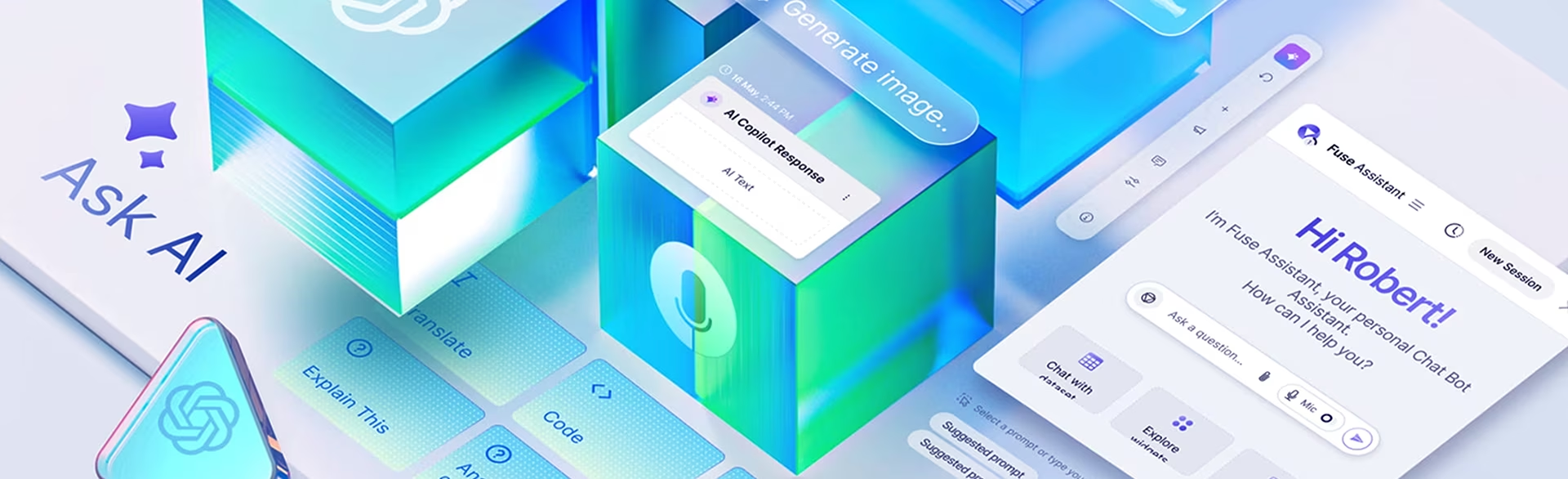
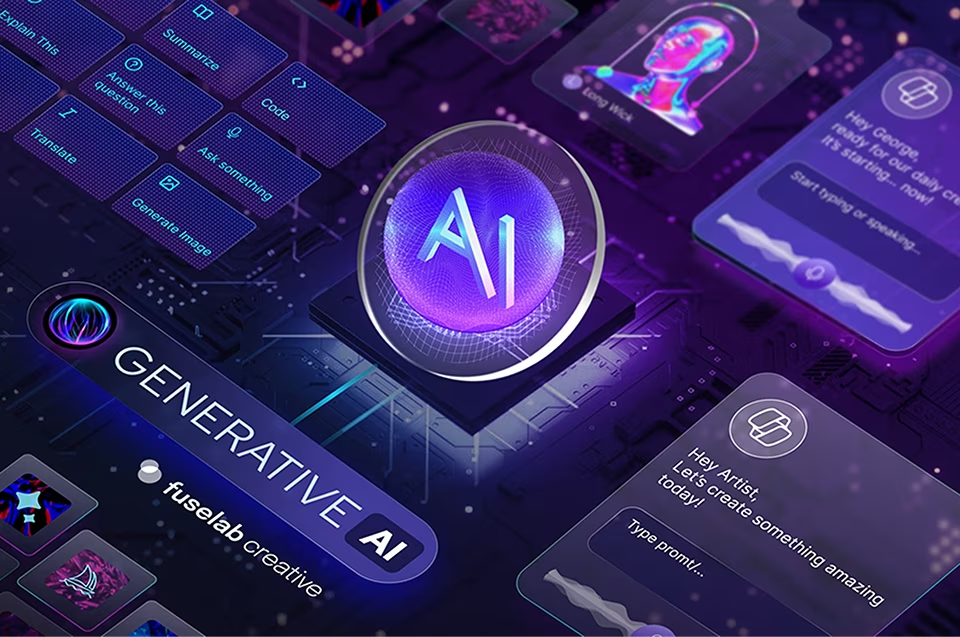
A chatbot UI typically combines six interface components users interact with directly: the message thread, the input field, the suggested-prompt bar, the confidence and source attribution indicators, the action and quick-reply buttons, and the human-handoff trigger. Each component carries its own design decisions about placement, persistence, and how prominent it should be relative to the conversation itself. The component set is the same across most enterprise chatbots; the visual treatment is what makes them feel different.
Selected chatbot UI design work
Fuselab Creative has designed conversational AI interfaces across enterprise knowledge graphs, healthcare AI tools, clinical decision-support products, and operational analytics with embedded chat. Each project below shows a specific chatbot UI design problem we solved and the pattern we shipped. The work is grouped here as visual reference; full case studies are linked from the projects that have dedicated pages.
Chatbot AI Interface
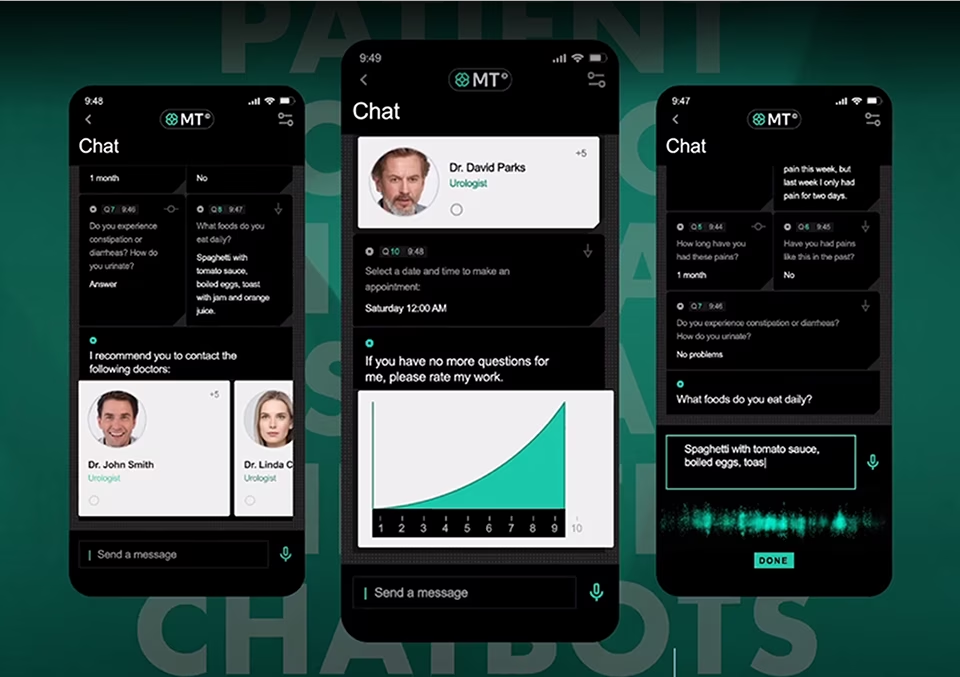
A clinical chatbot interface across three mobile contexts: symptom intake, appointment scheduling, and post-visit follow-up. The design problem was switching between conversational and structured-input modes inside the same flow without forcing users to relearn the interface at each transition. Quick-reply chips and dynamic input cards handle the switch.
StarDog
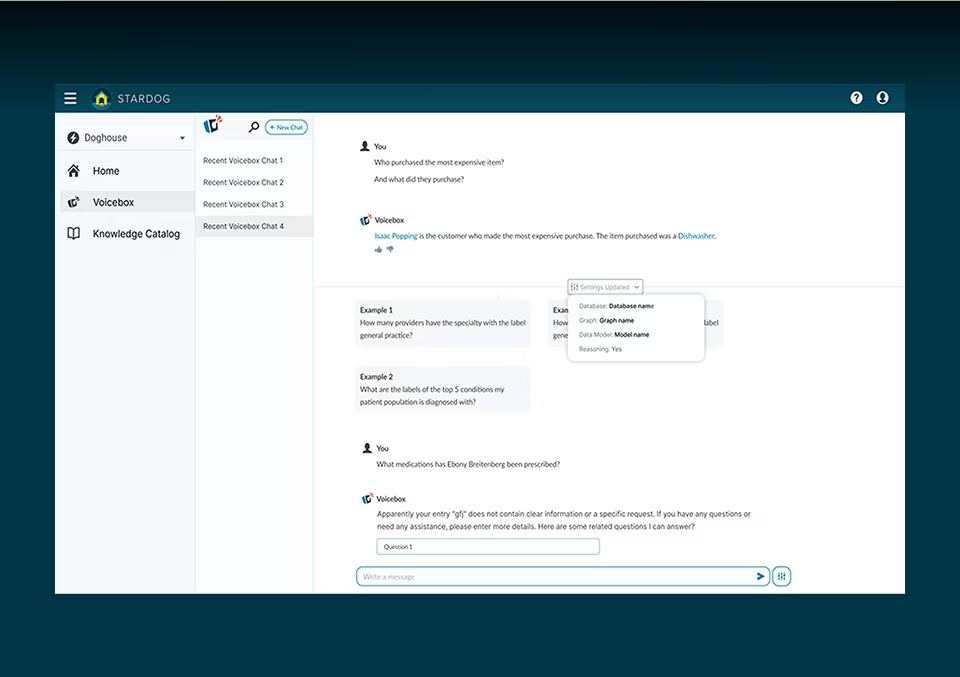
An enterprise knowledge graph exposed through natural-language queries: every answer is drawn from one or more graph nodes, and a two-tier disclosure pattern lets data engineers verify the source nodes inline while keeping the answer clean for business users. The pattern shipped to production and now informs Fuselab's approach to source attribution on subsequent enterprise knowledge-graph chatbot work.
Cortex
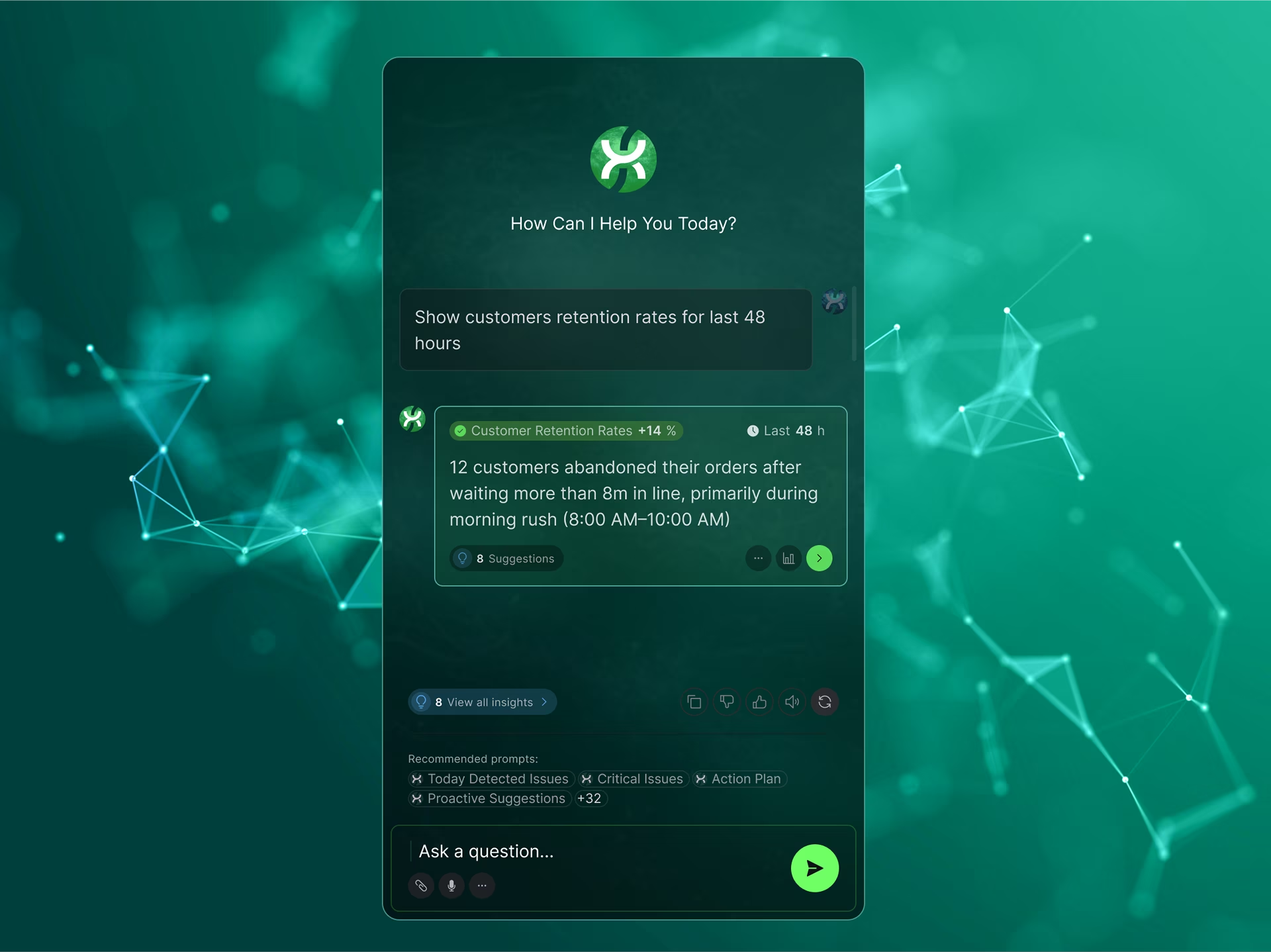
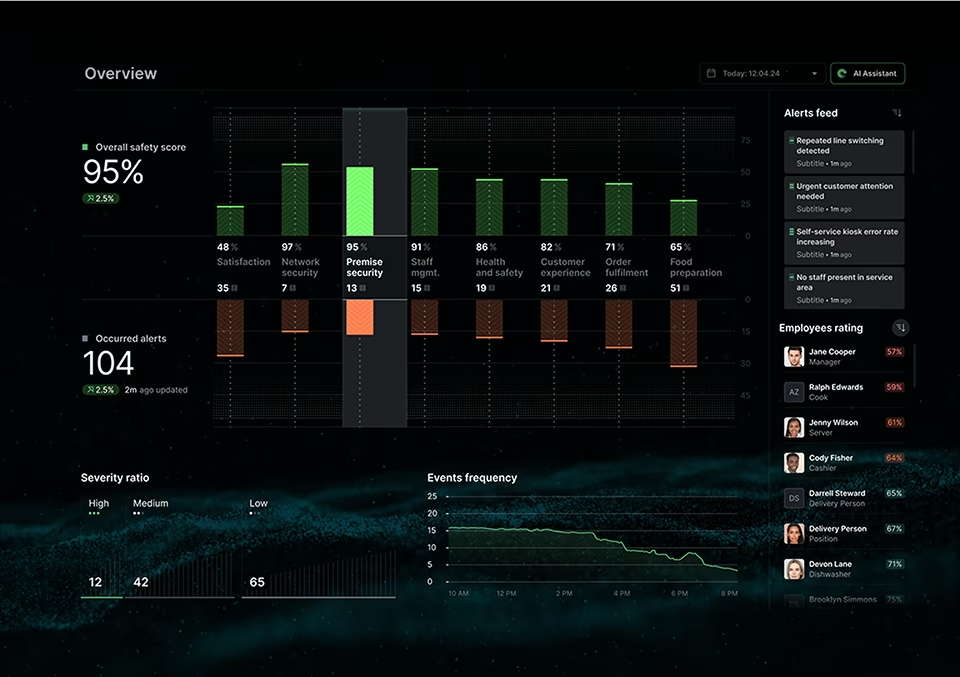
An AI assistant embedded alongside the live data view in an operational analytics interface. The chat does not replace the dashboard, it interrogates it: a user asks why a metric dropped, and the assistant returns an answer grounded in the same data the user is looking at, with the relevant chart segments highlighted.
RhythmX AI
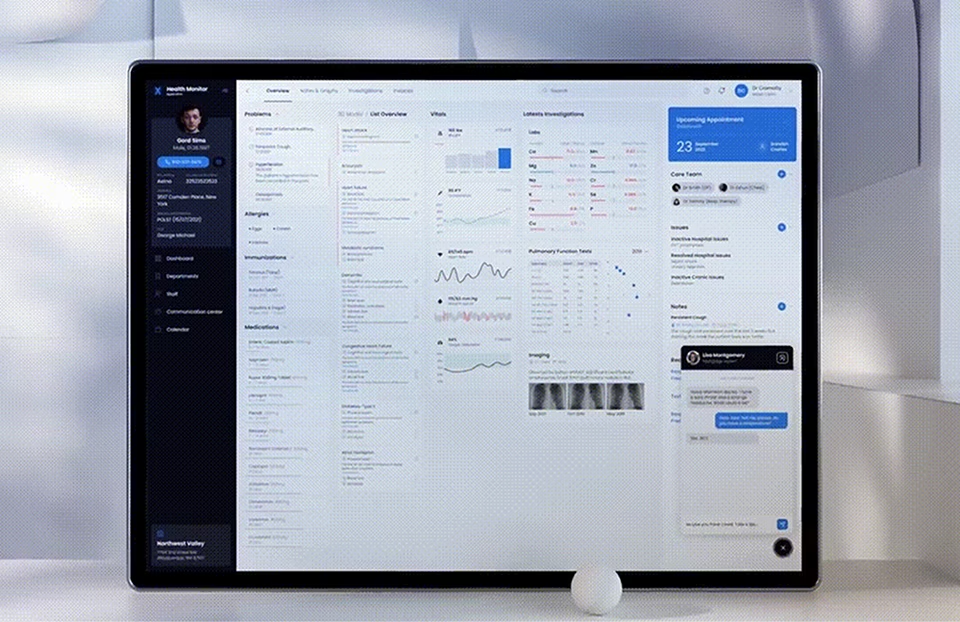
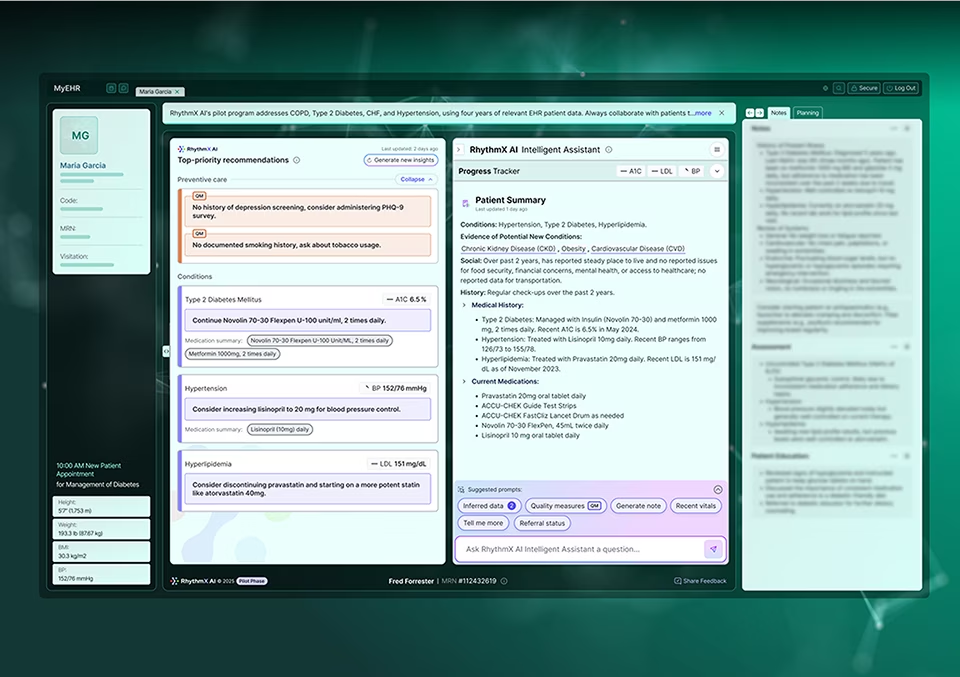
An AI clinical assistant integrated into the existing patient summary view used by medical providers. The design challenge was placement: how to surface AI-generated insights in a workflow where clinicians are already information-saturated, without adding another panel they have to scan or another tab they have to switch to.
Health Monitor
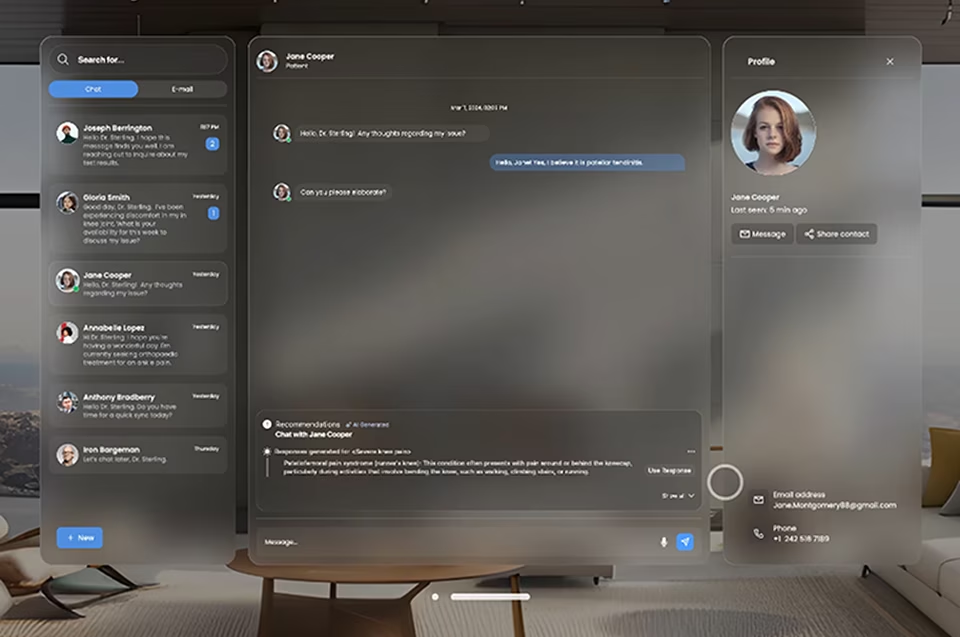
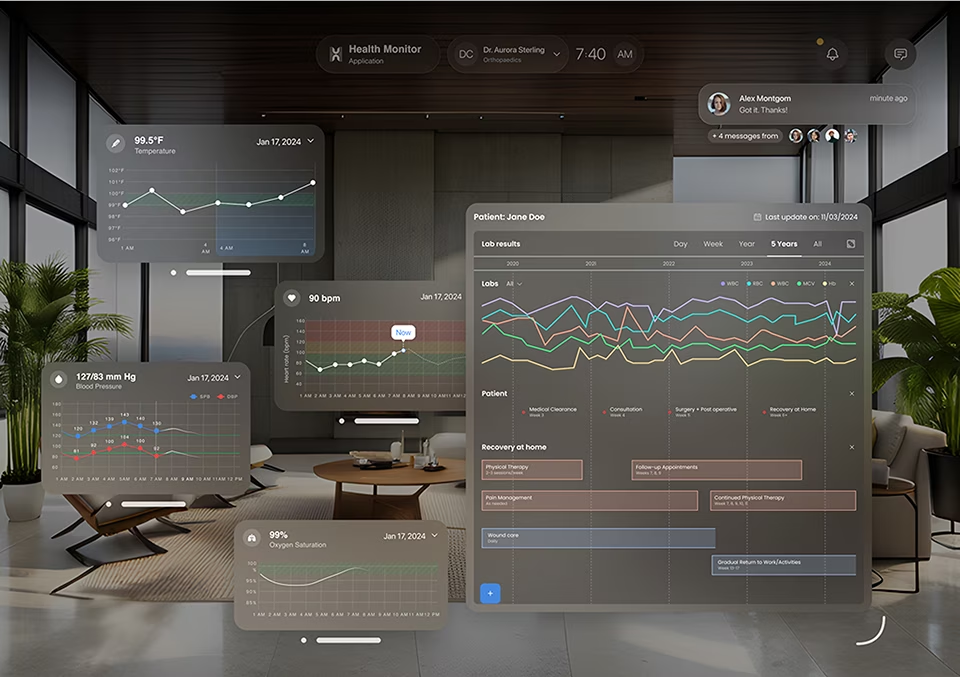
A concept exploring how conversational AI integrates into ambient living-room and patient-room contexts. The design work focused on the proactive prompt pattern: when does the system speak first, when does it stay silent, and how does it surface medical data without alarming the user.
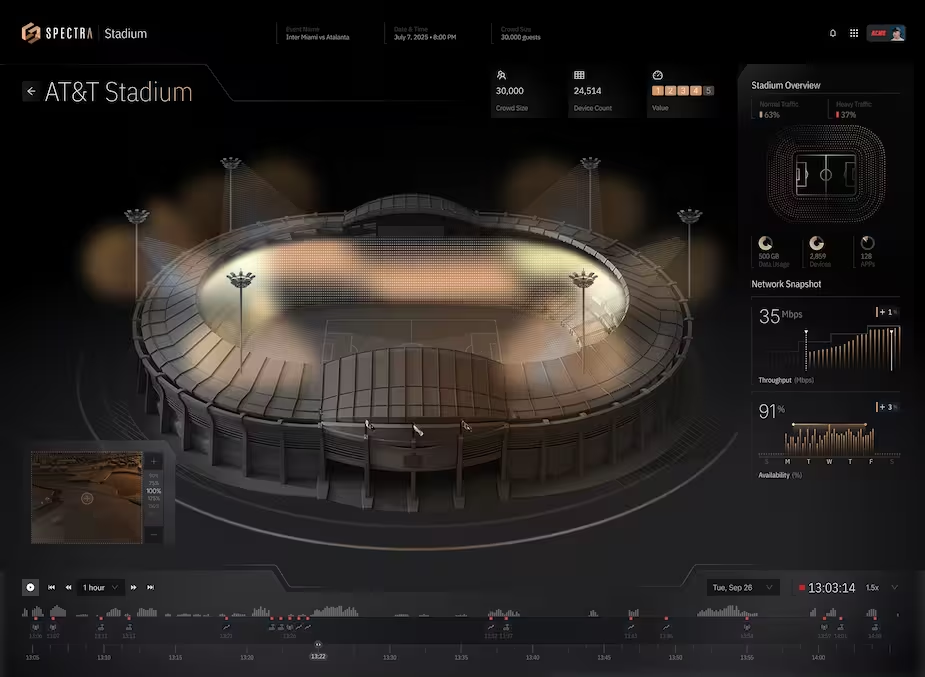
Spectra Stadium
Operations staff at large-scale live events use the platform's AI Chat feature to query the network monitoring system in real time, asking about interference, traffic anomalies, and infrastructure alarms. Answers come back grounded in the live telemetry, not as raw data dumps. The pattern fits operations contexts where staff need information faster than they can interpret a dashboard alone.
Industries where chatbot UI design earns its keep
Chatbot UI design problems vary by industry. The visible interface decisions Fuselab makes on a clinical chatbot are not the decisions that show up on a federal records system or a fintech advisor bot. The six industries below are where chatbot UI design has the highest stakes and the narrowest margins for getting it wrong.
Clinical chatbot UI design carries a HIPAA exposure surface most consumer chatbots avoid entirely. The interface decisions that matter are the message retention disclosure shown as a persistent element in the chat header rather than buried in a privacy policy, the PHI redaction pattern made visible to the user when it triggers, and the explicit signalling of provider-versus-patient context because the same chat surface used by both audiences needs different defaults for what gets surfaced.
Federal and state agency chatbots under Section 508 carry stricter accessibility requirements than most agencies design for: keyboard navigation through message history, screen-reader-readable confidence indicators, sufficient contrast on every visual state including the typing indicator. The audit visibility requirement means conversation history needs to be exportable in a format that satisfies records-retention without exposing more than the user authorized. Fuselab holds a GSA contract for this class of work.
Banking and fintech chatbot interfaces design around regulatory disclosure and customer protection rather than around conversation feel. The interface needs to make clear when a chatbot response constitutes financial advice versus information, when escalation to a licensed advisor is required, and how the audit trail of the conversation is preserved for compliance review. Source attribution on financial data answers is non-negotiable: every number the chatbot returns needs a visible reference back to the underlying record.
Product teams shipping AI and ML interfaces need chatbot UI design specifically around their model’s behaviour patterns, not generic chat UI templates. The confidence vocabulary, the source attribution treatment, the refusal pattern, the tool-use disclosure surface, and the human escalation path all need to be designed against what the model actually returns. Generic chat surfaces fail on AI products because they hide the uncertainty the user needs to see to trust the output.
Dispatcher-facing and customer-facing chatbots in this sector operate under data accuracy constraints most consumer chatbots do not face. A delivery window misstated by fifteen minutes is worse than no answer at all, because the dispatcher acts on the answer. The interface needs to signal when the chatbot is reading from live tracking data versus cached or estimated data, and the design has to make the freshness of every response visible inline rather than assumed.
Retail and direct-to-consumer chatbots design around the conversion path, not the conversation. The interface decisions concentrate on when the chatbot should hand the user back to the structured product page versus continue the conversation, how returns and exchange flows surface inside chat without losing the audit trail, and how the chatbot handles questions where a wrong answer creates a customer-service liability. Brand voice consistency is enforced through the persona design layer, not left to the model.
Related Services and Solutions


Frequently asked questions about chatbot UI design
The questions below come up in almost every chatbot UI design conversation Fuselab has with new clients. Each answer is grounded in the actual scope of a chatbot UI design engagement and the design decisions that determine whether a chatbot UI ships well or fails after launch.
What is chatbot UI design?
Chatbot UI design is the practice of designing the conversational surface, the visual signals for confidence and uncertainty, and the human escalation path through which users interact with an AI-powered assistant. It covers the chat surface UI across channels, the persona and voice guidelines, the source attribution and confidence vocabulary, and the handoff interface when the bot escalates to a human. Chatbot UI design is distinct from chatbot development, which builds the model and infrastructure underneath.
What does a chatbot UI design engagement include?
A chatbot UI design engagement at Fuselab includes six concrete deliverables: the conversation flow design with decision trees for ambiguous inputs, the chat surface UI across all channels the bot will live on, the visual vocabulary for confidence and source attribution, the persona and voice guidelines, the human escalation interface, and the engineering handoff documentation. The work stops at the production model and retrieval pipeline, which are the development partner’s scope.
How is chatbot UI design different from chatbot development?
Chatbot UI design covers the user-facing surface and the visible behaviour of the bot. Chatbot development covers the underlying language model, the retrieval pipeline, the integrations, and the production infrastructure. Most enterprise chatbot projects need both, but the failures users actually notice almost always happen on the design side: unclear confidence signals, broken escalation paths, wrong interaction patterns. A design partner and a development partner working in parallel produce better outcomes than a single shop attempting both.
How is chatbot UI different from chatbot UX?
Chatbot UI is the visual layer: the chat bubbles, buttons, input fields, attachment handling, and visual confidence indicators. Chatbot UX is the experience layer: how the conversation flows, when the bot asks for clarification, how it handles the user’s frustration, when it escalates. UI and UX are designed together in a chatbot engagement because they are inseparable in practice. The visual treatment of a confidence indicator is itself a UX decision about how to communicate model uncertainty to users.
How long does a chatbot UI design project take?
A project-based chatbot UI design engagement runs six to twelve weeks at Fuselab, depending on the number of chat surfaces, the regulatory context, and whether discovery is bundled. A discovery-led engagement that scopes the project before build runs two to four weeks. Multi-phase design partnerships span the full launch arc and the first 90 days post-launch, typically four to six months end to end.
What should I look for in a chatbot UI design agency for a regulated enterprise product?
Three signals separate a qualified regulated-context chatbot UI agency from a generalist. The agency has shipped at least one chatbot or conversational AI product in a comparable regulatory context such as HIPAA, Section 508, or financial compliance, and can name the project. The agency clearly distinguishes its design scope from chatbot development scope and does not pretend to do both. The agency can describe its approach to source attribution, confidence vocabulary, and human escalation specifically, rather than describing a generic six-step process. For specific patterns and production examples that demonstrate this approach, see our chatbot UI examples and design best practices guide.
Do I need both a chatbot UI design partner and a chatbot development partner?
Most enterprise chatbot projects benefit from engaging both, but not always at the same time. Discovery and design work happens first, with a design partner shaping the conversation flow, the chat surface UI, and the engineering handoff documentation. Development work then executes against the design with a development partner building the model, the retrieval pipeline, and the integrations. A single shop attempting both usually compromises one side. Fuselab can recommend development partners it has worked with successfully if a client does not yet have one.
Contact Us
Connect with Our Dashboard Development Team
AI UX/UI Design Blogs
Fuselab Creative Insights