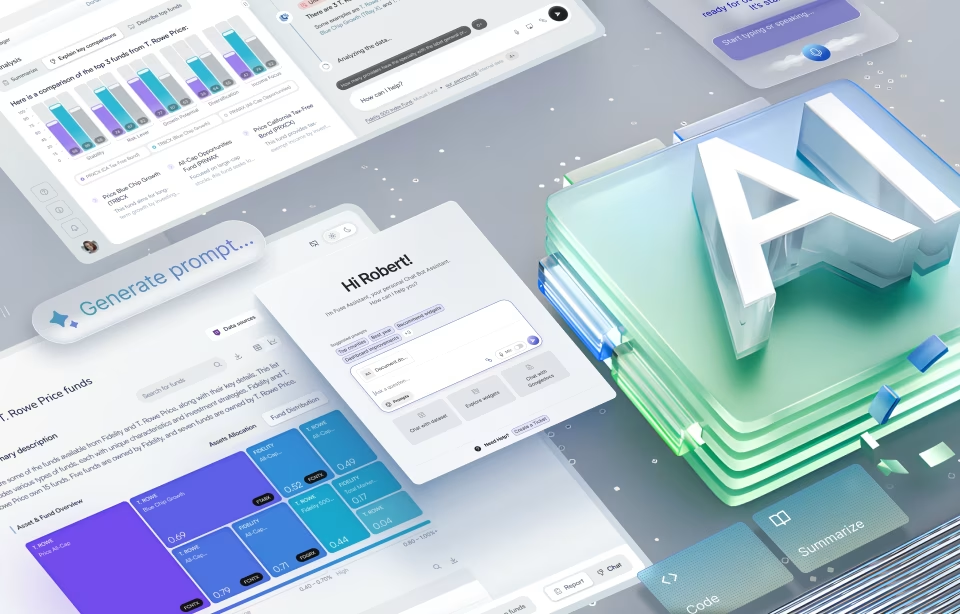
Using AI for Incredible User Interface Design Improvements

AI-generated UI design is creating an area that is in an incredible state of dynamic flux, to put it bluntly. Long gone are the days of clunky command lines. Blink-and-you-miss innovation in the field that has ushered in the era of sleek apps, intuitive dashboards, and minimalist websites.
But if you thought things were moving fast before, think again. The new kid on the block is not just changing the game but rewriting the entire rulebook. Artificial Intelligence (AI) has truly transformed the field for good, and there’s no looking back. AI interface design is a paradigm shift in how digital experiences are conceived, created, and even experienced today.
This guide will cover precisely how AI is driving this not-so-subtle, rapid change in the UI design field, including the fundamental principles and technologies that drive this revolution, practical applications, best practices, and the latest AI UI design trend
The Dawn of AI-Generated UI Design
For the uninitiated, AI is not some bigshot robot overlord taking over creative jobs. It is also not a set of rigid rules programmed to automate tasks. Instead, artificial intelligence refers to computer systems designed to perform tasks that typically require human intelligence.
Think learning from data, recognizing patterns, making predictions, solving problems, and even generating new content – all attributes earlier associated exclusively with human intel.
What is AI in Interface Design?
Similarly, AI is not about replacing human creativity in UI design, but rather augmenting it. The technology manifests in various forms, including machine learning algorithms that analyze user behavior to suggest optimal layouts, natural language processing (NLP) for more intuitive conversational interfaces, and generative AI models that produce design assets and systems.
Think of AI in interface design as an intelligent assistant, a powerful analytical engine, and a creative collaborator rolled into one. The technology only enables designers to work smarter, faster, and with greater precision and personalization than ever before. AI-generated UI design is not scary; it’s actually a relief for those who understand it’s not a threat; it’s actually quite a relief to those who are making daily use of it.
Why the Need for AI in UI Design?
Now the question comes to why – why use AI in user interface design? Consider this: digital products are becoming increasingly complex, not to mention the heightened demand for highly personalized and seamlessly intuitive user experiences.
AI can make sense of heaps of user data in seconds, so designers don’t rely on assumptions alone. It also automates repetitive and time-consuming tasks like generating design variations, performing detailed accessibility checks, or optimizing content for different screen sizes.
Designers are free from mundane tasks and can focus on higher-level strategic thinking, innovation, and creative problem-solving. Besides, AI applications like hyper-personalization at scale mean designers can craft experiences that adapt dynamically to individual users, which is virtually impossible to achieve manually.
How AI-Generated UI Design Can Be Integrated
While AI and UI design are both distinct fields, they integrate seamlessly, guided by some core principles and AI’s unique capabilities. Let’s see how.
Leveraging Big Data for Insights
AI’s impact on data-driven decision-making cannot be overstated. Just think of the sheer volume of data users generate today through interactions with websites, applications, and digital devices. This “big data” spans everything from click patterns, navigation paths, and time spent on pages to search queries, demographic information, and emotional responses from user feedback.
It is here that AI-generated UI design truly shines. AI sifts through these vast datasets to identify subtle patterns, trends, and correlations – nearly impossible to do manually. The designer has a blueprint before them on how the user interacts with the interface, what frustrates them, and what delights them. The end outcome? Designers can move beyond intuition and make informed choices about layout, content placement, feature prioritization, user flow, and more.
Streamlining Repetitive Tasks
Repetitive and rule-based tasks taking away your time and effort? AI smartly offloads these “grunt work” tasks, from resizing elements for different screen resolutions, generating multiple variations of a design element, ensuring consistency across a large design system, to even basic content population.
Automating these mundane yet crucial activities using AI frees designers from the tedium, boosts design efficiency, speeds up iteration cycles, and reduces the potential for human error.
Tailoring Experiences to Individuals
Let’s face it: the user is bored with one-size-fits-all interfaces that look and feel monotonous. They want personalized experiences that feel uniquely tailored to their needs, preferences, and context. AI makes “personalization at scale” a reality.
By using AI-generated UI design, you can study individual user behavior, interactions, and real-time location or time of day. UI elements can then be dynamically adapted. In design terms, this translates to different content, navigation menus, visual themes, and tone of conversational AI for different uses.
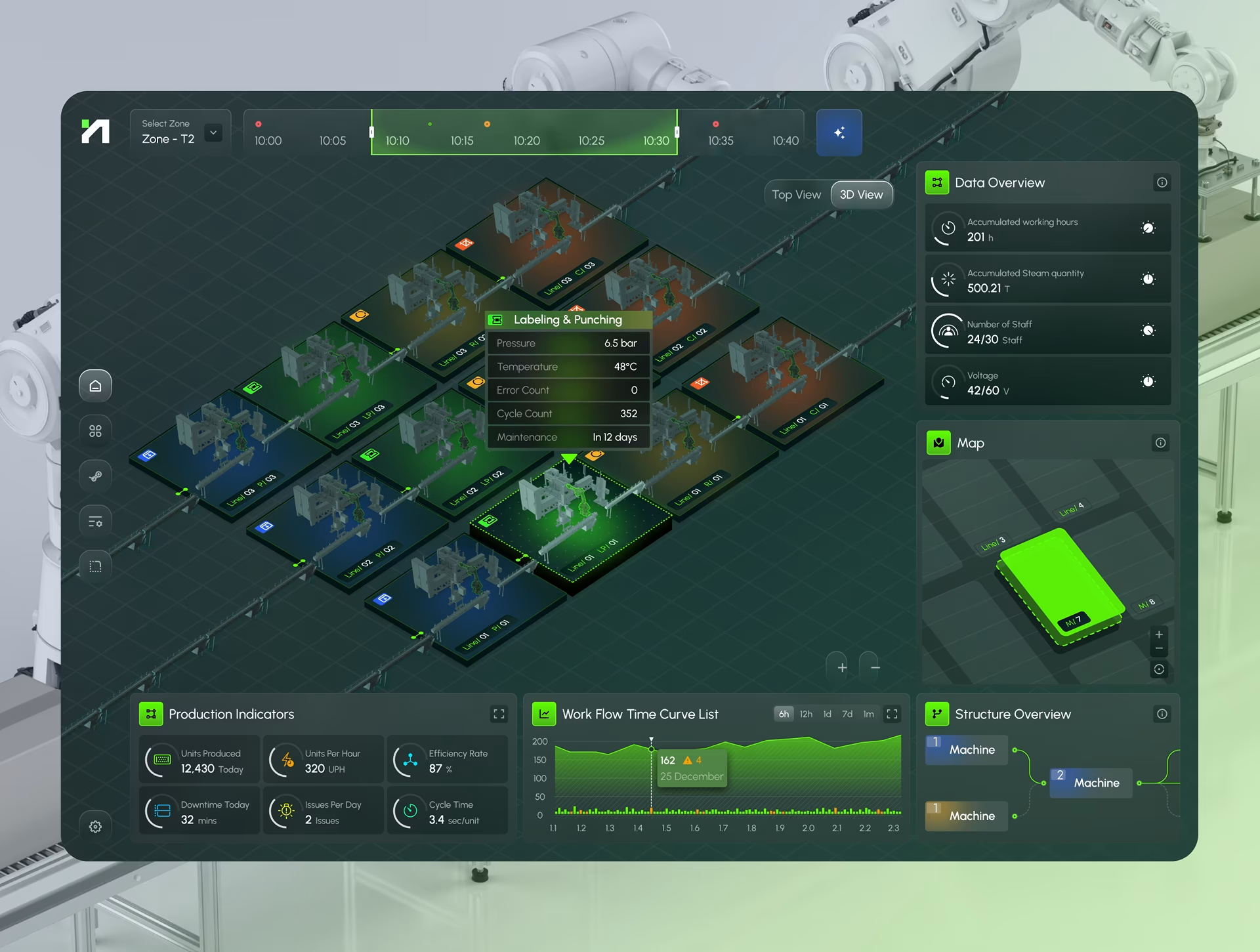
Think Netflix recommendations, Spotify playlists, or EffiTrack, a platform that uncovers hidden patterns and opportunities for energy savings with interactive, real-time data visualization.
Anticipating User Needs and Behaviors
Moving beyond current assessments, designers can leverage AI-powered predictive analytics to forecast future user actions, needs, and potential pain points. Say, for example, you can predict whether a user is likely to abandon a checkout process based on their past behavior. You can also proactively adjust the UI to mitigate issues, simplify flows, or surface relevant information before the user even realizes they need it.

How to Use AI for User Interface Design Today
While this blog has been all about what AI does in the backend for user interface design, it’s now time to focus on the how. What you are in for are concrete, actionable applications across every stage of the design process. Let’s break them down one by one.
#1 AI in the User Research Phase
User research is the foundational step in any design process, and AI is adding value to this critical phase by gathering, analyzing, and synthesizing user data like never before.
Sentiment Analysis and Behavioral Patterns
AI tools consume survey responses, interview transcripts, social media comments, and customer support tickets, then churn this data for crucial insights. Sentiment analysis is a prominent example and among the leading UI design trends, where designers use AI to understand user satisfaction or frustration. AI algorithms can also detect behavioral patterns that human analysts may miss, say, friction points where users abandon tasks, for example.
Creating Dynamic User Personas and Segments
Moving beyond static traditional user personas, AI-generated UI design creates dynamic user personas and segments based on demographic data, behavioral logs, and usage patterns. You can group those with common features – a prominent feature of AI UI Design research updates 2025. The personas also evolve in real-time because AI is always at work.
Automated Usability Testing and Heatmap Generation
Critical but resource-intensive, usability testing benefits significantly from AI automation. AI can analyze recorded user sessions, eye-tracking data, and click streams to identify any areas of confusion, overlooked elements, or inefficient workflows. AI-generated automated heatmaps can show you exactly where users are clicking, scrolling, and focusing their attention. You can also use simulations to conduct virtual usability tests before ever involving real users.
Generating Interview Questions and Research Scripts
Generative AI, particularly large language models (LLMs), can generate interview questions and research scripts once you feed in research objectives, target audience, and product features. The benefits are manifold: lesser brainstorming time, comprehensiveness of questions, and refined inquiries.
#2 AI in the Ideation and Conceptualization Phase
While user research gives a strong foundation, AI further accelerates the ideation and conceptualization stages as well.
Automated Wireframing and Low-Fidelity Prototyping
AI can generate initial design structures based on text descriptions, sketches, or even screenshots of existing interfaces. Simply input requirements like “a social media feed with a commenting section” or “an e-commerce product page,” and you get a basic layout in no time.
AI-Powered Brainstorming and Concept Generation
Overcoming creative blocks and coming up with new ideas is a persistent challenge for designers. AI comes to the rescue yet again. Simply feed the AI your design briefs, target user problems, or existing design patterns, and wait for it to come back with the most creative solutions. Some of the best AI tools for AI-generated UI design are using this feature today.
Intelligent Content and UX Writing Suggestions
UX writing is as critical as design for clarity and usability. Thanks to its NLP capabilities, AI can grasp the context of UI elements like buttons, error messages, or tooltips, and come up with user-friendly copies. You can also get sharp insights on tones of voice, consistency, and optimization for different target audiences or languages.
#3 AI in the Design and Prototyping Phase
Now that the conceptual part is done with, the design progresses towards more tangible interfaces. AI-generated UI design again offers powerful capabilities for visual design, component management, and interactive prototyping.
Automated Layout Generation and Responsive Design
Layouts must be both aesthetically pleasing and functional, no matter what the device or screen size. This complex task is made easy with AI. It begins by studying the design constraints, content hierarchy, and common patterns. It then generates optimized layouts, adjusts UI elements and content, and paves the way for adaptive interfaces.
AI-Powered Color Palette and Typography Selection
A common denominator for emerging websites is harmony in color palettes and typography. AI learns from datasets of good designs, grasps color theory and legibility principles, and then suggests visually appealing, accessible combinations that align with brand guidelines or design intent. Just input the mood, colors, or aesthetic you want, and the AI generates multiple options with complementary fonts, weights, and sizes.
Smart Component Creation and Design System Integration
AI boosts the utility of design systems through smart components and system integration. Just feed in various UI elements and wait for the AI to identify which components can be reused, define their properties, and how they should behave within a larger system. It can later use existing components from the design system, flag inconsistencies or deviations from established guidelines, and maintain visual coherence at scale.
Image and Icon Generation with Text-to-Image AI
Text-to-Image AI – think generative AI models like Midjourney or DALL-E – helps designers generate unique images and icons from simple text prompts. No more searching stock libraries or commissioning illustrators; just describe the visual you need (say, “a futuristic cityscape background for a login screen”) and you’ll have multiple interaction design options in seconds.
Prototyping with Interactive AI Elements
AI can infuse dynamic intelligence into prototypes, making them more sophisticated. For instance, users can type natural language queries and receive AI-generated responses, or adaptive layouts that respond to simulated user input.
#4 AI in the Testing and Optimization Phase
The design process doesn’t end with delivery. Continuous testing and optimization are equally vital, powered by AI.
A/B Testing Optimization with AI
Instead of manually creating and testing just a few scenarios, AI-powered platforms can automatically generate and test hundreds or even thousands of design variations simultaneously. It can then allocate traffic to the best-performing variations in real-time, ensuring that designers identify and deploy optimal designs.
Automated Accessibility Audits and Improvements
AI tools can scan interfaces for common accessibility issues – insufficient color contrast, missing alt text for images, improper heading structures, or non-keyboard-navigable elements. Some advanced AI can even suggest and, sometimes, automatically implement fixes as well.
Real-time User Behavior Analysis
AI monitors user sessions, detects anomalous behavior, identifies emerging trends, and pinpoints sudden drops in engagement or conversion. The real-time feedback allows designers and product teams to react quickly to issues and make iterative improvements based on live user data.

Best Practices for AI-Generated UI Design
One thing is clear by now: AI has become an integral part of UI design, and this dictates a few best practices for effective, ethical, and intelligent interfaces.
From a macro perspective, here’s what’s most important: interfaces that consider the user’s needs, values, and well-being, effective and fair AI systems with data management, the human-AI connect, and upskilling for the AI era.
Here’s a detailed look:
- Prioritizing user control and transparency, so users know when AI is at work, what it is doing, and why it is making certain recommendations or changes. Use clear visual cues, tooltips, and simple language.
- Ensuring the explainability of AI decisions, beyond just stating that AI is involved. The user must be able to learn and adapt their interactions with the AI.
- Designing for adaptability and user feedback loops, so AI-driven UIs adapt and learn over time. Think thumbs up/down ratings or detailed input forms.
- Maintain clean and diverse datasets to create truly inclusive interfaces. “Clean” data means it’s accurate, consistent, complete, and free from errors. “Diverse” so it represents the full spectrum of your user base.
- Ethical data collection and usage to build user trust. The keywords here are privacy regulations, informed consent, and optional data access.
- Use AI as an assistant, not a replacement. Use it to automate routine tasks, generate ideas, and analyze data at scale, while leveraging designers to supervise the ultimate creative direction.
- Focus on high-level creativity and strategy while AI does all the heavy lifting. This means more time for user empathy, narrative building, and goal alignment. Designers define the ‘what’ and ‘why’, and AI takes care of the ‘how’.
- Familiarize yourself with concepts like machine learning principles, data ethics, prompt engineering, and human-AI interaction to understand how AI works and what it takes to generate the desired results.
AI-Generated UI Design Trends 2025
One thing is a given – AI in UI design is a rapidly evolving field, underpinned by trends that keep changing every year. 2025, for instance, is all about interfaces that are more intelligent, empathetic, and integrated into physical environments.
Hyper-Personalization and Adaptive Interfaces
The future of UI design is heavily AI-driven, inching fast towards hyper-personalization and adaptive interfaces. Think beyond simply recommending content based on past purchases – UIs will adapt layouts, content, tone of voice, and even interaction patterns in real-time, thanks to AI. It will take into account aspects so far less explored – user’s mood, time of day, device, and immediate context.
The Management with Digital Frameworks platform, for instance, makes city management more effective with AI-powered real-time insights and 3D simulations.
#2 Voice User Interfaces (VUIs) and Conversational AI
As NLP and speech recognition technologies advance, voice will become a primary mode of interaction, complementing or even replacing graphical interfaces at times. Apart from understanding commands, VUIs will interpret nuances in tone, intent, and emotion, so conversations feel more natural, empathetic, and efficient.
#3 Augmented Reality (AR) and Virtual Reality (VR) Interfaces with AI
Interface design will take the context-aware approach with the convergence of AR and VR technologies. AI will power the intelligence behind these spatial UIs, so they are as connected to the real-world environment as possible. They will track user gaze and gestures, create more responsive and believable virtual worlds, and create UIs that offer unparalleled levels of immersion and utility.
#4 Emotion-Based AI and Empathetic Interfaces
Leave it to AI to combine the best of advanced computer vision, NLP, and biometric data to infer the user’s emotional state. Future UIs will leverage this understanding to adapt responses and interactions, say a calming color palette on detecting user stress, simplifying tasks when it perceives anxiety, and so on. Such intelligent responses to emotional cues will, in turn, make interactions feel more human, supportive, and personalized.
#5 Low-Code and No-Code Platforms
Designers are in for a blast because future design systems will be less about static component libraries and more about dynamic, AI-powered engines. No-code and low-code platforms could be automated to generate components, layouts, and entire design variations on demand, keeping brand guidelines and accessibility standards in mind. More designers, despite having no extensive coding knowledge, will be able to build sophisticated applications.
Conclusion
The integration of artificial intelligence into user interface design is still in its infancy. The shift is gradual, but definitely deep and irreversible. In the coming years, AI-generated UI design could fundamentally reshape how we conceive, create, and interact with digital products.
One thing to remember: this isn’t a zero-sum game where machines replace humans. Designers will continue to play a critical role with the human ingredients of empathy, intuition, cultural understanding, and strategic vision. AI, on the other hand, will best handle the computationally heavy lifting, pattern recognition, and design generation.
Brands that are looking to leverage the best of artificial intelligence in UI design, therefore, need a balance of both: AI of today and designers of tomorrow, trained, experienced, and advanced. At Fuselab, our designers are not just adapting to this change; we are actively shaping the future of interaction with AI-led user interfaces. Connect with us today to co-create applications that are more intuitive, personal, and deeply integrated into user experiences.
Author