AI decision support dashboard design in 2026

The person who sees a model’s recommendation is often not the person allowed to act on it. An AI decision support dashboard is an interface that shows a model’s recommendation with its confidence and the evidence behind it, carries the controls a named role needs to accept, change, or reject it, and records what that role decided. Article 14 of the EU AI Act writes human-machine interface tools into its operative text, which makes that record a design obligation rather than a feature request.
What an AI decision support dashboard is, and how it differs from an analytics dashboard
Every AI decision support dashboard is built around one call somebody has to make. It states what should happen next, how confident the model is, what doing nothing costs, and who is permitted to act, then records the outcome. An analytics dashboard reports what happened and leaves the interpretation to whoever is reading it.
The difference is visible in the layout before it is visible in the data. Analytics screens lead with KPI tiles and trend lines. A decision screen leads with the recommendation, the confidence band around it, the evidence that produced it, and a primary control labeled so that acceptance is an explicit act rather than a default.
Most teams treat this as a presentation problem, and it is not. Skipping the question of which decision the screen exists to serve produces an interface that displays metrics competently and supports no particular choice. What arrives is a recommendation with no owner, or data with no decision attached to it.
Specifying the decision means naming five things before any layout exists: the decision owner, the action under consideration, the deadline, the cost of a false positive, and the cost of a false negative. Answer those five and the interface follows from them. A general reporting surface is a different product, covered separately in this guide to AI business analytics dashboard design.
Who is allowed to act: decision authority, roles and explanation depth
Decision authority is the rule that settles which role may accept a model’s recommendation, which may override it, and which may only read it. The person who sees a recommendation is frequently not the person permitted to act on it, so one model output has to render as three different screens rather than one screen with three logins.
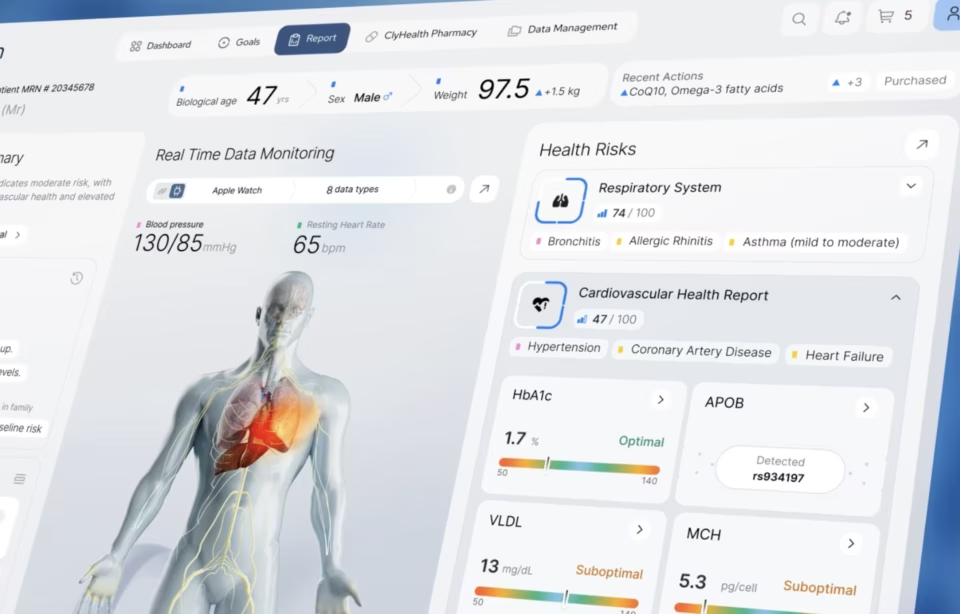
On the ClyHealth clinical interface we designed for a personalized medicine platform, the same underlying model output reaches a clinician and a patient. Those are not two densities of one screen. They are two permission states, and the prescribing decision sits with only one of them, which settles the layout question before any visual work starts.
A very different setting produced the same split. On Grid AI’s machine learning platform, the engineer reading a completed experiment run is not always the person who controls the compute budget the next run will spend, so we had to carry cost visibility across views that different people were authorized to act in.
The row that gets argued about is rarely the executive one. It is the analyst who produces the recommendation, understands it better than anyone else on the list, and has no authority to act on it. Teams instinctively hand that role an accept control because it is the most competent reader on the screen, and that is the most common authority error we see in review.
Encoding authority means the accept control does not render at all for a role without approval rights, rather than rendering disabled behind a tooltip. It means the evidence panel expands for the role expected to justify the call later. Permission is a layout decision long before it becomes a backend concern, and it is far cheaper settled in a workshop than in a rebuild.
The table below sets out how explanation depth, acceptance rights, override rights and sign-off diverge across a typical regulated deployment. Override here means changing or rejecting a recommendation before it executes, which is a different control from reversing one afterwards.
Filling this in forces the uncomfortable questions into discovery rather than into a change request six months later. What happens when the analyst flags a recommendation and the VP approves it anyway, and does that dissent survive in the record? Which decisions need sign-off before execution rather than after it? The authority matrix is a design artifact and it belongs on the wall before anyone opens a design tool.
What a wrong recommendation costs
The cost of a wrong recommendation is what should set the confidence threshold, the friction on the accept control, and the depth of evidence the screen puts in front of the reader. Error costs are almost never symmetric. A missed sepsis case and an unnecessary blood culture are both errors, and they are not the same size.
External validation makes the point better than any argument about trust. JAMA Internal Medicine published a 2021 study of a widely deployed proprietary sepsis model across 38,455 hospitalizations at Michigan Medicine, reporting a hospitalization-level area under the curve of 0.63 against the vendor’s internally documented range of 0.76 to 0.83.
Read that as an interface finding rather than a modeling one. A tool that performs adequately where it was built can behave differently on a local population, so the screen has to say which validation applies to the people in front of the reader. Disagreement from that reader then becomes evidence worth capturing rather than noise worth suppressing.
Timing sets everything else. The Surviving Sepsis Campaign guidelines recommend antimicrobial therapy immediately, ideally within one hour of recognition for septic shock, which leaves the interface minutes rather than hours to present evidence a clinician can act on. A screen that needs a second click to show why is already too slow.
Financial deployments invert the asymmetry. A false positive that blocks a legitimate transaction costs a customer relationship and a manual review, while a false negative clears a fraudulent one and the loss is booked. Neither error is recoverable through better visual design, but the ratio between them decides where the threshold sits and how much friction belongs on the accept path.
Most teams set the threshold once, in a config file, and never surface it again. Putting the active cutoff on the screen next to the confidence score changes the conversation, because a reader who can see the line the system is drawing can argue with it. That argument is the cheapest model evaluation any organization will ever run.
Designing the override path, and what happens when the model is wrong
Every AI decision support dashboard needs a documented path for the moment the model is wrong, slow, or unsure. Confidence badges are the easy half. The override flow and the fallback state are the half that decides whether a team can keep working when the system stops helping them.
Override controls belong in the primary layout rather than behind a menu. Someone rejecting a flagged case needs one visible action to mark the output incorrect and record why. When the model cannot answer at all, the screen should say so plainly and offer a route forward instead of returning an empty state and leaving the reader to guess.
An override control does not produce oversight by itself, and pretending otherwise is the weakest part of most competing advice. Automation bias works against it, because people under-challenge systems that look confident. Parasuraman and Riley set out the use, misuse and disuse pattern in Human Factors in 1997, and it has not aged.
Madeleine Elish named the opposite failure the moral crumple zone. A person placed in the loop mainly to absorb liability for a system they cannot audit in the seconds available is not overseeing anything. If the workflow allows four seconds and shows no evidence trail, the control protects the vendor rather than the person the decision lands on.
Three design responses help, and they are not equally hard. Making low-confidence output look unfinished is mostly a typographic decision. Routing reason codes back into model review and telling the reader when their override changed something is harder, and it is the one that decides whether anybody is still annotating in month three.
Override rate is a diagnostic rather than a score. A low rate can mean a well-calibrated model or a team that has learned to rubber-stamp, and the two look identical on a metrics screen. Pairing the rate with the distribution of reason codes is the only reading that separates them.
Regulation matters here because it names the interface directly. Article 14 of the EU AI Act requires high-risk systems to be designed with appropriate human-machine interface tools, and requires that an assigned person can disregard, override or reverse an output, or interrupt the system so it halts in a safe state.
That deadline moved and the design implication did not. Regulation (EU) 2026/1744 entered into force on 27 July 2026 and pushed the application date for stand-alone high-risk systems to 2 December 2027. Roles, override paths and decision records are architecture decisions taken at the start of an engagement, so that runway is shorter than it reads.
The decision record: what the interface must produce for an auditor
The decision record is what the interface produces when somebody asks, six months later, why this happened. It holds what the model recommended, what the person did, and why they did it, and without it a decision support product is incomplete no matter how well the recommendation itself is presented.
Standards bodies describe the mechanism rather than the screen. The NIST AI Risk Management Framework is voluntary, and it lists appeal and override among the mechanisms a post-deployment monitoring plan implements, at subcategory MANAGE 4.1. The US Treasury announced a Financial Services AI Risk Management Framework in February 2026, developed through the sector’s AI Executive Oversight Group, that adapts the NIST work to financial services.
Treating the record as backend plumbing misses what it does to behavior at the moment of use. Someone who knows a decision is on the record reasons differently from someone who does not, which is why the record has to be visible while the decision is being made rather than reconstructable afterwards out of server logs.
Below is what a workable decision record holds, why a reviewer asks for each field, and what fails without it. This is the screen an auditor actually opens, and it is rarely the raw database export an engineering team offers instead.
Building this late is how a six-month delay starts. Role-based access, override logs, reason codes, versioned model information and the audit view are components rather than principles, and retrofitting them onto a shipped product touches the data model, the permission layer, and every screen that renders a recommendation.
Where these dashboards are used
AI decision support dashboards appear wherever a model output has a named owner and a deadline attached to it. Healthcare, financial services and enterprise operations all share that structure, and they differ in error asymmetry, decision cadence and who signs off, which is what changes between one deployment and the next.
Healthcare deployments rank cases for attention, so a flag arrives with its contributing factors and a route to act or dismiss. Thresholds are tuned to local prevalence rather than to the vendor’s validation population, and the reader’s disagreement is captured, because that is the earliest signal that a model has drifted away from the patients in front of it.
Financial services produce ranked output somebody has to approve. A trading or credit desk sees adjustments with confidence bands and scenario controls, while a control function sees the same recommendations as a queue awaiting sign-off with the evidence trail and override log attached. One model, two control sets, and the whole difference is authority.
Enterprise operations rarely lack data. The constraint is coordination, so the screen carries the recommendation, its confidence, the owner of the resulting action, and the status of that action right now. The dashboard stops being a reporting surface at that point and becomes the place that answers who decided, on what basis, and what followed.
The design decision that comes first
A decision support dashboard is not finished when the model’s confidence is legible. It is finished when the interface can answer who decided this, what the model said, and why the human disagreed. Settle the authority matrix during discovery and the rest of the AI dashboard design work has something solid to hang on.
Frequently Asked
Questions
What is an AI decision support dashboard?
An AI decision support dashboard presents a model’s recommendation together with its confidence, its evidence trail, and controls to accept, modify, or reject it. The screen frames one decision and records what happened to it, rather than reporting metrics for interpretation somewhere else.
What is decision governance UI?
Decision governance UI is the set of interface components that enforce and document human oversight of model-driven decisions. It covers role-based access, override logs, reason codes, versioned model information, fairness views, and the audit screen that maps decisions back to policy.
How does a decision support dashboard differ from an analytics dashboard?
Analytics dashboards report what happened and where, leaving interpretation to the reader. A decision support dashboard states what should happen next, how confident the model is, what doing nothing costs, and it carries controls for acceptance and override with a record of both.
How is decision authority different from role-based access control?
Decision authority governs what a role may do with a model output, while role-based access control governs what a role may see. A user can hold full read access to a recommendation and its evidence and still have no right to accept it, which is the split most permission models miss.
What does an AI decision support dashboard design project cost?
Design projects of this type start at a $25,000 minimum engagement, at hourly rates of $100 to $149 for a US-based specialist agency. What moves the figure is the number of roles holding distinct authority, the number of model output types on the screen, and whether the audit view and decision record are in scope or deferred to a later phase.
How long does it take to design one?
Timelines usually run 10 to 16 weeks from discovery to developer handoff. The authority matrix and the decision record specification account for two to three of those weeks, and they lengthen the schedule when a compliance or risk function has to sign off on the permission model before design proceeds.
What should a buyer ask a design partner before commissioning one?
Ask which roles will hold accept rights and who decided that, ask to see how a wrong recommendation is corrected on screen, and ask what the audit view looks like. A partner who answers the first two and has never built the third has designed a reporting product rather than a decision one.