

Intelligent user interface design: how it works in 2026
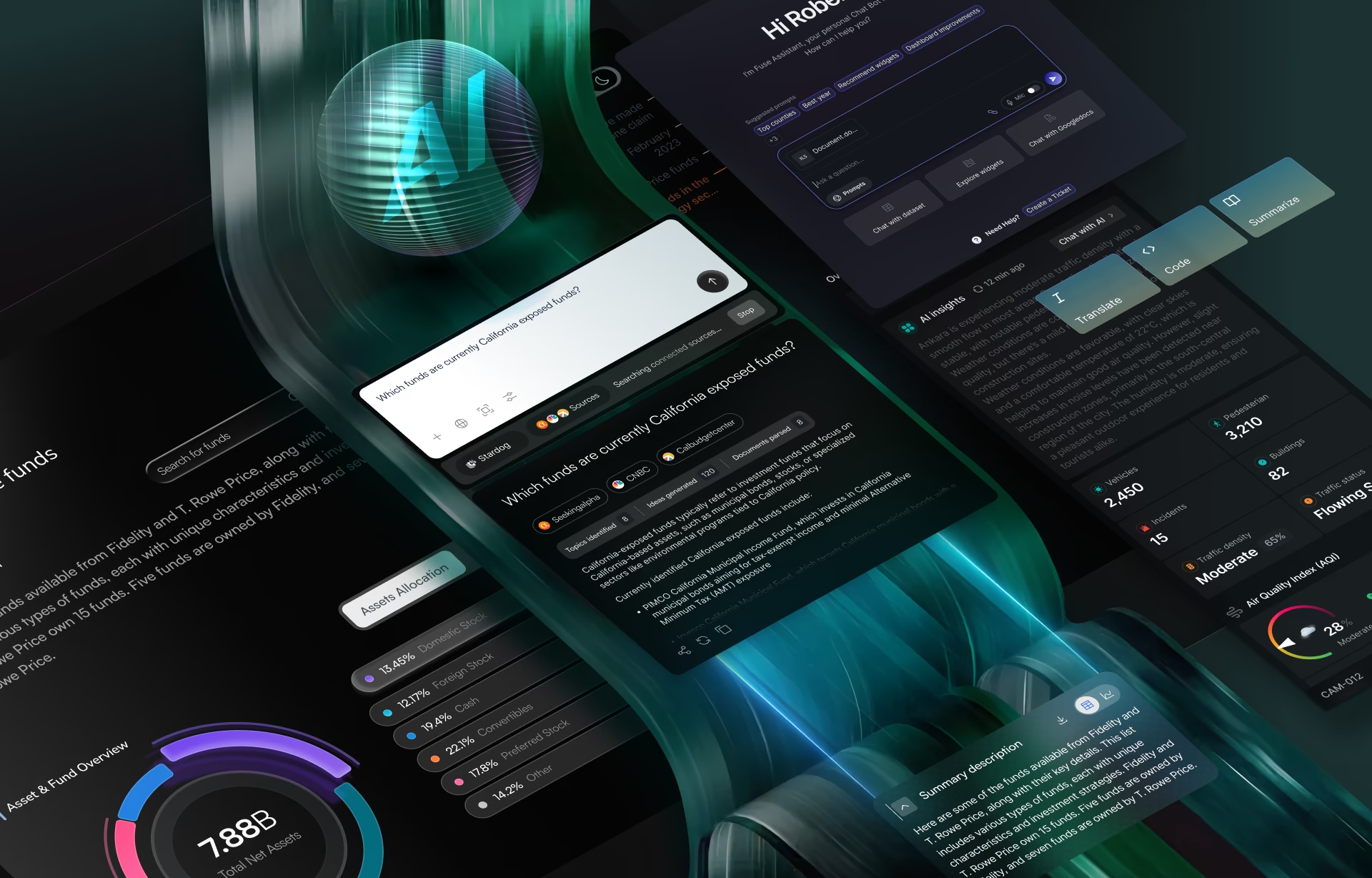
Intelligent user interface design is the discipline of designing how people interact with AI-powered systems, so the strengths of machine intelligence stay usable while its limitations remain clearly understood and safely managed. The idea has existed for nearly four decades. Large language models turned it from an academic subject into a defining problem in modern product design, because a model built on probability will sometimes be wrong in ways the interface has to anticipate.
Most conversations about AI focus on what the model can do. The harder question is what the interface does when the model is wrong, and doing that well is the real work. A language model returns an answer in seconds, but an intelligent user interface has to decide how to show confidence, what evidence to include, and when to hand the decision back to a person.
What is an intelligent user interface (and what it is not)
An intelligent user interface (IUI, sometimes written AIUI), also called artificial intelligence user interface design, pairs an interface with an AI model that interprets context, learns from interactions, and adapts what it shows. A regular interface treats every user the same way. An intelligent one infers your intent, history, or task and shifts its layout or actions to match.
The interface becomes an active participant rather than a bundle of coded controls, which is also why the term gets used far too loosely. Automation that follows fixed rules is not an intelligent interface, because it does not adapt to the user or the situation. Bolting a chatbot onto a product does not create an artificial intelligence UI either, if the interaction never goes beyond answering prompts.
Personalization is not the same thing as intelligence, though it is one technique an intelligent interface can use. Remembering your preferred dashboard layout or greeting you by name is useful, but neither shows reasoning or adaptation. A genuinely intelligent interface reads context continuously and changes its behavior when that context changes, not once at setup.
That difference is easy to see in enterprise software, where machine learning platforms produce huge volumes of technical information and very little of it deserves equal attention. On the Grid AI platform, the team built a machine learning experiment-tracking dashboard that showed only the three metrics that mattered for a first read, then let engineers pull in more through heat maps and clustered comparisons.
The intelligence there was not about showing more data. It was the judgment of deciding what mattered most at that moment, so engineers moved faster without feeling buried. Most teams get this backwards. They start by asking where they can add AI, instead of asking where it can remove cognitive load the user never wanted in the first place.
The defining property: designing for when the model is wrong
An intelligent interface is only as good as the way it handles being wrong. Every AI model produces incorrect predictions, incomplete inferences, and recommendations that deserve a second look, and the interface is what makes those moments understandable instead of surprising. Users judge the whole system by what happens when it fails, not when it succeeds.
This is where many AI products still lose people. Teams spend months improving model accuracy and almost no time on the failure states, the part of AI UI design that decides whether people keep using the product. A well-designed intelligent user interface does three things: it shows confidence without making users read raw probabilities, it treats failure as a primary scenario, and it keeps human override one obvious step away.
Trust is not something you can ask users to grant. It is built from transparency: showing how confident the system is, which sources it relied on, and how easily it can be corrected. This mirrors what the Nielsen Norman Group has found about AI-assisted work, where people lean on AI to explore and synthesize but fall back to verifiable sources the moment accuracy matters.
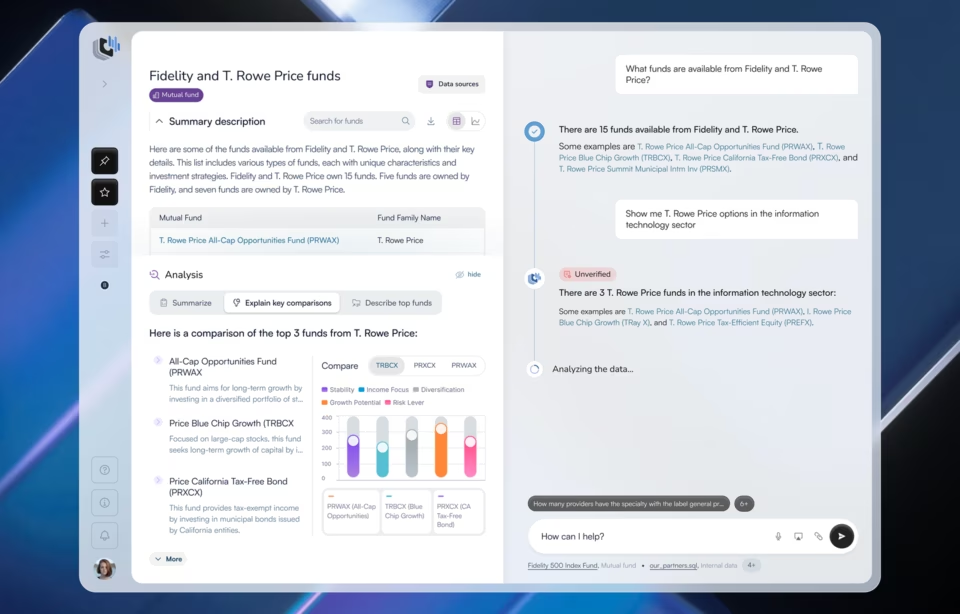
The Stardog Voicebox project shows how this plays out. Analysts were working with both structured graph data and AI-generated responses, and they could not always tell which answers came from verified sources and which the model had produced. The interface had to make that line visible before anyone could rely on it.
Rather than asking analysts to simply trust the output, the design placed supporting source information beside every response and added confidence indicators that informed without distracting. Analysts could verify an answer without breaking their workflow, which is the behavior that actually sustains adoption in a financial-analysis tool where a wrong number carries real consequences.
ClyHealth, a personalized healthcare platform used by both providers and patients, faces the same problem with higher stakes. A general health chatbot answers for a population, but ClyHealth’s AI assistant answers from one patient’s own biomarkers, lab history, and genomic data. We designed the interface to make that grounding obvious, so no one mistakes a personal analysis for generic health advice. We tested it with clinicians and patients before launch, because the same answer has to read clearly to people at opposite ends of the technical spectrum.
This is becoming the defining trait of modern intelligent interface design. Large language models made it easy to generate an answer. The difficult part is helping people see when that answer deserves confidence, when it should be questioned, and when the interface should step back and let a human take over.
How intelligent user interfaces evolved, and the one problem that never changed
Intelligent user interfaces are nearly four decades old, and the technology has changed repeatedly while the core design problem has not: helping people work with a system that makes its own decisions. Each new generation of AI raised the capability, but the trust question stayed identical.
The field has a real lineage. A group of researchers met in California in March 1988 for a workshop on architectures for intelligent interfaces. That gathering produced Intelligent User Interfaces (Sullivan and Tyler, 1991), the book that gave the field its name. The ACM Conference on Intelligent User Interfaces first met in 1993, making it one of the more durable subfields in human-computer interaction.
The progression tracks the technology. Rule-based expert systems defined the 1980s, when intelligence meant carefully encoded knowledge rather than learned behavior. By the 1990s the work shifted to natural language interfaces and systems that could infer intent instead of waiting for explicit commands. The 2000s brought large-scale personalization, recommendation engines, and predictive interfaces trained on behavioral data.
Now generative AI reasons across text, images, code, and structured data, a leap in capability over anything earlier. Yet every generation has forced the user to answer the same question: can I trust this recommendation enough to act on it? This question is not a model problem. It is an interaction design problem, and that is where it has always been solved.
Where intelligent user interfaces show up, and why they are one discipline
Intelligent user interfaces are now the default surface for most AI products, and though the surfaces look nothing alike, they are one discipline because they share one problem. An AI copilot, a conversational assistant, a voice interface, an autonomous agent, and an adaptive dashboard all have to show confidence honestly, plan for failure, and keep override within reach.
The surfaces present information differently, but the same AI and user interface question sits under all of them. Each one has to decide what a given user needs, explain why an output is being recommended, and give people an explicit way to take control. Show confidence badly and users either over-trust the system or dismiss an AI user interface that actually works.
That common thread is easy to miss because most coverage fixates on the newsworthy model rather than the design around it. Users never experience the model, they experience the interface, which is why the UI in AI products carries the whole relationship. This is especially true in enterprise AI interface design, where a copilot or dashboard has to earn trust from people whose work depends on getting the answer right.
When an intelligent interface is the wrong choice
Not every interface should be intelligent, and knowing when to leave one predictable is part of the discipline. Sometimes the fastest, most trustworthy experience behaves exactly the same way every time. An adaptation the user did not ask for and cannot predict usually lowers trust rather than raising it, no matter how well the model performs.
Once a team has a powerful model, the temptation is to make every interaction adaptive. From the user’s side, an interface that rearranges itself without warning gets annoying within a session or two. An adaptive feature with no off switch gets resented quickly, even when it works exactly as intended.
AI added for its own sake just introduces a new failure mode without adding value. The honest test is simple: is the AI removing work the user genuinely dislikes, or does it exist so the product page can claim the product has AI in it? Saying no to a client or product lead who wants more AI is hard, but usually right when the benefit is not evident.
The strongest intelligent user interfaces tend to be restrained. They add AI where it clearly reduces effort and leave everything else predictable. That restraint is not a lack of ambition. It is the difference between a product that uses AI where it helps and one that sprays it across every screen and erodes trust in the places it might have earned it.
How to evaluate an intelligent user interface
Judge an intelligent user interface by what happens when the AI fails, not by how it looks in a happy-path demo. Almost every AI product performs well when the model is confident and the user follows the expected route. Real work is messier, and that is exactly where the interface either earns trust or loses it.
Before building or buying one, start with a single question: what burden should the AI actually remove for the user? If the answer is not clear, the interface probably does not need intelligence yet. If it is clear, the rest of the evaluation gets easier, because you now have a standard to hold every adaptive feature against.
From there the questions are concrete:
- Does the interface adapt for a reason, or because it can?
- Are AI features placed where they remove real friction, or scattered through the product?
- Does the same view show confidence and offer a clear path to override?
- Can a user correct the system without hunting for how?
Each answer separates a considered design from a demo.
The most honest signal comes after launch: watch what people ignore and override. Those moments reveal more about the quality of an intelligent interface than click-through rates ever will. Every override is feedback about where the model falls short, and a team that reads those overrides closely learns exactly where the interface still needs to defer to a human.
Conclusion
For years the conversation about AI has been about model performance. The products that stand out will not necessarily run the smartest model, they will be the ones people understand, trust, and know when to challenge. That is interaction design work, and it is the center of our AI interface design services at Fuselab Creative.
Author

Related posts

Frequently asked questions
What is an intelligent user interface?
An intelligent user interface combines AI with interface design so people can complete tasks more effectively. Unlike a traditional interface, it interprets context, adapts to the user, and offers recommendations or assistance while keeping people in control of the decisions that matter.
How is an intelligent interface different from a regular one?
A regular interface runs a fixed input-output mapping: the same click always produces the same result. An intelligent interface changes its behavior based on what it infers about you, your context, or your task, so the same action can produce different results as the system learns.
Is an AI chatbot an intelligent user interface?
An AI chatbot is one way to interact with AI, but an intelligent user interface is broader. It covers how AI is presented, how recommendations are explained, how confidence is communicated, and how users stay in control, so a chatbot qualifies only when it does more than answer prompts.
What is the difference between an intelligent user interface and personalization?
Personalization is one technique an intelligent user interface can use, not the same thing. Remembering a layout or a name is personalization; reading context continuously and changing behavior when that context changes is intelligence. An interface can personalize heavily and still not be intelligent.
How much does designing an intelligent user interface cost?
Designing an intelligent user interface typically runs from about $25,000 for a focused engagement to $150,000 or more for a full enterprise product, depending on the number of data sources, user roles, and how much of the scope is failure-state and confidence design. Hourly rates for US specialist agencies generally fall between $100 and $300.
How do you evaluate an intelligent user interface design agency?
Evaluate an intelligent user interface design agency by how it handles AI failure states, not by its demos. Ask for a named project where it designed confidence signals, source attribution, and human override, and ask how it decided where not to use AI. An agency that cannot show that has done adaptive UI, not intelligent interface design.
How long does it take to design an intelligent user interface?
Designing an intelligent user interface usually takes about 8 to 16 weeks for research, interaction design, and the failure-state and confidence patterns, before engineering begins. Timelines stretch when the AI produces high-stakes outputs, such as clinical or financial recommendations, because the override and verification flows need more testing.