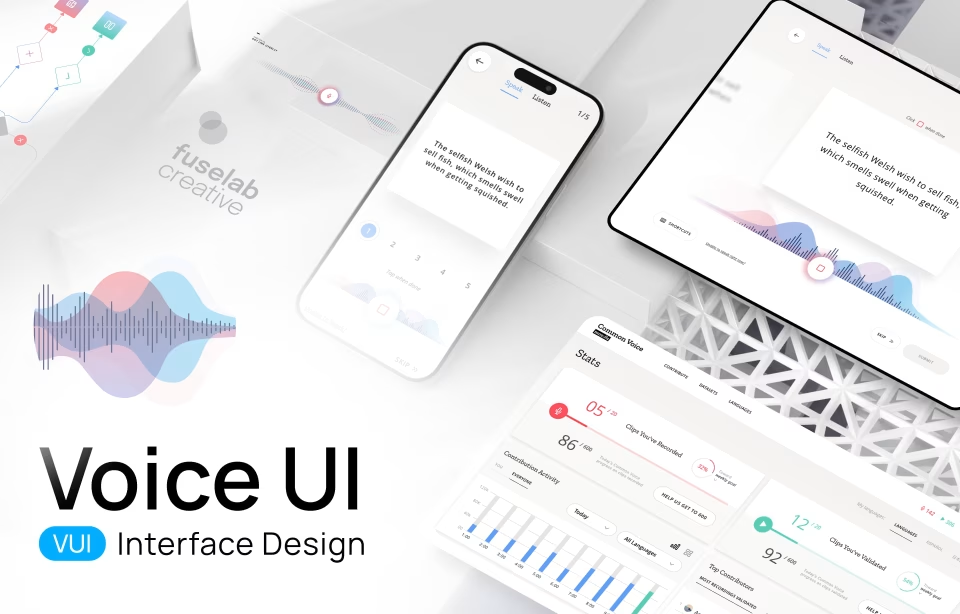
Voice User Interface Design: Guide to VUI Design Best Practices in 2026
Voice user interface design builds interfaces where users speak instead of typing or tapping. The 2026 design problem is no longer whether the system hears the words; it’s what happens when the answer is slightly wrong, when the user cannot scroll back to check it, and when listening to a long correction is impractical.
What is VUI?
A Voice User Interface (VUI), in the simplest framing, is an interface where users interact with a system through spoken commands. That is the textbook definition. The working definition, the one that shapes actual design decisions, sits underneath it.
At Fuselab, we define VUI (Voice User Interface) as an invisible bridge between human intent and machine action. A Graphical User Interface requires the user to learn the system (Where is the settings icon? Where is the play button?). A VUI inverts that contract: the system has to handle how people actually speak, with all the variation in phrasing, accent, and context that comes with it. The burden of interface convention moves from the user to the system.
Whether it’s a hands-free dashboard for a truck driver, a voice-activated surgical robot, or Siri scheduling a meeting, a voice interface removes the layer of physical interaction. There are no buttons to press, no menus to step through. All you need to do is speak a request and get the result. For businesses, this changes the onboarding equation: instead of teaching the user how to use your product, you invest that effort in designing a conversation that handles how people actually speak.
Voice User Interface vs Graphical User Interface
The basic design move in a graphical interface is to make the right action visible. In voice, nothing is visible, so the design problem becomes how to make the right action audible at the right moment and then get out of the way. Everything downstream follows from that asymmetry: error recovery, memory management, confirmation patterns, and when a screen needs to come back into the picture.
Recovery is the most telling example. On a screen, a misread instruction is no problem because the user scans back and corrects course. In voice, the spoken sentence is gone the moment it lands, and the cost of any misunderstanding is paid by the user, who has to interrupt, restate, and trust the system to handle the second attempt cleanly. That asymmetry is why voice UI treats error recovery as a primary discipline rather than an edge case, and why most voice products that fail in production fail there.
System design diverges from there. A graphical interface is laid out in space, navigated by spatial pattern, and the designer’s craft is in screen composition. Voice has no spatial dimension at all; it exists only in time, which means the designer’s craft is in pacing, turn-taking, and the structure of a conversation the user only experiences sequentially. The two disciplines share research and accessibility methodology, but the layers above that diverge almost completely.
Use context decides which interface is the right fit, and the decision is rarely close. Voice is the right choice when the user’s hands are occupied (driving, warehousing, sterile clinical environments) or when typing creates friction (accessibility, ambient interaction). A screen wins everywhere else: high information density tasks, anything requiring verification of specific details like a financial transaction or a contract review, and any environment too noisy or too public for the user to speak comfortably.
Voice User Interface vs Conversational AI
Voice user interface design and conversational AI overlap in everyday usage, but they describe different layers of a product. Voice UI is a definition about input and output: the user speaks, the system speaks back. Conversational AI is a definition about the engine: a language model interprets what the user said and generates the response. Stardog Voicebox is conversational AI without voice because the user types. A 2015-era IVR is voice without conversational AI because the engine is rule-based menus. Most 2026 products combine both layers, which is why the two terms collapse into each other in practice.
In practice the two disciplines are converging. Modern voice interfaces are almost always powered by conversational AI because rule-based menus cannot handle the variation in how people actually speak, and conversational AI products are increasingly multimodal, with voice as one input mode alongside text and visual context. The shared design problems are trust calibration for AI-generated responses, transparent fallback when the system cannot answer, and verification markers that signal confidence without alarming the user.
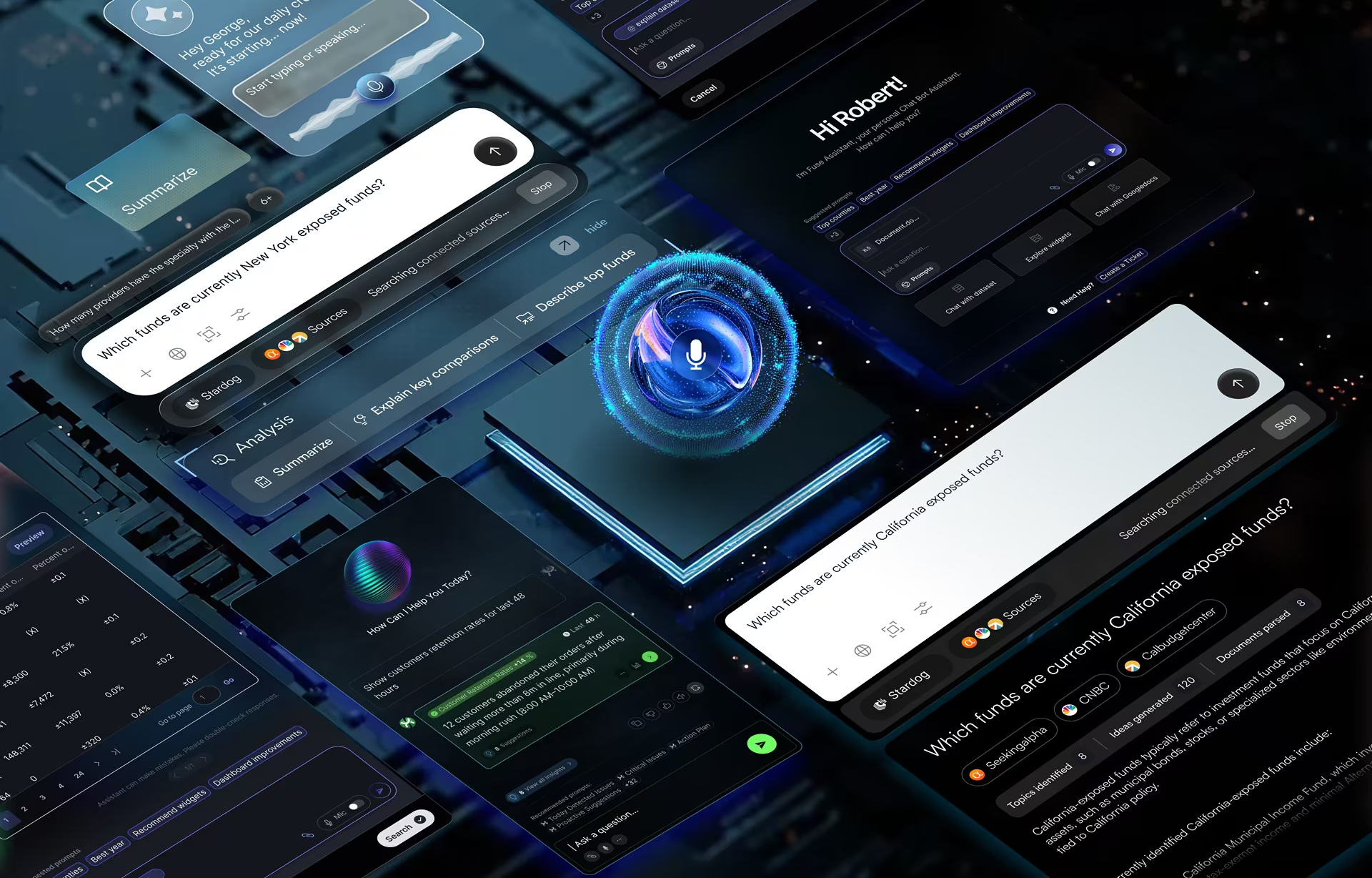
The Stardog Voicebox project is the clearest illustration. Fuselab designed a dual-panel interface where financial analysts type natural language queries against a knowledge graph and read AI-generated responses next to the source data. The interaction is typed, not spoken, but the underlying design problems (trust architecture, verification markers, the layout that puts AI output and source data in the same view) are problems voice-driven products have to solve too. The deeper write-up sits on the conversational AI interface design page.
Brief History of Voice User Interfaces
To understand where we are, you have to appreciate how voice activation started and evolved. Here’s a quick look at VUI history:
- 1952: Bell Labs creates ‘Audrey’, aka the Automatic Digit Recognizer. The machine could recognize the digits zero to nine, with 90% accuracy, but it could only recognize its inventor’s voice and was the size of a refrigerator!
- The 1970s: Defense agency DARPA funded the development of speech recognition, aiming to recognize 1,000 words by 1976. Using a new method known as ‘Beam Search,’ Carnegie Mellon’s system ‘HARPY’ won the DARPA challenge.
- The 90s and 00s: HMM (Hidden Markov Model)-based speech recognition steadily became more accurate but required a fair amount of user training and manual correction. However, in the early 00s, Deep Learning began to emerge, bringing improvements across many areas, including speech recognition.
- 2010s: Apple integrated Siri in 2011, putting a voice interface in our pockets. In 2014, Amazon Echo launched and moved voice from a ‘feature’ to an ‘environment.’ You could cook dinner and order groceries simultaneously.
- 2023-2024: This is where everything changed. With the rise of Large Language Models (LLMs) like ChatGPT and Claude, VUI or Voice User Interface stopped being a rigid command-and-control system and became conversational.
Now, in 2026, we are seeing the rise of Agentic AI. Your VUI or Voice User Interface doesn’t just ‘answer’ you; it ‘does’ things for you. It browses the web, negotiates schedules, and fills out forms.
By 2026, more than 8.4 billion voice assistants will be in active use globally, according to Statista, more devices than there are people on Earth. The technology arc that started with a refrigerator-sized digit recognizer in 1952 now runs invisibly in pockets, dashboards, and warehouse headsets.

Key Components of VUI (Voice User Interface) Technology
Most voice UI projects fail somewhere in the gap between the speech recognition engine and the dialog manager. The recognition engine knows what the user said. The dialog manager knows what to do with the intent. The handoff between them, especially when the user said something the dialog manager doesn’t have a clean intent mapping for, is where users abandon. Speech recognition and text-to-speech get most of the attention because they are the audible parts of the system, but the harder design problem lives in the middle layers (intent extraction, state management, the dialog manager itself), and the agency’s decision about which components to build versus license drives both project cost and the resulting user experience.
Speech Recognition Engine
This is the ears of the operation. It takes voice input and uses advanced audio processing (AI-integrated in modern systems) to convert speech into text that the rest of the stack can interpret.
In 2026, ASR (Automatic Speech Recognition), with AI integrated into the recognition stack, is moving toward handling accents, dialects, and background noise reliably.
Natural Language Processing (NLP)
If Speech Recognition is the ears, then Natural Language Processing (NLP) is the brain. This is the interpretation layer that adds context and deciphers intent from the voice command. In the past, NLP was rigid (you had to say the exact words or phrases), but modern NLP engines use deep learning to understand intent and entities regardless of phrasing.
For example, it can parse ‘turn up the heat’, ‘it’s freezing’, or ‘make it warmer’ as the exact same command. It also understands the difference between a literal request and a rhetorical question, between a polite command and a frustrated one. This flexibility allows users to speak naturally, minimizing the cognitive load required to use the tool.
Dialog Management
Dialog Management is the VUI system’s memory and logic center. This component keeps interactions flowing continuously rather than a disjointed series of independent queries.
Real conversations are rarely linear; they loop, backtrack, and jump topics. Without good dialog management, the AI has the memory of a goldfish. Here’s an example. A user says, “Book a flight to NYC.” The system asks when. The user replies, “Actually, make that Boston.” A poor dialog manager loses the original booking context.
A great Dialog Manager tracks the state of the conversation, updating parameters (e.g., destination changes) while maintaining context (flight booking). It handles the ‘back-and-forth’ volley, managing interruptions and confirmations without losing the thread.
Text-to-Speech (TTS)
TTS is the voice. It converts the machine’s response back into audio. Current VUI design uses Neural TTS (Text-to-Speech), which generates speech from deep neural networks to produce audio close to a human recording. Apart from the actual sound, current technology can also mimic intonation and emotion, which allows us to inject brand personality into a synthetic voice.
The next maturation step in Neural TTS, expected through 2027, is voices that adapt their emotion in real-time based on cues like the user’s stress level. Early implementations are already shipping in customer service and healthcare voice products.
Core Principles of VUI Design
Above, we unpacked how VUI is different from traditional UI and requires a different tech stack and methodology. At Fuselab, we go further: VUI requires a different mental model entirely. The standard UI playbook has to be set aside, because there are no images, no screens, no menus, no icons, no buttons. Interaction is based on a single sense, aural.
Voice commands come with a higher chance of errors and misrecognition than typed input. Voice is also more ambiguous, often lacking structure and clarity. And because people cannot scan and catch their mistakes the way they do on a screen, an error in voice can be far more disruptive and frustrating.
The third complication is environmental. Voice commands are often issued while the user is already occupied with something else (driving, walking, cooking, navigating a warehouse aisle), which further reduces the attention available for the interaction. The design team has to plan for divided attention as the default state, not the edge case.
At Fuselab, when our teams sit down to tackle a new VUI design project, we have two commandments written on the whiteboard.
Voice-First Thinking
You cannot just take your mobile app and ‘add voice’ to it. Voice workflows are linear, prone to errors, and intent carries more weight than it does in typed search, where the user can refine and re-scan. Voice-first means designing for short-term memory. You cannot reel out a list of five options and expect the user to remember them; voice interfaces have to be designed for ‘one breath’ hands-free, eyes-free interactions.
Environment shapes voice UI more than any other input mode. Every workflow has to be mapped against where the user will actually be when they speak (kitchen, car, warehouse, hospital ward, public transit), and the design conversation cannot start until that environmental map is complete.
Natural Conversation
We might write in keywords, but we certainly don’t speak in keywords. Conversation is messy, fragmented, and filled with hesitations, accents, and self-corrections, and the design has to handle all of it without making the user feel managed. The Voice UI has to factor in these conversational patterns and reach an accuracy threshold where users no longer notice the system and just use it. Here’s an example of a conversation that shows both good VUI and less-than-optimal Voice UI design.
A bad VUI would only recognize or prompt the user to say ‘Balance’ or ‘Transfer’. However, a well-designed VUI would lean into human-like interaction patterns, such as “What can I help you with?” or understand “I’m broke, how much money do I have?” as a balance check.
How to Design a Voice User Interface: A Step-by-Step Guide
When we design for screens, we rely on visual cues and accessories (buttons, menus, breadcrumbs) to guide the user. Voice has none of those. The interface is invisible, which makes VUI design deceptively simple to attempt and difficult to execute well. It seems straightforward to just ‘add voice’ to an existing product, but without a structured approach, the experience can quickly descend into a frustrating loop of ‘I didn’t quite catch that’. A truly effective voice user interface isn’t just about implementing speech recognition software; it is about anticipating human behavior, understanding environmental noise, and managing the delicate, non-linear flow of spoken language.
That’s the reason we never start with code. The starting point is human experience. The VUI design methodology outlined below, tested across multiple Fuselab projects, is designed to minimize technical risk and maximize natural interaction. Here is the exact process we use at the agency. It’s not magic; just thoughtful, rigorous engineering.
Step 1: User Research & Context Mapping
Context is king. Where is the user? Are they driving? Are they cooking with messy hands? Are they in a private office or a public subway? Are they performing in high-stress situations, such as an operating theater?
Here’s an example: We once designed a voice interface for a logistics company. In our quiet conference room, the prototype worked perfectly. But when we deployed it to the warehouse floor, the ambient noise of forklifts and conveyor belts drowned out the voice engine. Needless to say, we redesigned the microphone array for noise cancellation and rewrote the error handling to account for missed words. If you don’t design for the noise, you aren’t designing for the real world.
Step 2: Conversation Design and Dialog Flow
We do not start with code, flowcharts, or logic trees. We start with a screenplay. We write ‘Sample Dialogs’ that map out the conversation between the user and the persona, covering three distinct voice scenarios:
The Happy Path: The ideal scenario where the system understands perfectly, and the user speaks clearly.
The Repair Path: The reality of voice. The system didn’t hear, the user stuttered, or the intent was unclear. The goal is to find a path for the AI to recover without annoying the user.
The Ambiguity Path: The user provides vague input. (e.g., User: “Play music.” AI: “Sure, what genre are you in the mood for?”)
We literally act out these dialogue flows in the office. One person plays the user; the other plays the AI. If a line feels awkward to say out loud to a colleague, it will feel even more awkward to say to a machine.
Step 3: Prototyping and Testing
Writing code is expensive; talking is free. Before the development team starts coding, we conduct ‘Wizard of Oz’ testing.
In this phase, a human designer sits ‘behind the curtain’ (or on a Zoom call with their camera and mic off), manually triggering audio responses while a test user interacts with the system. The user believes they are speaking to a functioning AI, but a human is controlling the logic. This is the fastest way to bridge the vocabulary gap. For example, the design team thought users would say ‘check inventory status,’ but in reality, they said ‘Do we have any cans left?’
By catching this variance during the Wizard of Oz phase, we can map the correct utterances to intents before development begins.
VUI (Voice User Interface) Design Best Practices:
Building a Voice User Interface or a VUI design is a tricky balance of technical and psychological skills. Both components have to work perfectly for a system to be successfully used by users.
In visual design, users can scan the website to get the information they need. Even if the design is cluttered or badly laid out, they can skip to the relevant header. In voice, that luxury is gone. Voice is linear and fleeting; the user cannot ‘re-read’ a spoken sentence, nor can they see what options lie ahead. This places a heavy burden on the user’s short-term memory (cognitive load).
In a voice user interface, the difference between a frustrating bot and a helpful assistant often lies in the micro-interactions: how the system paces information, signals that it is listening, and recovers when things go wrong. Here are some best practices of VUI design that keep the user from feeling lost, anxious, or ignored:
Keep Interactions Simple (The “One Breath” Rule)
Make the voice interactions simple, direct, and clear. For example, don’t ask compound questions like ‘Do you want to save this, email it, or maybe print it?’ Instead, break complex tasks into small, digestible chunks. Take the user towards their goal with small steps, one at a time, such as “I have saved that. Want me to email it to you?” Voice interactions should aim to be intuitive and natural, leaving the user with a clear idea of what just happened and what the next steps are expected from them.
Provide Clear Feedback
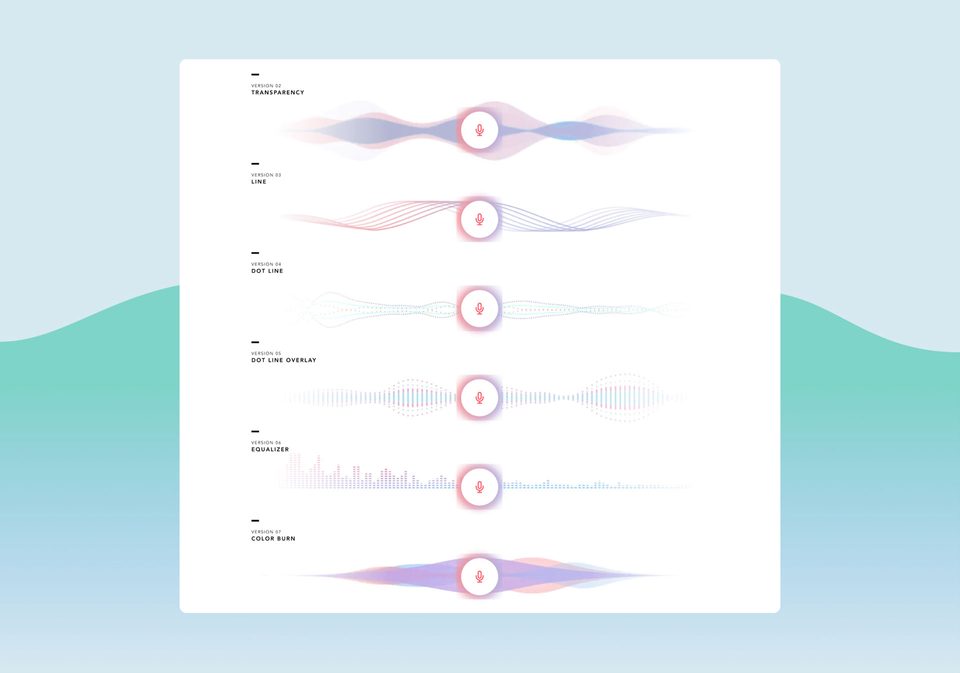
On a screen, the button click gives the user visual and tactile confirmation that the action started. Voice has no equivalent signal, which is why earcons exist: distinctive sounds that mark each state change. A subtle ping when the system starts listening, a different sound when it begins processing, a chime when a task completes, and a discordant tone when something fails. Silence past three seconds and the user assumes the system crashed.
Handle Errors Gracefully
Error handling is where most voice products fall apart, and the failure pattern is almost always the same. Most voice systems rely on a generic error fallback: “I’m sorry, I didn’t get that.” A user who hears this twice in a row quits and thinks twice about coming back. The fix is contextual re-prompting: If the user’s intent was unclear, don’t ask them to repeat the whole sentence. Ask for the specific missing piece.
Never trap the user in an infinite error loop. If the system fails to understand twice (No-Match), the third step must be an escape or a solution. Hand the user off to a human agent or offer a screen-based fallback (e.g., “I’m having trouble hearing. I’ve sent a list of options to your screen”). It is better to give a solution than to keep the user stuck in a frustrating loop.
Visual Design for Voice Interfaces (Multimodal VUI)
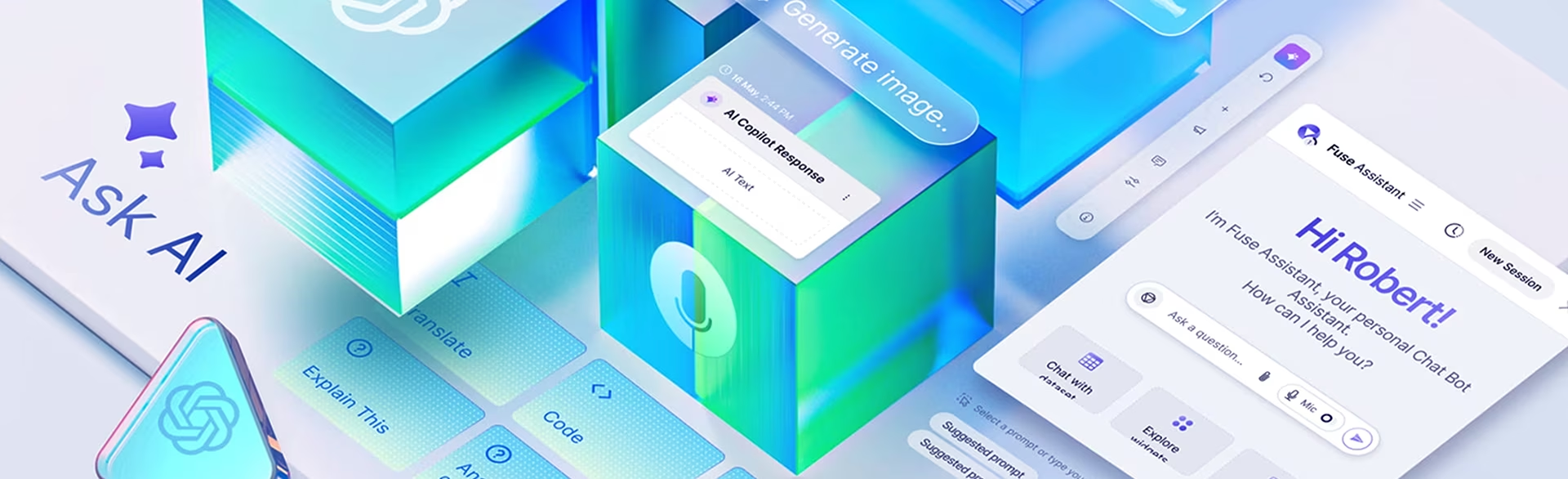
Voice user interface design is almost never voice-only in 2026. Most voice products combine spoken interaction with a paired visual interface (smart display, smartphone screen, automotive dashboard, smart watch), which makes multimodal design the default rather than the exception. The screen’s job in a multimodal voice UI is not to compete with the voice or to transcribe it, but to provide the information density (maps, lists, comparisons) that speech cannot deliver linearly.
Multimodal VUI requires two simultaneous design approaches: designing the voice flow as if no screen existed, and at the same time designing the visual layer that supports it. This forces VUI designers to design for both modes simultaneously and produce workflows that function cleanly with or without a screen present. Here are the best practices we follow at Fuselab to keep voice well-integrated with supportive screens and devices:
Screen Design Best Practices
In a multimodal VUI, the screen’s job is not to compete with the voice or just transcribe it, but to provide the Information Density (maps, lists, etc.) that speech lacks.
Unlike mobile apps, VUI screens (like smart displays) are often viewed from a distance (at least a few feet). We recommend using oversized, high-contrast sans-serif fonts and aim to design screens that a user can understand at a glance.
The screen should provide additional and complementary information. For example, if a user asks for Italian restaurants, the voice provides a summary (“I found three nearby”), while the screen displays photos, ratings, and distances.
We also recommend using Safe Zones and large touch targets. The screen should highlight the specific information the system is currently asking about, for example, highlighting the date picker when the dialog asks “What day?”
Accessibility in Voice User Interface Design
VUI is the great equalizer. By definition and design, voice is aligned to the needs of users who have motor impairments, arthritis, or visual impairments. For people with disabilities, voice isn’t just a convenience; it can become a lifeline, a bridge to connect them to areas of the digital world and other digital products that were previously closed to them. However, designing for accessibility isn’t charity; it is better design for everyone.
Here are a few examples of how design must create inclusivity:
Deaf/Hard of Hearing: You must provide visual captions for every voice response (Subtitle first design).
Speech Impairments: Design “patience modes” that extend the listening window for users who need more time to articulate. For example, it’s good to have ASR, but it must not time out if a user stutters.
Cognitive Load: For neurodiverse users, keep language literal and avoid idioms or complex sentences.
Real-World Examples of Successful VUI Design
In 2026, the most successful VUIs are those that disappear into the workflow. Here is how industry leaders are using voice to drive measurable ROI.
Nike Run Club (NRC)
Nike offers Audio-Guided Run (AGR), a VUI that delivers coaching and support during intense physical activity, as part of its NRC app. The running track is the perfect place to add a voice interface as a performance partner. While a runner is moving at high speed, looking at a phone or even a watch is distracting and potentially unsafe. The VUI provides real-time, context-aware coaching, such as “You are halfway there. Your pace is slightly faster than your last mile.”
DHL’s Lydia Voice Picking
DHL replaced manual handheld scanners with a ‘Pick-by-Voice’ system (powered by EPG’s Lydia Voice) to create a totally hands-free environment.
The traditional Scan-and-Drop activity required a worker to pick up a box, find the barcode, scan it with a handheld gun, put the gun down, and then move the box. With Lydia Voice, workers wear a lightweight headset. The AI tells them: “Go to Aisle 4, Slot 2.” The worker grabs the item and simply says, “Confirm.” The AI verifies the pick via voice and instantly gives the next instruction.
Voice User Interface Applications Across Industries
Voice user interface design shows up across very different industry contexts in 2026, and the design pattern rarely transfers between them. A flow built for a warehouse picker, where the constraint is ambient noise and workers in motion, falls apart inside a hospital, where the constraint is HIPAA logging and clinical workflow protocol. The sections below cover the six industries where voice UI work happens most often (healthcare, logistics, automotive, banking, customer service, smart home), with the specific constraint that defines each one.
Voice UI in Healthcare
Healthcare voice interfaces support clinical documentation, patient data entry, and hands-free operation in sterile environments where touching a screen breaks protocol. The regulatory layer matters as much as the conversation design: HIPAA treats voice recordings of clinical information as protected health information, which means retention, transmission, and consent decisions have to be made before the first dialog flow is written. Section 508 accessibility requirements also pull voice in as a compliance feature in federal healthcare products rather than an optional enhancement. Voice UI design for healthcare almost always starts with the legal and accessibility constraints, not with the conversation design itself.
Voice UI in Logistics and Warehousing
Warehousing was the earliest enterprise voice UI success story because the use case matches voice’s strengths exactly: hands occupied, eyes scanning physical inventory, decisions made in motion. DHL’s Lydia Voice Picking system, covered in the examples above, is the canonical case. The design challenges in this sector are environmental rather than conversational. Warehouse ambient noise (forklifts, conveyors, PA announcements) forces noise-cancellation microphone arrays, dialog flows tolerant of missed words, and error recovery that does not require the worker to stop moving or set down what they are carrying.
Voice UI in Automotive
Automotive voice interfaces handle navigation, communication, and vehicle controls in a context where visual attention belongs on the road. The design constraint is safety: every dialog that requires the driver to listen, decide, and respond must fit inside a window where their cognitive load remains compatible with driving. Modern in-vehicle voice systems are moving from menu-based commands (“Call John Smith”) to conversational queries (“Find me coffee that won’t make me late for my 9 a.m.”), which requires deeper context awareness than 2020-era automotive voice UIs supported. For more on the specific design considerations, see our piece on voice navigation for UX and UI designers.
Voice UI in Banking and Financial Services
Banking voice interfaces handle balance inquiries, transaction history, fraud alerts, and increasingly, voice biometrics for identity verification. The design constraint is trust: a user authorizing a payment or moving money needs higher confirmation friction than a user asking for a weather report. Banking voice UIs typically require explicit confirmation language before destructive actions (“Confirm transfer of two hundred dollars to John Smith. Say yes to confirm or cancel to stop.”) and audio confirmation that the action completed. Voice biometrics adds a passive authentication layer that reduces the friction of repeated password entry for high-frequency, low-risk queries.
Voice UI in Customer Service
Customer service is where most early voice UI work happened: the legacy IVR system, the menu-tree voice prompts that frustrated callers for two decades. Modern voice UI in customer service replaces those menus with intent-based routing, where the user speaks their problem in natural language and the system routes to the right resource without forcing a menu walk. The design challenge is graceful handoff to a human agent. Voice UIs that trap users in error loops generate more support tickets, not fewer. The third failed attempt at understanding must always be an escape, not another retry.
Voice UI in Consumer Smart Home Products
Smart home is the consumer baseline most users have already encountered: Alexa, Google Home, Siri. The category is mature but plateaued in the past three years as users discovered the practical limits of voice for tasks that need precision or visual confirmation. Modern smart home voice UI design focuses on multimodal complement. Voice handles quick commands (lights, music, timers) while a paired screen handles anything that requires browsing, comparing, or confirming. The trend in 2026 is voice as the entry point to a multimodal interaction rather than the entire interaction.
Testing and Iterating VUI Designs
Voice user interface design requires continuous testing and iteration after launch because real users will say things the design team did not anticipate. Conversation logs, fallout analysis (where users abandon mid-dialog), and sentiment analysis on voice pitch and volume identify the gap between the dialog flows designers wrote and the language users actually speak. The fix is iterative: review the logs, update the intent mapping, refine the prompts, and ship again.
Beyond log review, it is worth testing different system personas with users to see which ones land best. The choice of accent, gender, or tone of voice can change adoption noticeably, and the only reliable way to find out is to run live tests with each persona option, compare engagement and completion rates, and use the winning persona as the default.
The Future of Voice User Interface Design
The most consequential shift in voice UI over the next 18 months is proactive voice. Rather than waiting for the user to ask, the system observes context (location, calendar, recent behavior, ambient signals) and surfaces the right action before the user has to think about it. The example most product teams are working on right now is the morning routine: “I noticed your 9 a.m. moved, but traffic is heavy. Want me to order a cab earlier?” Done well, this turns voice from a tool the user reaches for into a partner that anticipates. Done poorly, it becomes an interruption pattern users learn to ignore, which is the failure mode worth designing against from the start.
Two adjacent shifts will mature alongside proactive voice. Emotion AI will detect cues in the user’s voice (breathlessness, stress, frustration) and adapt the response, and the first sectors where this lands at scale are likely healthcare and customer service, where the cost of missing emotional context is highest. Voice cloning and brand personalization will let products coach or guide users in custom voices (a Nike fitness coach speaking in a licensed version of a famous athlete’s voice, for example), though the regulatory and consent landscape around synthetic voice is still being worked out and will shape what is publishable through 2027.
Conclusion: The Voice Revolution is Already Here
Voice UI has moved from novelty to daily habit for a meaningful share of users in the past three years, and the shift is most visible in two places. Enterprise environments where hands-free interaction was always going to win once the technology matured (warehousing, healthcare, automotive) have adopted voice as a primary input mode. Consumer products have settled into a quieter pattern where voice coexists with screens rather than replacing them.
Voice UI is not a plug-and-play feature. It is a discipline that demands more rigor than traditional UI/UX, because the design problems (error recovery, memory load, multimodal fallback, trust calibration for AI-generated responses) compound in ways that visual design does not have to solve.
If you want to start, pick one high-footfall point in your customer journey. Password recovery or a simple re-order flow are good first candidates. Build a voice prototype for just that slice, and test it with a real user before you commit to anything broader.
Frequently asked questions
What is voice user interface design?
Voice user interface design is the practice of building interfaces where users interact with software through spoken commands and audio responses rather than visual menus, taps, or clicks. The discipline covers speech recognition, dialog flow design, prompt writing, error recovery, and multimodal fallback patterns for when voice fails. Voice UI designers work across consumer products (smart speakers, automotive), enterprise tools (warehouse picking, clinical documentation), and accessibility applications.
What is the difference between a voice user interface and a voice assistant?
Voice user interface is the discipline of designing voice interactions for any product or feature, whether or not it is branded as an assistant. A voice assistant is a specific consumer product like Alexa, Siri, or Google Assistant that uses voice UI principles inside a branded experience. Most enterprise voice UI work is not for consumer assistants. It is for embedded voice features inside dashboards, clinical tools, vehicle systems, and accessibility applications.
How is voice user interface design different from chatbot UX design?
Voice user interface design handles spoken input and audio output, which forces designers to manage interruptions, ambient noise, and the lack of visual confirmation. Chatbot UX uses typed text and visual UI elements like quick-reply buttons and clickable cards. The two disciplines share dialog design principles but differ in feedback channels, error recovery patterns, and the cognitive load they place on users.
How does voice user interface design differ from graphical user interface design?
Voice user interface design produces interfaces the user navigates through time and sound, while graphical user interface design produces interfaces the user navigates through space and sight. The cognitive load is distributed differently. GUIs offload memory to the screen, while VUIs require the system to manage short-term memory because the user cannot re-read a spoken sentence. The two disciplines share user research and accessibility methodology but diverge in almost every other layer of process.
What does a voice user interface design project cost?
Voice user interface design projects vary from focused voice features inside an existing product to full voice assistant or multimodal interface builds. A focused voice feature typically runs 6 to 8 weeks of design work. A full voice assistant or multimodal interface runs 12 to 16 weeks because conversation flow design and edge case testing require multiple rounds of refinement. Pricing depends on dialog complexity, the number of intents and edge cases, and whether the engagement covers hardware-side audio engineering or only the conversational design layer.
How do you test a voice user interface before development starts?
Voice user interface testing happens before any code is written through a technique called Wizard of Oz testing, where a designer manually controls the system’s responses while a test user interacts with what they believe is a working voice product. The point is to catch the gap between the phrasing the design team assumed users would speak and what users actually speak in context. Wizard of Oz testing typically runs 5 to 10 sessions per persona, and what comes out of it is a corrected intent map and prompt library that development can build against, rather than building first and discovering the gap in production.
What should I look for in a voice user interface design agency?
Voice user interface design agencies should demonstrate shipped voice or multimodal products in their portfolio, not just visual UI work. Ask for case studies showing dialog design, error recovery flows, and prompt writing samples, because these are the parts of voice UI that distinguish practitioner work from theoretical content. The agency should explain its approach to multimodal fallback and accessibility, since voice fails predictably in noisy environments and users with speech impairments still need a path through the product.