Enterprise UX Design: Complete Guide to Building Powerful Business Applications
Enterprise UX design is the practice of designing digital products for an organization so its employees can complete complex work accurately and with minimal cognitive effort. Unlike consumer apps that compete for attention, enterprise software succeeds only when it helps people move through complicated workflows, make informed decisions, and finish tasks with confidence, which is why most enterprise failures trace back to adoption, not features.
Consider a logistics company that spent 18 months and several million dollars building a custom internal dashboard for its fleet managers. It checked every box and was packed with features and graphs. Nobody used it. The managers kept going back to Excel and email. The company built a Ferrari, so to speak, and its people insisted on driving the horse and buggy.
The problem was that the dashboard was engineered, not designed. Something we see all the time. It was a wall of data tables with no hierarchy, and a workflow that took 12 clicks to do what a spreadsheet did in two. It was built on the assumption that employees have to use it, so it did not need to be intuitive.
That assumption is where most budgets die. Enterprise applications are not judged on how impressive they look, but an outdated interface still pushes away people who use modern tools everywhere else. What actually matters is whether employees work faster, make fewer errors, and read data with confidence. Good design here is a business investment, not a decorative one.
What is Enterprise UX?
Enterprise UX is the design of software for employees rather than customers, covering the internal tools that run a business: CRM and ERP systems, HR portals, supply-chain dashboards, and B2B platforms. It is measured by how quickly and accurately people complete work across many roles, departments, and large data sets, not by how long they stay engaged.
Unlike customer-facing apps such as Instagram or TikTok, enterprise apps are the heavy lifters that quietly run a business. Many are organization-wide, from medical record interfaces to the SaaS platforms B2B teams sign into every morning, and they carry consequences an entertainment app never will.
Where a consumer app wants your time, an enterprise app wants to give it back. The goal is to get in, do the task accurately, and get out. Three hours on Instagram is a win for Instagram. Three hours in an expense tool is a failure for the business and for the design, and most likely means you’ve got some big issues to deal with. The interface does not have to charm anyone. It has to make the work fast and correct.
Enterprise UX vs. Consumer UX: Key Differences
The biggest difference between enterprise UX and consumer UX lies in the product’s goal. Consumer apps are designed to maximize engagement, while enterprise applications are designed to help people complete work accurately, efficiently, and quickly. As a result, enterprise UX must support complex workflows, multiple user roles, and dense information, whereas consumer products prioritize ease of use and stickiness.
Comparing consumer apps to enterprise apps is like comparing a sports car to a freight train. Both are vehicles, but they have very different purposes. While consumer design chases engagement, enterprise UX is the engine of efficiency for a business. Recognizing the unique constraints of the enterprise environment is critical for bridging the gap between software purchase and actual adoption in any business.
When done correctly, enterprise software UX design transforms mandatory tools into business assets that drive productivity, reduce costly errors, and deliver a return on the business’s technological investment.
The Buyer vs. The User
In consumer apps, the person who buys the app and the person who uses it are usually the same. You download Spotify because you want to listen to music. In an enterprise ecosystem, the person buying the software (the CIO, the VP of Sales) is rarely the person using it eight hours a day (the data entry clerk, the sales rep). This creates a dangerous disconnect wherein software is bought based on feature checklists rather than usability.
Complexity and Scale
Consumer apps usually do one or two things very well. Uber books a ride. Airbnb books a room. But enterprise apps are the many-armed goddesses of software. They have to handle thousands of edge cases, massive datasets, and intricate permissions. One cannot just ‘simplify’ an air traffic control interface by removing buttons; people might die. Enterprise UX has to design ‘for’ complexity, not avoid it.
Motivation
No one wakes up excited to log onto their ERP system. The motivation is extrinsic (doing the job), not fun. While, of course, employees are mandated to use the system and have no choice but to learn it, continued use and adoption can only be guaranteed and improved by reducing workflow friction.
Legacy systems
Unlike B2C apps, enterprise software will need to consider the organization’s existing software and hardware infrastructure. The design might need to change to accommodate legacy systems.
Set side by side, the two disciplines optimize for almost opposite outcomes:
Why Enterprise UX Design is Critical for Business Success
Enterprise UX design directly impacts productivity, software adoption, collaboration between departments and employees, and decision-making. Well-designed enterprise applications make everyday workflows easier and tasks faster and more accurate. If workflows are confusing or information is difficult to find, even feature-rich platforms become expensive systems that employees work around rather than with.
Increasing Employee Productivity & Efficiency
Good UX removes steps from workflows and improves productivity. It shortens a 10-step process into 3. And that is direct ROI; that is operational efficiency that can be quantified in dollars.
For example, if you have 1000 employees working with a piece of software, and a hard-to-find button causes a 2-second delay on a task they perform 50 times a day, that is 100 seconds lost per person, per day.
Across 1000 users, that is roughly 27 hours of lost productivity every single day, as a rough illustration rather than a measured figure; not ideal to say the very least. If you were to put a dollar value on this time, it would add up to hundreds of thousands of dollars lost. All because a button was in the wrong place.
Improving Internal Collaboration
Let’s take the case where an enterprise marketing software doesn’t talk to the sales team’s software, or when the interface is so confusing that teams resort to emailing PDFs back and forth. The result: leads that don’t reflect in CRM systems, clients that don’t get proposals, Excel sheets abound, people frantically search for files in Slack channels, and time per task skyrockets. All this equals the death of collaboration.
Great enterprise UX bridges these collaboration gaps. It creates a ‘single source of truth’ that everyone in the enterprise can understand and trust, regardless of their department.
Simplifying Data-Rich Interfaces
We live in the age of Big Data complexity. But data is useless if you can’t read it. Take the example of a fintech startup that has a great algorithm for predicting market trends. However, its dashboard looked like a spreadsheet. The employees were overwhelmed, but slogged on as they had no choice.
Data visualization principles, such as progressive disclosure that shows headline numbers first and lets users drill down as needed, helped prioritize this data. The change reduced complexity and mental load while shaving minutes off each task.
Good UX is also about democratization. It puts a friendly interface on complex databases, allowing non-technical managers to access, understand, and use data analytics independently.
How Success Is Measured in Enterprise UX
Enterprise UX success is measured by work outcomes more than by attention. The metrics that matter are task completion rate, time on task, error rate, and adoption: whether people finish faster, make fewer errors, and keep using the tool by choice. Unlike a consumer app, more time on a task is usually a red flag, not a win.
Start at the task level. Measure how long a core task takes before and after a redesign, and how often it ends in an error or a correction. If a claims processor closes a case in four minutes instead of nine, that gap is the design doing its job. These are the numbers a VP can carry into a budget conversation.
Then look at adoption, which is where most enterprise tools quietly fail. A platform can satisfy every item on the feature list and still sit unused while people fall back on spreadsheets and email. Active use by role, and how fast new hires reach proficiency, tell you whether the design earned its place or simply shipped.
The last layer is downstream signals. Support tickets about how to do something, rather than what broke, usually point to an interface problem, not a training gap. So do the workarounds people build in the margins: the private spreadsheet, the side channel, the copy-pasted report. When those quietly disappear, the tool has become the one place the work actually happens.
Unique Characteristics of Enterprise UX Design
Enterprise UX design differs from consumer UX in four structural ways: workflows are circular and dependent rather than linear, data sets are large and must be organized without overwhelming the user, permissions vary by role (RBAC), and multiple departments often work inside the same system at the same time.
Simplifying User Workflows and Processes
Enterprise workflows rarely follow a straight path. Unlike consumer apps that support a single individual task, enterprise systems must also support approvals, role-based personalization and permissions, and cross-functional processes that hand work back and forth between people. The path bends, loops, and waits on other people far more than a consumer flow ever does.
In a consumer app, the workflow is linear. On an e-commerce site it runs search, compare, add to cart, checkout, and it ends. In enterprise applications, workflows are circular and dependent, and they rarely end where they started; one step loops back into another.
Take an approval in the finance department. A manager approves a request, it moves to the finance head, who raises a query and sends it back to the manager for clarification. That triggers an email chain across several people and departments before anything is resolved.
Often these approvals live on long email trails, cut off from the ERP system, and require manual search and re-entry. Designing for this takes service design thinking. The team has to map the entire ecosystem and workflow, not just the screen in front of the user.
Data Complexity and Information Architecture
Enterprise applications hold far larger volumes of data than most consumer products, and that volume is the design problem. Good information architecture lets users understand and act on what they see without becoming overwhelmed, which usually means deciding what to hide as carefully as what to show.
A concrete version of this is fitting a table with 50 columns and 10,000 rows on a laptop screen and keeping it readable. Techniques such as sticky headers, customizable columns, advanced filtering, and smart search all help. So does progressive disclosure, a pattern the Nielsen Norman Group recommends for dense, complex interfaces.
Underneath every technique, the goal is the same. Build a clear, repeatable hierarchy, keep navigation patterns predictable across screens, and model workflows on how the work actually happens rather than on how the database is structured. Get that wrong, and no amount of filtering saves the interface.
One example from our own work is Automatize, a telematics and supply-chain platform we redesigned for fleet management. The data problem was concrete. Live location, cost, task status, driver status, engine diagnostics and about 1000 other data points needed to be accessible via one screen.
A fleet manager has to move between a bird’s-eye view of the whole fleet and a close read on one truck, without losing context or drowning in modules. We handled that with progressive disclosure built into the information architecture. The base layer is a live geolocation map.
Hover cards surface cost-per-trip and time data on demand instead of forcing a click into a separate report, and each module expands into a floating detail card only when something needs attention. Fleet managers also work in the field, not at a desk, so we built a tablet view with the same drill-down depth as the desktop.
The decision underneath all of it is the one that runs through most enterprise data problems. Do not force the user to choose between the overview and the detail. Give them both, and let hovering and expanding do the work a second screen or a second login used to.
Role-Based Access and Permissions (RBAC)
Almost every enterprise system controls what each person can see and do. With data privacy, security, and regulatory pressure, mapping who can view or change which resource is a core design task, not an afterthought. Role-based access control, or RBAC, makes sure each employee only sees what their work requires.
The CEO sees a different screen than the intern. An admin has a delete button; a standard user does not. That means the interface has to adapt to whoever is logged in, with permissions mapped carefully to roles and a structure flexible enough to change as the organization does.
In our enterprise work, the hard part of RBAC is rarely hiding a button. It is keeping every role’s version of the screen predictable, so that changing a person’s permissions never forces them to relearn the tool. Done right, the same layout logic holds whether a caseworker, a supervisor, or an administrator is the one logged in.
Multi-User and Multi-Department Systems
Enterprise tools are communal. At any moment, people across different departments may be viewing, editing, or reviewing the same file or data set, so enterprise UX has to be designed for concurrency. It also has to account for how the same data is read differently depending on who is looking at it.
John in Marketing might want to judge lead quality or segment leads by source. Rachel in Sales cares which regions the leads came from. The business owner watches conversion rate, deal size, and return on ad spend. One data set, three questions. The design has to let each person shape the view to the answer they need.
Major Challenges in Enterprise UX Design
The recurring challenges in enterprise UX are consistent across projects: the people who buy the software are rarely the ones who use it, new interfaces must sit on top of legacy systems that cannot be switched off, compliance often dictates layout, and dense information has to stay readable while every department signs off.
The User vs. Buyer Disconnect
Enterprise software is often purchased by executives who are usually not the end users. This disconnect, unless dealt with, often makes the adoption of the enterprise software slower and harder. Successful enterprise UX balances strategic business objectives with the practical needs of the people who rely on the software every day.
In most organizations, a VP of Procurement or a CFO is the decision maker. While the buyer might prioritize flashy dashboards for the board of directors, actual users just want a faster way to enter data. Also, sometimes the decision-maker doesn’t have an intimate understanding of each department’s process, resulting in roadblocks during implementation.
The fix is UX research. Sit with the data-entry clerks, watch each department work, and understand the process before you design a system meant to serve both the buyer and the people using it every day.
Integration of Legacy Systems
Most enterprise UX projects are built around existing technology rather than replacing it. Designers have to create modern, intuitive experiences while working inside the constraints of legacy systems and existing databases they cannot rewrite. The interface is new; much of what sits behind it is not, and the design has to respect that.
“We have a mainframe from 2002 that holds all our customer data, and we can’t turn it off.” Is something every agency has heard. Enterprise UX is rarely built on a greenfield; it is a modern interface built on top of old code and legacy systems.
The fix is measured. A rip-and-replace redesign is always an option, but it carries its own cost and risk. An iterative approach that treats the UI as an abstraction layer is often more useful. It will not fix the backend immediately, but it makes the system more accessible and logical while the old code stays in place.
Security, Compliance, and Regulatory Requirements
GDPR, HIPAA, COPPA. In consumer apps, these are checkboxes. In enterprise UX, compliance often dictates the design. The best interfaces satisfy compliance, privacy, and regulatory requirements while making secure behavior feel natural instead of burdensome.
For example, you might want to keep a user logged in for convenience, but security protocols say they must time out after 10 minutes, or you need customer consent actions that are clear and meet industry compliance. Role-based access control, mentioned above, also helps keep security tight.
The answer is graceful friction. If a user has to be timed out for regulatory reasons, save their state and progress so they don’t lose work when they log back in. The rule stays enforced, and the person is not punished for it.
Balancing Information Density
Enterprise users need access to large volumes of information without drowning in it. Good enterprise UX organizes dense screens with clear hierarchy, progressive disclosure, and deliberate layout. The aim is not less information. It is information arranged so the eye finds what it needs first.
Modern design tends to favor whitespace: open space and large type. In a high-density enterprise interface, that can backfire. A trader may need 20 prices visible at once, and too much whitespace forces scrolling to find them. That costs milliseconds, and in trading, milliseconds are money.
The answer is density with clarity. We know, easier said than done. However, strict grids and a firm typographic hierarchy let you pack information tightly without it turning into noise, so a full screen still feels navigable to someone who reads it 200 times a day.
Limited Testing Opportunities
Validating enterprise software is harder than validating a consumer app. Users are spread across departments, live operations cannot be paused for testing, and getting every stakeholder aligned takes real time. None of that removes the need to test; it just makes testing a project in itself.
Validation is a large part of the work, and it is iterative. The final design is the product of several feedback and testing loops with real end users. Because the system spans departments, teams need buy-in and time from all of them, and testing often means overcoming resistance from people comfortable with the old tool.
The fix is to secure organizational and departmental buy-in from section heads, so they understand the design objectives and support them. Making the project collaborative and keeping timelines and processes transparent goes a long way toward shared ownership.
Essential Elements of Enterprise UX Design
The essential elements of enterprise UI design are the ones that decide whether employees actually adopt the tool: contextual onboarding, careful handling of edge cases, precise and consistent copy, and documentation that records why each decision was made. Attractive screens matter far less than a product people can learn quickly and trust under pressure.
Specialized Onboarding and Training
Enterprise software usually needs onboarding, because the tasks are specialized and business-critical. Rather than a manual, the strongest approach gives people contextual guidance that teaches them while they work. Learning happens in the flow of the task, not in a training room a week earlier.
Enterprise systems handle huge amounts of constantly changing data inside complex processes, which rarely makes them intuitive on their own. You cannot drop someone into an ERP system and say ‘good luck.’ You also cannot expect them to read a 500-page manual before they start.
Contextual onboarding solves this. Instead of one long tour up front, tooltips and short walkthroughs appear exactly when someone is trying to do a specific task. It is just-in-time teaching, and it sticks because it arrives in context rather than in advance.
Advanced Interactions and Edge Cases
Because the system is built for work, it has to handle edge cases as well as it handles the routine path. Something always goes wrong eventually, and in enterprise settings it goes wrong more often. The internet drops mid-upload on a 2GB file. The data format is wrong. Files corrupt, or a data set fails to load cleanly.
In those moments, a generic ‘Error 404’ is not acceptable. The interface itself should explain the problem and the way out. Instead of a blank error graphic, it says: ‘We couldn’t upload the file because it’s too large. Try compressing it, or contact support here.’
It is also important to test enterprise systems against the most complex situations and interactions rather than the easier ones. Often this is an iterative process that needs ongoing design work to address issues as they surface.
Precise UX Copy and Terminology
Enterprise UX copy prioritizes consistency and clarity over personality. Effective UX writing removes ambiguity by using familiar business terminology and maintaining consistency across every workflow. In consumer apps, personality is welcome. In enterprise application UX, clarity is the only metric that matters.
When a user is managing a $50,000 transaction or administering a patient’s medication, they don’t want a quirky error message. They need to know exactly what went wrong and how to fix it.
To provide clarity, create a strict taxonomy glossary at the start of every project. The goal is fixed, business-relevant copy throughout the design; a healthcare system, for instance, carries its own terminology. If you decide to call a button ‘booking,’ it cannot become ‘reservation’ on another page.
Additionally, use microcopy to clear up any confusion that ambiguous or complex terms might cause. This kind of copy adds small, helpful text below a field to explain what the user is expected to enter.
Detailed Design Documentation
Design documentation for enterprise software needs to capture the reasoning behind decisions, not just the final screens. Future teams inherit the system, and without the why, they can unknowingly break something a past decision was quietly protecting against. Documentation is how intent survives a change of team.
The biggest friction point in enterprise software development is the ‘handoff gap’, the moment a designer hands a static image to a developer who must build a working system. It matters just as much for the internal teams who will run the system for years.
Documentation should capture not just the design and structure but the logic underneath the connected system: not just the what, but the why. Without it, a future team changing the system can hit problems no one warned them about. A short note on how one dropdown was built to dodge a legacy constraint can prevent a broken release years later.
Enterprise Design Systems: Why They Matter
Enterprise design systems create consistency at scale. They give every team the same foundation of components and rules, so products stay familiar to users and stay easy to change as the business, its technology, and its headcount grow. Without one, consistency decays a little with every new screen.
If you take one thing from this guide, take this: you need a design system. A design system is a set of reusable components, buttons, forms, tables, navigation bars, all aligned to one clear standard and a consistent visual code. It is the difference between a product that grows cleanly and one that fragments.
Without a design system, every time a developer needs a button, they build a new one. Five years later, you have 50 kinds of buttons. Each small difference makes the user hesitate, half-consciously working out what it means. Compounded across hundreds of employees and thousands of hours, that hesitation becomes real lost productivity. A design system removes the tax.
A design system pays back in three ways:
- Consistency: Every tool looks and feels the same. That sameness signals to users that the basics hold wherever they go on the platform, which lowers cognitive load and frees attention for the actual work.
- Speed: Developers stop reinventing the wheel. They grab a templated component and move on, which shortens development time.
- Scalability: A design system keeps the interface aligned as the organization changes. Rebrand from blue to green and it updates in one place across 500 screens. Grow from 50 to 5000 employees, or from one country to six, and the interface stays coherent throughout.
Types of Enterprise Applications and Examples
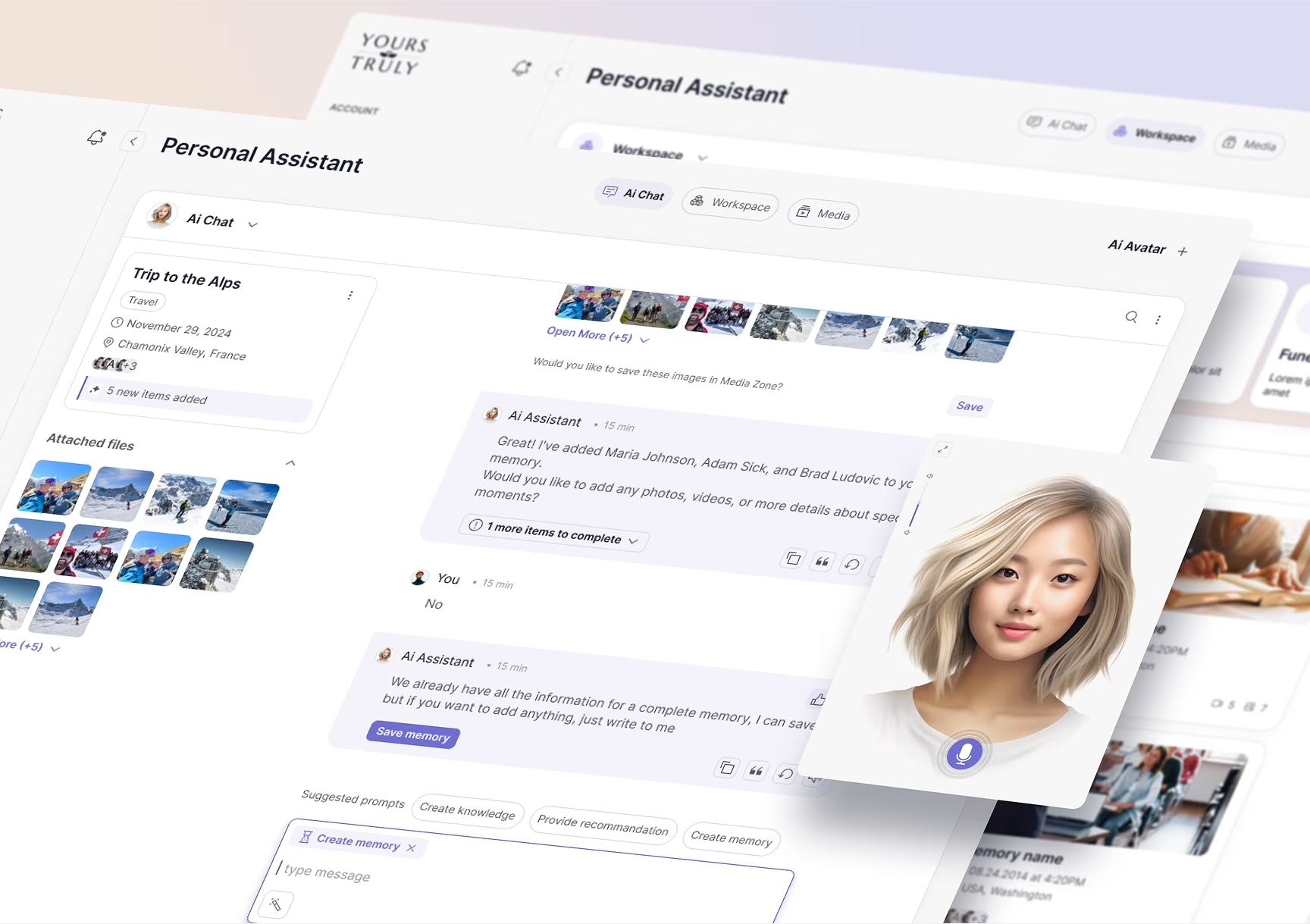
Enterprise UX is not one discipline applied to every business application. Each enterprise application and its design are standalone projects. Different systems support different users, workflows, and objectives, meaning each one needs its own strategy, interaction patterns, and information architecture.
Designing an enterprise application for a high-frequency stock trader is completely different from designing a portal for an employee to request time off. The user intent is different. Design teams have to understand the specific psychological and functional demands of each vertical. Here is a run-through of the major cases where UI UX enterprise design comes into play:
- CRM (Customer Relationship Management): CRM design exists to manage the chaos of sales pipelines, contacts, deals, and customer interactions. For busy salespeople, a CRM that feels like a chore goes unused. The key challenge is preventing data-entry fatigue, solved with low-touch interactions such as smart defaults, voice-to-text notes, and one-click actions.
- ERP (Enterprise Resource Planning): An ERP is the central nervous system of the organization, connecting every department and service into one massive database. The key challenge is navigating that complexity, where everything is connected to everything else.
- HRMS (Human Resource Management Systems): The system handles the whole employee lifecycle, from hiring to payroll to performance reviews. People log in to see if they got paid, request leave, or read a review. These are sensitive moments, so the design leans human-first, thinking past efficiency to the right tone for each task.
- Project Management & Collaboration Tools: Systems like Jira and Trello manage task tracking and resource allocation. The main challenge is visualizing time and progress. The craft is letting users switch perspectives instantly without losing context, and designing repeatable actions such as drag-and-drop and sticky notes.
Best Practices for UX Design for Enterprise Applications
Good UX for enterprise applications prioritizes productivity over novelty. The best enterprise applications reduce mental effort, fit real workflows, build in security and accessibility from the start, and keep validating decisions against real users and real data. Polish helps, but only after the tool is fast, clear, and reliable for the people who live in it all day.
- Function over form, but form still counts. The real test of enterprise UX is how it performs. It does not have to be beautiful, but it must be clear. A messy interface makes users distrust the data behind it. The craft is making relevant information available in a way that lowers decision fatigue, stays easy on the eyes, and is built for daily use.
- Aggressively minimize cognitive load. Enterprise users are usually tired and multitasking, so cutting cognitive load is one of the design team’s core jobs. The Interaction Design Foundation frames cognitive load as a budget, and dense enterprise tools spend it fast. Use progressive disclosure and hide complexity until the user asks for it.
- Accessibility is universal (device, language, ability). Accessibility is not just a screen-reader checklist; it is real-world usability. UI UX enterprise design teams have to account for color blindness, noisy environments, field agents on weak connections, and multiple languages. The users span abilities, devices, and locations, and the system should also anticipate where the organization will expand next.
- Secure by design. Security often fights UX with constant logouts and complex passwords. Good enterprise UI/UX design makes security consistent instead of jarring: role-based access, built-in compliance, sensitive data masked on the main view, and drafts auto-saved before a session times out.
- Stress-test with real-world data. Real data is messy, so enterprise interfaces are never tested with Lorem Ipsum. They are tested with the real thing: a 40-character German surname, a currency amount in the billions, a chart with no data at all. The edge cases are where polished designs quietly fall apart.
- Speed is a feature (keyboard first). These tools are built for power users running the same task 100 times a day, which makes the mouse too slow and the keyboard essential. Enterprise UX has to include keyboard-first workflows, hotkeys, and shortcuts, because for a daily user, saved seconds compound into saved hours.
Enterprise UX Design Trends for 2026
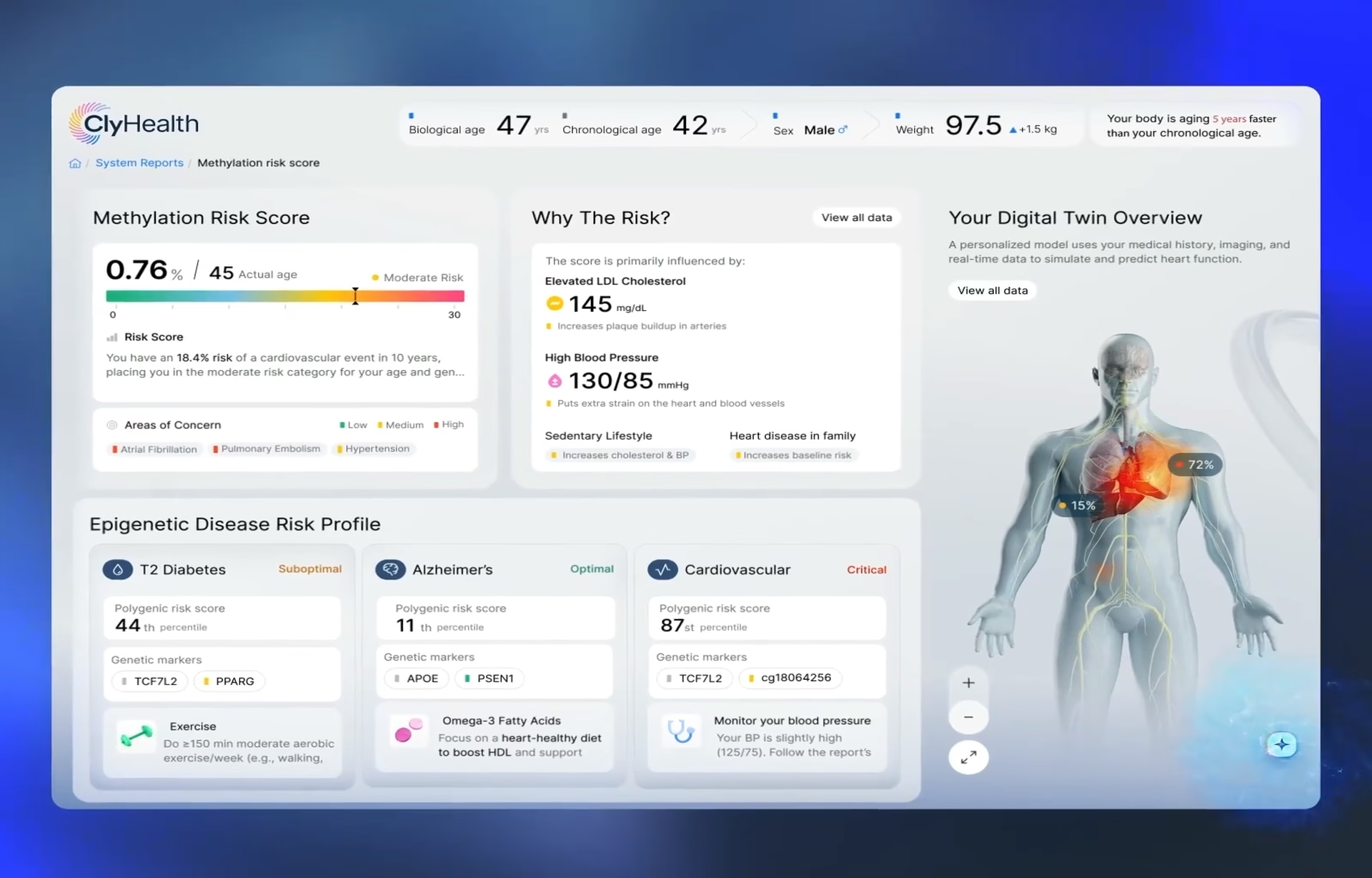
Enterprise user experience in 2026 is shifting from static interfaces to intelligent workspaces. AI, automation, adaptive layouts, and cross-platform continuity are changing how employees work with software, turning it from a screen that displays information into a system that helps them decide and act. The design questions are moving from layout to behavior.
- AI and machine learning integration. Generative AI has moved from the back end to the front of the interface, and in 2026 the shift turned agentic. Enterprise software increasingly runs task-specific agents that plan, execute, and report back on multi-step work, on platforms like Microsoft Copilot Studio, Salesforce Agentforce, and ServiceNow. For UX teams, that is a design problem, not only an engineering one. Someone has to decide what the agent shows while it works, how it explains its choices, and how a person steps in and stops it. The work has shifted from arranging screens to designing trust, visibility, and recovery.
- Voice and natural language processing. Both have existed for years, but generative AI has pushed them forward fast. UI UX enterprise teams now have to design for interfaces that answer plain-language queries like ‘show me sales for Q3’ and present the result clearly, not just return a raw data dump.
- Hyper-personalization. The interface is starting to adapt to the user, and AI is what makes it possible. With predictive suggestions and automatic adjustments, systems can personalize in real time in a way that was never practical before. If someone never touches the Export button, the interface can tuck it into a menu to clear the view. It can also learn the actions a person repeats and move them somewhere faster to reach. The point is not novelty. It is speed, accuracy, and less friction for the individual using the tool all day.
- Unified cross-platform experiences. People increasingly work across devices, moving from a desktop at work to a phone on the commute to a laptop at home, and they expect to pick up exactly where they left off. Enterprise user experience now has to treat that continuity as a core requirement rather than an edge case.
Conclusion: Building Better Enterprise UX
Enterprise software is the workplace now, not a tool people dip into occasionally. Bad design costs real productivity, just like broken chairs and dim lighting would. Investing in enterprise UI/UX design pays back in fewer errors, faster onboarding, and software people actually choose to use.
Frequently asked questions
What is enterprise UX design?
Enterprise UX design is the practice of designing internal business software, CRM systems, ERP platforms, HR portals, and B2B SaaS tools for the employees who use them every day. Where consumer UX usually optimizes for voluntary engagement and retention at scale, enterprise UX optimizes for task performance, accuracy, adoption, and business outcomes inside complex organizations.
Enterprise UX vs consumer UX: what's the difference?
Consumer UX designs for a self-selecting user chasing engagement; enterprise UX designs for a mandated user chasing task completion. The buyer and the daily user are usually different people, the software has to absorb far more complexity (role-based permissions, multi-step workflows, massive data sets), and it often has to work on top of legacy systems that can’t be replaced.
How long does an enterprise UX project take?
A focused redesign of a single workflow or module typically runs eight to twelve weeks. A full platform redesign, covering discovery, role-based information architecture, design system build, and engineering handoff, typically runs four to seven months, longer for products with regulatory review built into the release cycle.
What should I look for in an enterprise UX design partner?
A capable enterprise UX partner shows evidence of designing for multiple user roles inside one product, not just multiple products for one kind of user. Ask how they handled a legacy-system integration, what their approach to role-based access looks like, and whether they can name a specific project where reducing complexity was the actual deliverable.
What is RBAC in enterprise UX?
RBAC, or role-based access control, shows each user only the data, tools, and actions their role requires. An admin sees a delete button an end user does not, and a manager sees an approval queue an individual contributor never touches. In UX for enterprise applications, RBAC is as much a design decision as a security one, because the interface has to stay logical and predictable across every role it serves.
What makes enterprise software hard to redesign?
Most enterprise redesigns are constrained by systems that can’t be turned off, a legacy database, an old mainframe, or years of accumulated workarounds departments now depend on. Rather than a full rip-and-replace, the more common approach treats the new interface as an abstraction layer on top of the existing backend, making it more accessible and logical without touching what’s underneath.