12
min read
12
min read
 Oct 7, 2026
Government dashboard design for staff and the public
Picture a county benefits office at 9 a.m. A program manager opens the operations view of her department’s dashboard to check how many applications are still waiting for review. By lunchtime, a local reporter is reading the same count on the public version and trying to figure out why it doesn’t match last year’s annual report.
An advocacy group is asking the hardest question of the three: what is the dashboard leaving out? Government dashboard design has to make one set of numbers hold up under all three readings. That means it must enable staff to act quickly, provide a very intuitive display for residents, and trace every number to its source when someone disputes it.
What is government dashboard design?
Government dashboard design covers the interfaces agencies use to run programs and to report on them to the public. It differs from commercial dashboard design in three ways. The audience includes people with no training and no reason to trust the agency, accessibility is a legal requirement, and every published number can be challenged.
A commercial dashboard has a known audience. A sales manager sees a pipeline, a finance team sees sales forecasts, and a plant operator sees production numbers. The company knows who the users are, what they are trying to do, and what it costs when the dashboard gets a number wrong. Training, permissions and a shared vocabulary all come with the job.
Public dashboards have no fixed audience. Agency staff use them for daily work, and so do residents with no background in the program, reporters checking a claim and researchers comparing one county with another. The interface must explain enough for a stranger to read it correctly, without burying the staff who read it every day in long-winded explanations they don’t need.
For federal publishers, plain language is both a legal expectation and a courtesy. The Plain Writing Act of 2010 requires federal agencies to write the documents they issue to the public clearly, and the labels on a public dashboard need to be written for that same public. Internal dashboards rarely pass that test on a first read, because the people who built the data model wrote the labels, and the whole thing is built for insiders.
Two audiences, one data source
Staff and the public – meaning residents, reporters and advocacy groups – read the same government numbers for opposite reasons. Staff need speed: filters, drill-down, exceptions and terms they already know. The public needs interpretation: plain-language labels, historical context, visible sources and downloads. A government dashboard serves both by building one data source with two views, instead of two products that invariably drift apart.
A program manager wants to filter by region, flag an anomaly and refresh against the live system of record. She already knows what “backlog” means in her program and does not need it defined. Her test is whether the dashboard gets her to the problem faster than the spreadsheet it replaced.
Residents and reporters need something more than identical numbers. They need a chart framed in plain language, and enough history so a single month’s spike doesn’t read as a crisis or a cover-up. They need to download the data and share a view. For the public, the first design decision is what has to be visible for the number to be read correctly.
We advise against the obvious fix, which is two separate dashboards, even though the instinct is understandable. A separate public product needs its own pipeline and QA cycle, and sooner or later it publishes a different number from the internal tool. It also becomes the dashboard nobody maintains, because the internal tool is where the team does its real work.
One data layer with two rendering paths is the better build. The public view ships with plain-language annotation, trend context and export by default. The authenticated operator view shows the same records with drill-down, filters and case-level detail layered on top, including the personal data that must never reach the public side.
In government dashboard design, the explanatory layer belongs in the interface. If the dashboard counts applications as “pending,” the screen has to say whether pending means submitted but not reviewed, or reviewed but awaiting approval. Missing data needs the same care. A blank cell can mean zero, unavailable, not reported or not applicable, and each of those states needs its own label.
Provisional figures need their own rule. Operator views often show a month that has not closed or a count still awaiting reconciliation. Someone has to approve a number the moment it becomes public, and the interface should show that status so staff can tell at a glance which figures residents can already see.
Our DHCS work: one dataset, several readers
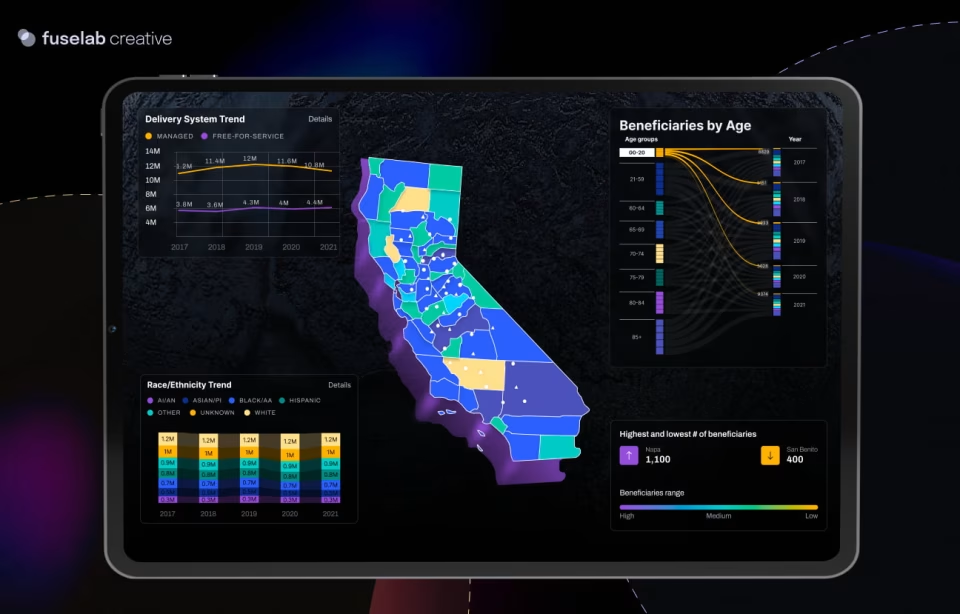
Our DHCS long-term services and supports dashboards were built for the department’s Business Intelligence Division and cover Medi-Cal’s LTSS program. Each data dimension got its own chart type. Ethnicity and language went into a bubble plot because it shows size and change over time together. County distribution went onto a choropleth map, and age groups into a Sankey diagram that keeps each year’s flow visible and is just plain fun to look at!
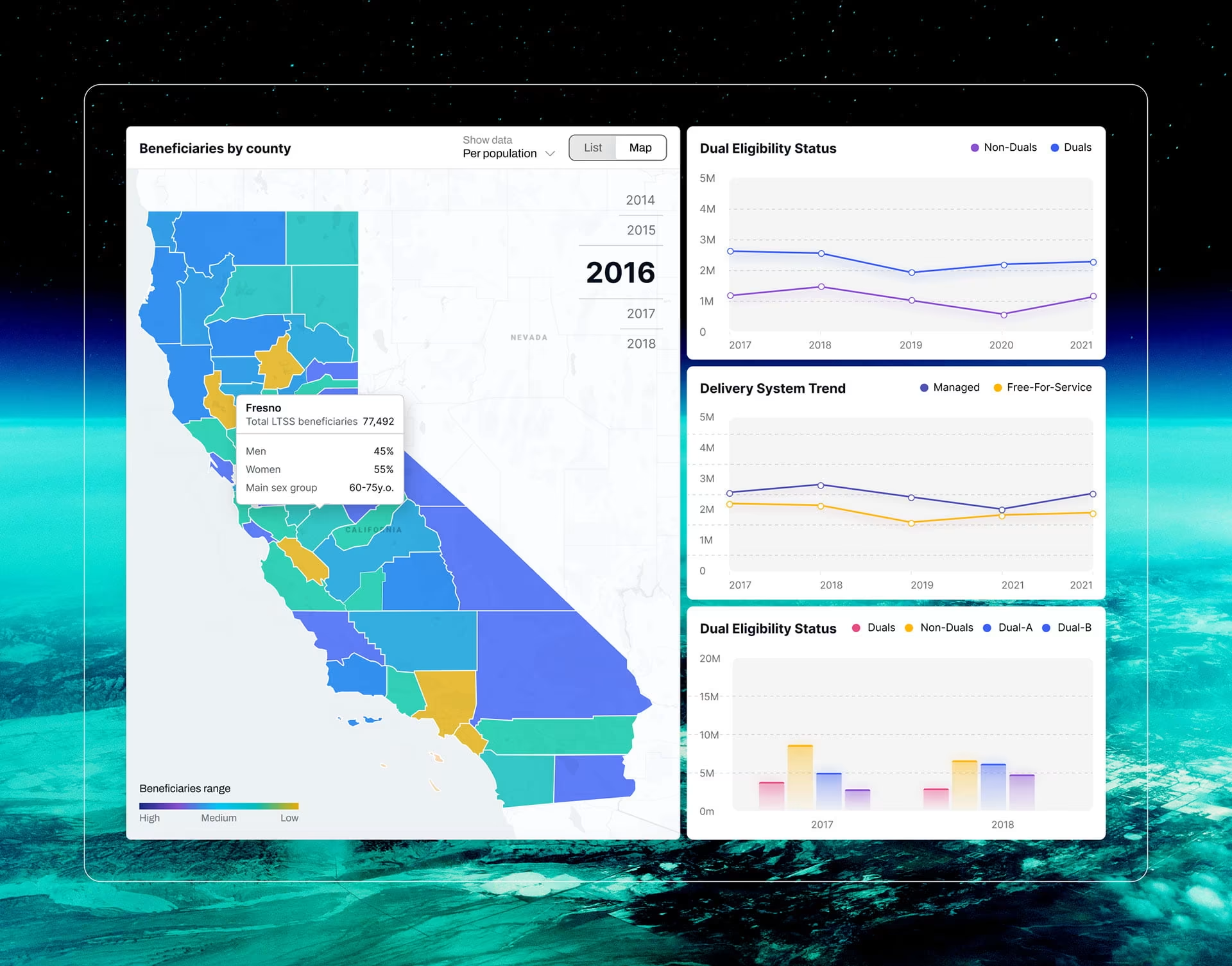
Each choice served a different reader. A policy analyst comparing counties needs the map on load. A program manager watching one group over five years needs the bubble plot’s movement. An administrator hunting for something urgent wants one filter that narrows every chart at once. We designed the first view to establish shared context and let the filters carry each question.
DHCS also asked for dashboards that work on desktop and mobile without training. A view that needs a wide screen to make sense fails that requirement the first time someone opens it between meetings. So the most important metrics appear on load, and county or demographic detail sits one filter away on either screen size.
Tooltips carry the definitions, so the main view stays uncluttered, and the explanation sits one step away. The engagement is now in its second two-year contract. The DHCS work sits on the staff half of the problem: policy staff and program managers with different questions sharing one view. The public half, readers outside the agency with reasons to doubt it, is what the POGO tracker in the next section shows.
Government dashboard design under public scrutiny
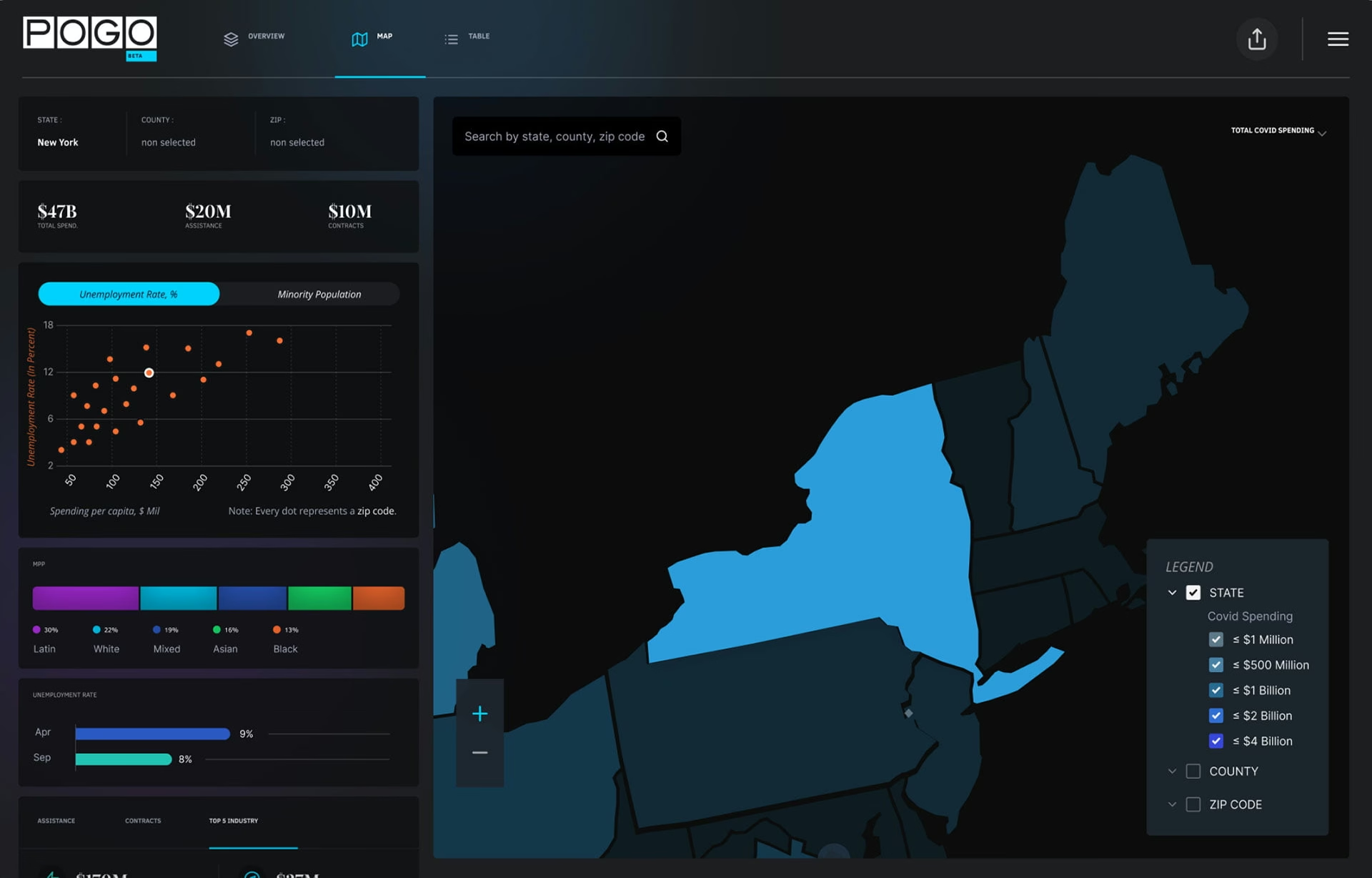
Our COVID-19 spending tracker for the Project on Government Oversight was built for readers who expect to find a problem. Reporters and researchers needed to follow pandemic relief money from national summaries to county-level detail. The tracker pairs its map with a downloadable table view, a tool demo showing what the data can and cannot answer, and pages that answer data questions.

Because POGO is a watchdog, its tracker makes a useful benchmark: it was designed for people who scrutinize government data for a living. A government dashboard earns trust the same way, by showing its working. The source, the period covered, the refresh schedule, and each metric’s definition sit on the same screen as the number.
Methodology notes belong beside the metric, written for a non-specialist. When a metric has a known weakness, such as an undercounted category, a reporting lag or a definition that changed mid-year, the caveat sits next to the number it affects. A short definition panel does more than a link labeled “download documentation,” because a reader deciding whether to trust a chart rarely leaves it to open a PDF.
Update cadence is a design decision too. A dashboard that says “updated regularly” leaves the reader guessing about what a change means. If the dataset refreshes monthly, quarterly or when reporting closes, the screen should say so, because a flat line means something different in each case.
Corrections also need a visible home. When a published figure is revised, the screen should show the old value, the new one, the date of the change and the reason. A number that changes silently between two visits looks like a cover-up to the one reader most likely to notice, and that reader is usually writing a story.
One test catches most of these problems before launch. Could a careful reader still reach the wrong conclusion from the screen alone? If the answer is yes, the fault is in the interface rather than the reader. The fix might be a different scale, a visible date range or an explanation beside the metric. One comparison is especially easy to misjudge: spending set against results.
Connecting public policy to social outcomes
A dashboard that connects public policy to social outcomes shows four things on one screen. They are the baseline before the program started, the target it committed to, the measure that counts as success, and the expected lag between spending and result. Without all four, a reader cannot tell a slow program from a failing one.
The lag is the element most public dashboards leave out. Spending shows up in the month it happens. Outcomes such as employment, enrollment or health arrive quarters or years later, often from another agency’s data. A chart that puts dollars and results on the same monthly axis invites exactly the wrong conclusion, and a reporter on deadline will draw it.
POGO’s tracker covers the first link in that chain. Readers can set spending against population, ethnicity and unemployment rates, which shows where money went relative to need. That context turns a spending total into a question a reader can pursue. Outcome data comes later, from the programs that measure it, so an accountability dashboard should leave a visible place for it.
Two small conventions matter most on an outcome dashboard. Mark the date a policy took effect on the time axis, so readers see before and after at a glance. When a metric’s definition changes, break the line at that date, because a changed definition is usually why a dashboard stops matching last year’s annual report. Neither convention helps a reader who cannot use the screen at all.
Accessibility rules for government dashboards
Accessibility rules for a government dashboard depend on the publisher. Federal agencies are bound by Section 508, whose standards incorporate WCAG 2.0 Level AA. State agencies are covered where state law adopts 508, as California’s Government Code 7405 does. Cities and counties fall under the Justice Department’s ADA Title II rule, which requires WCAG 2.1 Level AA.
For a dashboard, four requirements do most of the work. Every chart needs a text alternative that explains what it shows. Every table needs real table markup, so a screen reader can move by row and column. Filters, tooltips and drill-downs need keyboard paths, and tooltips are the usual miss because teams build them for hover alone. Exports need to be accessible files, never screenshots of charts.
The Title II deadline moved to April 2026, through an extension the Justice Department published in the Federal Register. Entities serving 50,000 or more residents now have until April 26, 2027. Smaller ones have until April 26, 2028. The W3C’s WCAG 2.1 standard states that content conforming to 2.1 also conforms to 2.0, so we recommend 2.1 AA as the target for any public dashboard commissioned now.
Because the rule is known before design starts, it belongs in the statement of work and the acceptance criteria. Section508.gov tells federal buyers to define accessibility criteria in solicitations and statements of work for exactly this reason. Leaving it out does not remove the cost. It moves the cost to acceptance testing, where a chart without a table fallback gets rebuilt after its layout was signed off.
Tool choice does not settle the question; far from it. Platform vendors publish Accessibility Conformance Reports, and Section508.gov publishes separate guidance on how to interpret the claims. A platform can conform while a dashboard built on it does not, because chart descriptions, reading order and color choices are made by whoever designs the dashboard.
Why public dashboards get abandoned
Public dashboards usually fail months after launch, when the team that built them has moved on, and nobody inside the agency owns the refresh. The interface cannot fix that gap, but it can expose it. A last-updated date and a named office on the screen turn a silent failure into a complaint the agency hears about quickly.
The scale of the problem is documented. A 2025 scoping review in the Journal of Medical Internet Research examined 89 US public health dashboards described in published research. Only 42 (47%) were still accessible or active when the authors checked. The review does not say why the rest went dark, but the most common causes are ownership, budget and training.
All three are set before launch. The build was funded as a project, so the refresh was never budgeted as a running cost. No one was named to watch the data feed or decide what happens when the source dataset changes. The staff who inherit the dashboard were never trained, at least not adequately, and so a tool designed to be simple to update becomes something only the original team could touch.
Handoff documentation is the cheapest protection. Before the build team leaves, write down where each metric comes from, how it is calculated, what breaks when a source changes, and who to call when it does. The next analyst can maintain a dashboard with that record. Without it, the dashboard gets frozen, because nobody wants to be the person who changed a public number.
Our view is blunt: an agency that cannot name who will refresh a dashboard is not ready to publish one. Once it can, the screen should carry the warning signs. Show the refresh date beside every metric and flag a chart automatically when its feed misses the schedule. A named office on the page means a resident who finds a chart still labeled 2024 also knows who to ask.
What a good public dashboard proves
A good public dashboard proves its numbers hold up for every reader, from the staff who act on them to the reporters who test them. Pick the number most likely to be quoted in a news story. If a stranger cannot find its source, definition and last update, that is the first fix and the first check in our government UX design work.
Frequently asked questions
What is a government transparency dashboard?
A government transparency dashboard publishes an agency’s spending, performance or service data for public scrutiny, with the source and definition visible beside each figure. It differs from an internal performance dashboard in its audience, because it is built for readers who did not choose the metrics and may be looking for what is wrong with them.
What should a government dashboard show when data is suppressed for privacy?
A government dashboard should label a suppressed value as suppressed, never as zero or blank. Health and benefits agencies routinely withhold small counts to protect individuals, and a reader who sees an empty cell will assume nothing happened there. The label should say that the value was withheld and why.
What is the difference between a government dashboard and an open data portal?
A government dashboard answers a chosen set of questions with selected metrics, charts and context, while an open data portal publishes raw datasets for anyone to analyze. The two work best linked: each dashboard metric points to its dataset on the portal, so a reader who doubts a chart can check the rows behind it.
Can an agency publish its public dashboard straight from Power BI?
Power BI can publish a public dashboard, but the default route needs care. Microsoft warns that a report shared through Publish to web exposes the detail-level data in its model, even data the report does not display. Suppressed counts and personal records therefore have to be removed from the published model itself, because hiding them from a chart does not protect them.
What should a government dashboard design RFP include?
A government dashboard design RFP should name the accessibility target, such as WCAG 2.1 AA, and say how conformance will be tested at acceptance. It should list the source datasets and their refresh cadence, and name who owns the dashboard after launch. It should also state whether the dashboard has one audience or two, because a public view changes the scope more than any chart does.
How long does a government dashboard project take?
A dashboard design project usually takes six to sixteen weeks, and government work sits toward the longer end. Accessibility testing, sign-off from each data owner, and agreement on the published definition of every metric each add review cycles that a commercial project rarely has.
Does a GSA Schedule contract matter for a dashboard project?
A GSA Schedule contract lets a federal buyer order from a pre-vetted vendor instead of running a full and open competition, which usually shortens procurement. Fuselab holds a GSA Schedule contract. State and local buyers should ask which state or cooperative contract vehicles a design partner already holds.