Dashboard UX design: principles and best practices for 2026
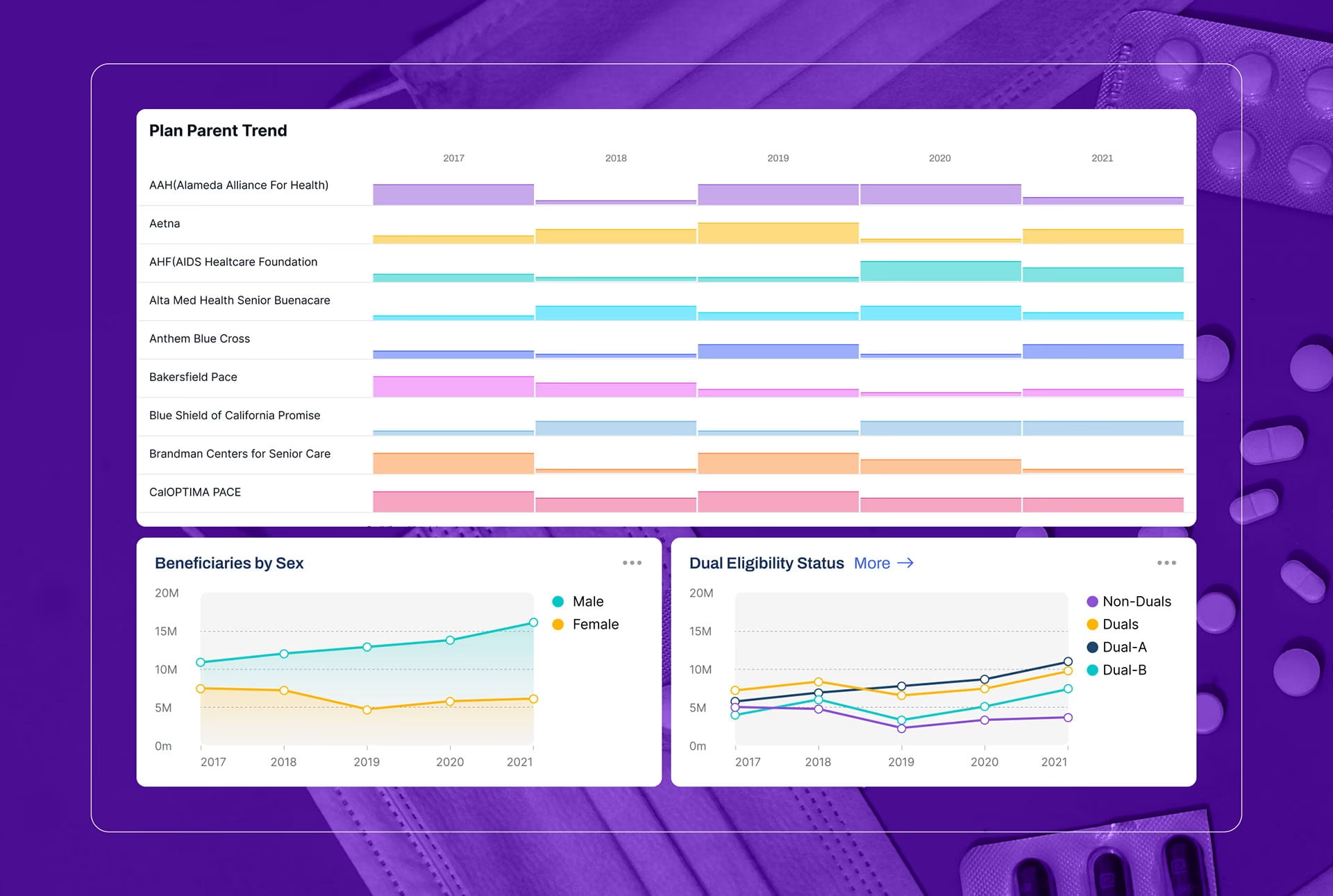
A confusing dashboard costs a SaaS user a few minutes; in a hospital or a state health agency, the same confusion can change a decision that matters. Dashboard UX design is the practice of structuring live data so the one number that matters is understood at the moment a decision has to be made, and the cost of getting it wrong scales with the consequences of the decision behind the screen.
That work is what a dashboard design agency does. A dashboard design agency is an organization with a specialized team of UI and UX professionals who have the expertise to turn complex and large data sets into visual interfaces for enterprise software systems. A dashboard design agency combines expertise in information architecture, data visualization UI, and enterprise UX to build interfaces where complex data becomes immediately actionable for the people who need it most.
If you are here to shortlist vendors rather than learn the discipline, our roundup of the best dashboard design agencies for 2026 ranks specialist studios directly. This guide is for the decisions on either side of that shortlist: what strong dashboard work requires before you hire, and how to judge it after.
What dashboard UX design is, and why it is a distinct discipline
Dashboard UX design is a distinct discipline because a dashboard is a decision tool, not a layout. It draws on information architecture, data visualization, and interaction design, and it is judged by how fast and how accurately a user can act on what they see, rather than by how the screen looks.
Most dashboards fail for one of two reasons. They show data that does not match how the user actually works, or they crowd a single view with everything at once and force the reader to hunt for the number that matters. Both look like surface design problems. They are usually decisions about what to leave out that were never made.
When the design is right, the effect is quiet rather than impressive. A manager opens the view and notices the one metric trending the wrong way before reading any labels. An analyst who used to export everything to a spreadsheet finds the filter they needed already built into the interface, and support tickets asking where to find a number start to fall, because the number now sits where the decision gets made.
Poor dashboards carry a real operating cost. Teams misread a chart and act on the wrong signal. Decision cycles slow down because people need training to interpret a basic view. The symptoms show up as repeated support requests, shadow spreadsheets, and users who keep working around the system instead of inside it.
Dashboard UX vs general UI design
Dashboard UX design requires specialized thinking because dashboards are data communication systems rather than simple interface layouts. Designing them well takes fluency in analytical workflows, not just visual hierarchy and layout skills.
A generalist UI designer may approach dashboards as a visual composition challenge. They arrange charts, cards, and filters across a screen until the interface looks balanced. That method works for marketing sites or mobile apps but often fails in analytical environments where information density is high, and the consequences of misinterpretation are serious.
On the other hand, a specialized dashboard UX approach prioritizes data communication and cognitive load management over aesthetic storytelling. This is especially useful for complex enterprise environments, which require extra attention to things such as role-based views and density that standard UI kits cannot solve.
Handling this complexity requires expertise in BI dashboard design, information hierarchy, and performance considerations under large datasets. Fuselab’s work on dashboard interface design reflects this systems-level thinking across enterprise environments.
A dashboard design agency understands how chart choice affects interpretation speed. They know when a table communicates better than a graph, a principle covered in depth in the Interaction Design Foundation’s guide to data visualization. They also know how to structure filters so users can explore data without getting lost. Most important is systems thinking. A dashboard rarely exists as an isolated screen; it connects to multiple data sources, analytics engines, and reporting tools, so effective enterprise dashboard design has to anticipate how users move between those organizational layers.
A dashboard UX redesign, therefore, becomes less about aesthetics and more about reducing the mental effort required to interpret data correctly.
Core dashboard UX design principles
The core dashboard design principles hold across analytical, operational, and executive views: establish a clear visual hierarchy, show the most important state first, reduce the effort required to read each number, and reveal detail progressively instead of all at once. Most weak dashboards fail on the structural choices, what to show first and what to hold back, long before anything is wrong with the charts themselves.
The principle that separates strong work from competent work is designing for the decision, not the dataset. A dashboard is not a report. Its job is to make one question answerable at a glance and the next action obvious, which means most of the design effort goes into deciding what to keep off the first screen.
The failure pattern is easy to recognize once you have seen it a few times. A team inventories every field the database can return, gives each one a chart, and arranges the result into a tidy grid. Every number is technically present, and not one of them is findable. The view ends up answering the question the data can answer rather than the question the user came to ask, and within a month people are back in a spreadsheet that answers the second one better. The fix is rarely fewer charts for their own sake. It is starting from the decision and working backward to the three or four metrics that drive it, then giving everything else a home one level down.
Progressive disclosure is how that restraint gets built. The summary view carries the few metrics a user checks every day, and everything else sits one level deeper, available when a question demands it. This keeps the primary screen legible, and it has a performance benefit as well, since aggregated summary data loads faster than the granular records behind it.
Visual hierarchy and consistency carry the rest, and both are better understood than the two above. The Nielsen Norman Group’s guidance on dashboard visualization shows that people read length and position more accurately than angle or area, which is why a bar chart usually beats a pie chart or a gauge when the task is a precise comparison, and why color works best reinforcing a grouping the layout already made rather than carrying the signal alone. Consistency is the one everyone knows and still loses first: chart types, filters, and labeling that drift from screen to screen make users relearn the interface every time, and that quietly erodes trust in the data itself.
Dashboard UX best practices for high-stakes environments
Dashboard UX best practices change when the cost of a misread is high. In healthcare, government, and financial systems, the same density that looks efficient in a SaaS analytics tool becomes a liability, because a number read wrong can mean a missed clinical signal, a misallocated public budget, or a reporting error with regulatory weight. The practices that matter most in these settings are role-based views, defensive design for edge cases, and a single clear next step on every screen.
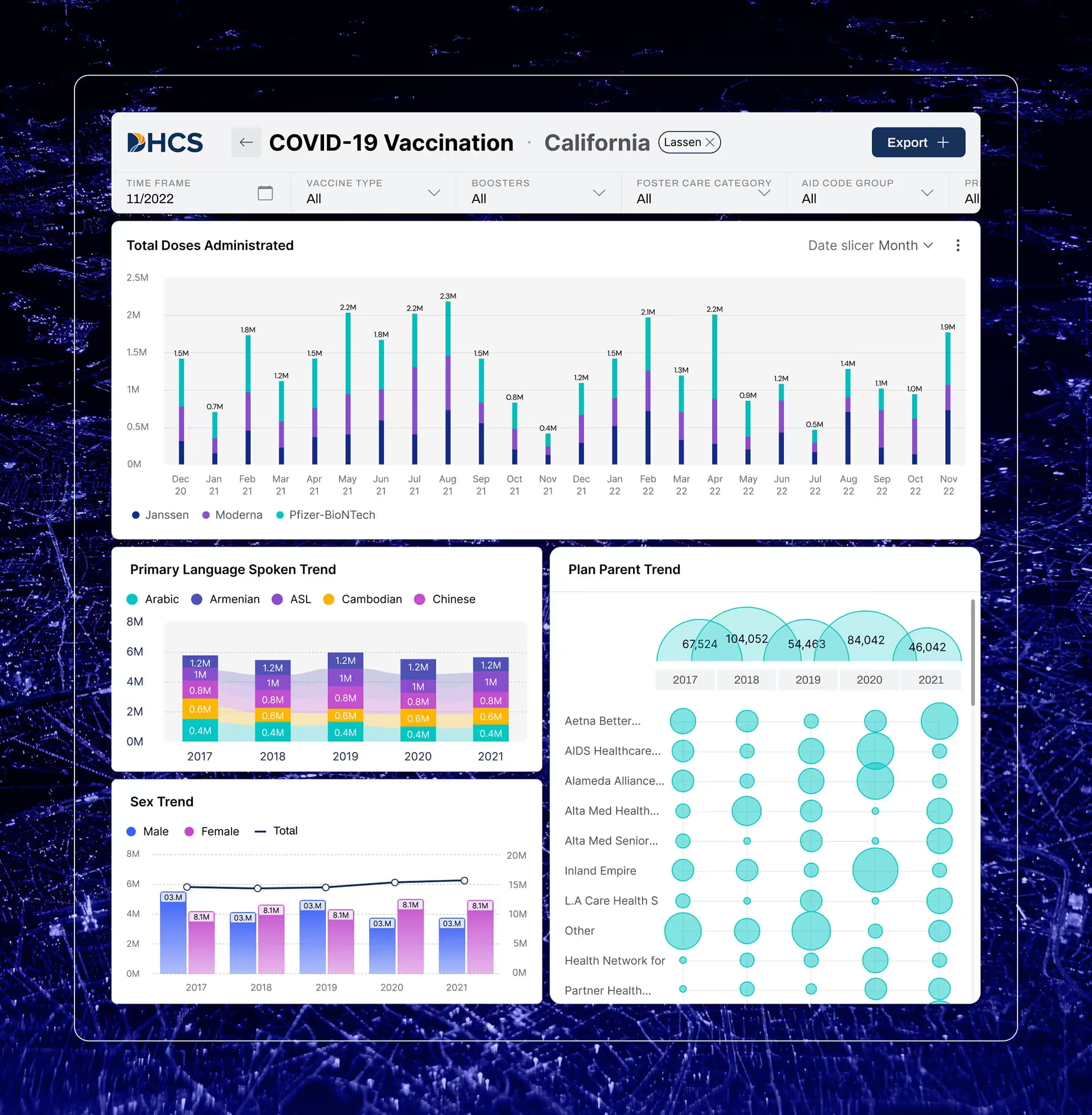
This is the work we have spent the most time on. Designing data visualization for the California Department of Health Care Services meant building public-healthcare interfaces where the people reading them act on what they see, and where ambiguity is not a cosmetic problem. Role-based views stop being a nice-to-have in that setting. A program administrator, a county analyst, and an executive need different defaults, density, and depth from the same underlying data, and getting that split wrong sends people back to pulling reports by hand, one at a time.
DHCS required these dashboards to run inside PowerBI, a platform that constrains layout and interaction in ways custom design usually does not. Rather than accept those defaults, the team built custom design modules and integrated them into PowerBI directly, something no prior design team working for DHCS had done. The harder problem was not styling charts. It was making a reporting platform behave like a product.
Defensive design is what separates a production dashboard from a portfolio piece. Real data is messy. A view has to hold up when a dataset is empty, when a metric has not loaded yet, when a value falls out of range, or when a filter combination returns nothing. Interfaces that only look right with clean demo data come apart the first week they meet a live feed, and rebuilding for those states after development is expensive.
The practice that gets skipped most often is also the one that matters most under pressure: making the next step obvious. What the next step is depends on the dashboard. In an operational or clinical view it is an action; in an analytical view it is the next question worth asking. Either way, the failure is the same when the screen leaves the user to work that out alone. A metric turning red is only useful if the interface also makes clear what the user is meant to do about it. Too many dashboards stop at surfacing the problem and leave the reader to interpret the alert, judge whether it warrants action, and go hunting for where that action lives. A clinical interface that presents one clear recommendation per step is easier to trust and faster to act on than one that lays out ten equally weighted options and calls that thoroughness. In a high-consequence setting, that gap is the difference between a tool people rely on and one they quietly route around.
Types of dashboards and how the UX changes
The main types of dashboards are analytical, operational, strategic, and the domain-specific variants built for fields like healthcare and finance. The UX priorities shift sharply with each type, and the same layout that serves one becomes a liability in another, which is why a dashboard cannot be designed well until you have named which type it is.
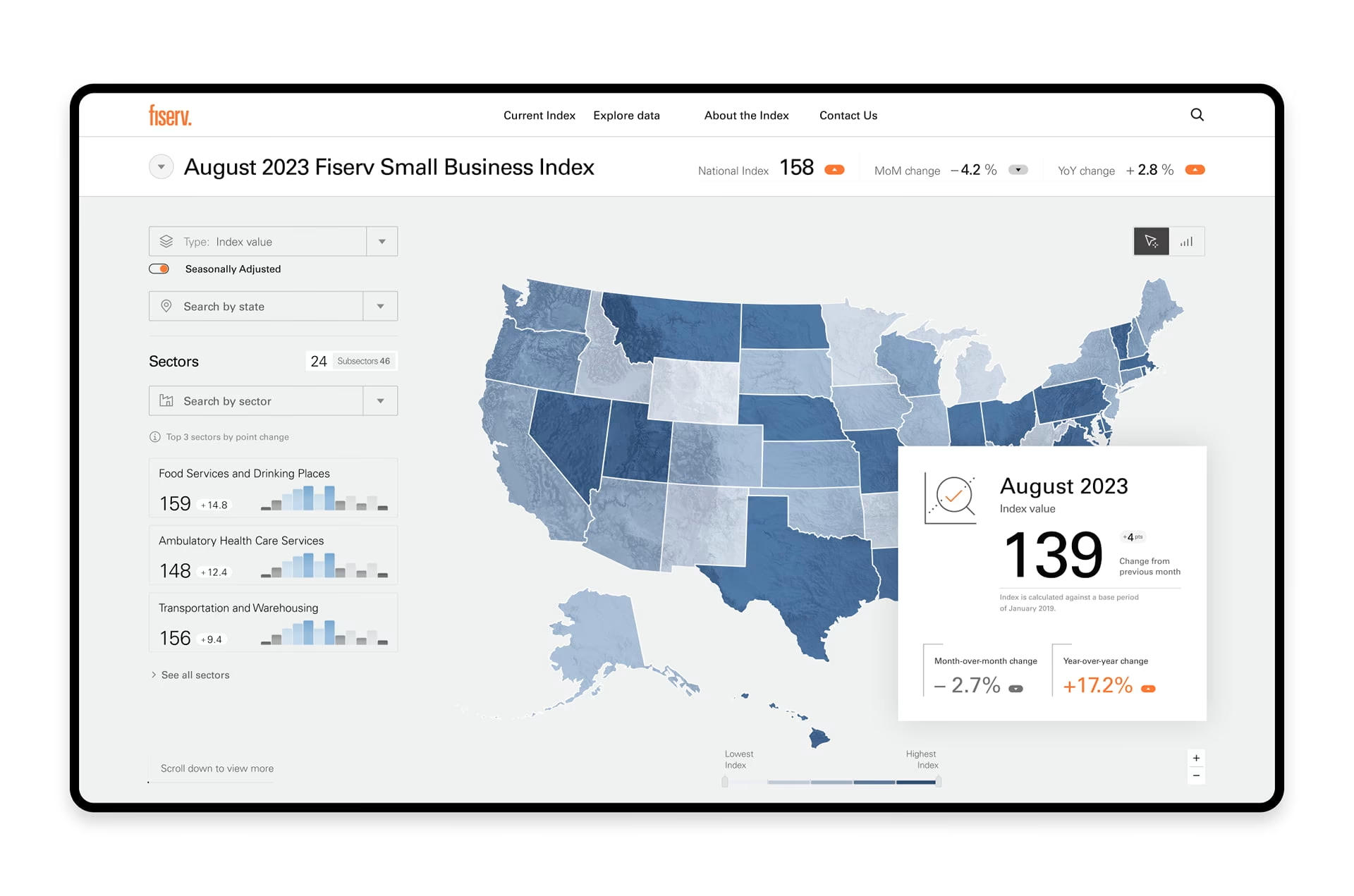
The two rows most teams underestimate are the bottom two. On an analytical or executive dashboard, a design mistake usually costs time. On a clinical or financial one, the same mistake has a name and a paper trail, which is why these are the views where the design work is hardest, and where teams most often have to do it inside a reporting platform they did not choose.
How to tell a dashboard needs a redesign
A dashboard needs a redesign when people stop trusting it enough to use it. The clearest signal is workaround behavior: people rebuild the numbers somewhere they trust more, take their questions to a colleague instead of the dashboard, or quietly stop opening it at all. Frequent questions about where to find a metric, and long onboarding times for new users, point at the same underlying problem.
These patterns mean the interface is not matching the way the work actually happens. A redesign that only restyles the charts will not fix it. The fix starts a layer down, in how the information is organized and which decisions the view is built to support, and the visual work follows from there.
How to measure dashboard UX
Dashboard UX is measured by behavior, not opinion. A handful of indicators tell you whether a dashboard is working, and in high-stakes settings one of them, the error rate on critical interactions, outranks the rest because it ties directly to the cost of a misread.
The core indicators that apply to almost any dashboard:
- Time to insight: how long it takes a user to reach the number they opened the dashboard for.
- Task success rate: whether users complete key actions like filtering, drilling in, or exporting without help.
- Path length to a decision: how many steps separate opening the view from acting on it, since every extra step is another place a critical signal gets lost.
- Widget usage: which elements get used and which are ignored, because ignored widgets are noise competing with the metric that matters.
For high-stakes or executive dashboards, where a misread carries a clinical, budgetary, or compliance cost, also track:
- Error rate on critical interactions: how often users act on a wrong reading or misfire an important control. In a clinical or financial view, this is the failure the whole design exists to prevent.
- Return and retention: whether people keep using the view or quietly route around it, which is the slowest but clearest sign of trust.
A satisfaction score is easy to collect, and a dashboard NPS has its place, but it captures how people feel about the view rather than whether they can use it. Behavioral signals are harder to game. A dashboard that scores well and still gets exported to a spreadsheet every morning has a problem the score is hiding. The number worth weighting above the rest in a clinical or financial context is the error rate on critical interactions, because it maps onto the cost the design exists to contain.
How Fuselab approaches dashboard design
Fuselab approaches dashboard design as a clarity problem rather than a visual styling problem. The team focuses on how information moves through an organization and how different users interpret metrics at different levels of detail.
Many of Fuselab’s projects involve government platforms and healthcare systems where the cost of confusion is high. In those settings a dashboard is judged less on how it looks than on whether a tired user reads it correctly on the first try, which makes accessibility and reliability design decisions rather than finishing touches.
Fuselab uses the Obvious Action methodology so that every visual element leads a user toward a specific and meaningful decision. Every page has one main next step, the single most important action a user should take after seeing a metric. The structure, design, and flow of the entire page and interface are then created to drive the user toward this action or to make it very visible.
That principle is delivered through a defined process rather than left to taste. Discovery fixes the user roles, data sources, system constraints, and success criteria before a screen is drawn, because a change at that stage costs an hour where the same change after visual design costs days. Components are then built with every state specified, default, hover, active, disabled, error, empty, and loading, so engineering builds from the spec without guessing. Testing runs twice, on wireframes before any visual investment and again on high-fidelity prototypes before developer handoff.
By designing around the functional requirements of enterprise systems, the team keeps the resulting product technically sound and able to grow with the data behind it. Organizations building data-heavy products can see how these principles apply in practice through Fuselab’s dashboard design services.
Choosing who builds that interface is its own decision. A practical starting point is to compare specialist studios on portfolio depth in your domain and on how they handle the messy parts of real data, which is the lens behind our roundup of the best dashboard design agencies working in 2026.
Frequently Asked Questions
What is dashboard UX design?
Dashboard UX design is the practice of structuring how people read and act on live data inside an interface, so the most important information is understood at the moment a decision is made. It combines information architecture, data visualization, and interaction design, and it is measured by how quickly and accurately users can act, not by how the screen looks.
What makes a good enterprise dashboard UX?
A good enterprise dashboard UX answers a user’s most pressing question at a glance without overwhelming them. It uses a strict visual hierarchy to surface the most important metrics first, hides secondary detail behind drill-downs, and keeps chart types, filtering, and labeling consistent so the system can be learned once. Performance matters too, because enterprise dashboards often process large datasets that have to stay responsive under load.
Dashboard UX design vs general UI design: what is the difference?
Dashboard UX treats the screen as a data communication system, where the priority is interpretation speed, cognitive load, and role-based views. General UI design treats the screen as a visual composition, which works for marketing sites and consumer apps but tends to fail in dense analytical environments. The difference shows up fastest in how each one handles information density and the cost of a misread.
What is the difference between a dashboard designer and a data visualization specialist?
A dashboard designer owns the broad experience: how a user moves between views, filters data, and reaches a decision. A data visualization specialist focuses on representing a single dataset in the most accurate form, such as choosing a bar chart over a pie chart. Strong analytical products need both, a distinction covered in more depth in our guide to dashboard design versus data visualization.
How long does a dashboard design project take?
A dashboard design project usually takes six to sixteen weeks, depending on technical complexity and the number of teams involved. The first weeks go to discovery, auditing data sources and interviewing users, followed by wireframing, high-fidelity design, prototyping, and developer handoff. Timelines extend when several departments depend on the same data platform, or when more data sources and user roles are in scope.
How do I know my dashboard needs a redesign?
A dashboard needs a redesign when users work around it: exporting to spreadsheets, keeping private copies of the real numbers, or asking a colleague instead of opening the view. Frequent questions about where to find a metric and long onboarding times point at the same problem. These are signs the interface is not matching the way the work happens, which restyling alone will not fix.
Can a dashboard work with Tableau, Power BI, or Looker?
A dashboard can be designed to run on Tableau, Power BI, or Looker, and good design work shapes custom layouts and workflows around what each platform does well. These tools carry layout and interaction limits by default, so the design effort goes into the information architecture and navigation they do not provide out of the box. The result is an interface that feels native to the product rather than constrained by the reporting tool underneath it.