Dashboard design vs data visualization: what actually differs

Dashboard design vs data visualization is a scope question before it is a design question: dashboard design builds an interactive product feature that users return to daily for monitoring and decision-making, while data visualization presents a defined dataset for analysis, communication, or storytelling. The confusion usually surfaces mid-project, after the work has been priced and staffed against one discipline and turns out to need the other.
What dashboard design actually is
Dashboard design is the practice of building an interactive product feature that pulls live data from multiple sources so a specific user can monitor KPIs, detect anomalies, and act on what they find. It is a product discipline, not a graphic design one, and that puts information architecture, state management, and interaction design ahead of visual styling.
The simplest test for whether something is a real dashboard is whether someone opens it every day without being told to, usually more than once. It is part of the operational fabric of their day. If nobody has a reason to return tomorrow, it is not a dashboard, or it is one nobody can use.
Grid AI is an ML experiment tracking platform built for data scientists running parallel training runs. A user logs in at 9 a.m. to see which of last night’s experiments converged, which crashed, and which are still occupying GPU capacity. They filter by project, drill into a run to read loss curves and resource usage, and decide whether to kill it, restart it, or promote it.
They are back inside the interface every couple of hours, and the data changes while they work. If it is slow or unclear, the work stalls. That operational dependence is why dashboard design belongs to product rather than to graphics. Information architecture comes first: it decides which data each role sees, what stays hidden, and what appears by default.
State management builds on that, governing what the interface shows while data loads, when a source goes stale, and when three filters return an empty result set. Interaction design comes last, governing how filters and drill-downs behave under operational pressure. Skip a layer in that chain and everything built on top of it inherits the gap.
Automatize is a fleet management dashboard built for operations managers tracking commercial vehicles in real time. The map shows live GPS positions across the fleet. A flagged engine sensor produces a predictive maintenance alert in the manager’s queue, carrying the vehicle’s current location, the route it is on, and a suggested action.
The manager can dispatch a replacement, reroute deliveries, or schedule the vehicle for service before it fails. If the alert architecture buries that notification, the result is a disabled truck on a highway. Loading states, stale data handling, and error states for dropped GPS feeds are not portfolio-friendly design decisions, but they are the work.
What makes dashboard UX hard is that users are not there to explore. They have no time or patience for learning the system. The interface gets judged at 7 a.m. by someone with thirty things to do before lunch who will not read a tooltip.
Nielsen Norman Group’s research on dashboard data visualization makes the underlying point: charts built on length and 2D position are processed preattentively, in milliseconds, while charts built on area or color require active interpretation. On an operational dashboard, that gap decides whether a user catches a problem in the two seconds they give the screen.
Good dashboard design rarely looks exciting, which is why it wins few awards and generates few support tickets. It looks obvious instead. The user opens it, knows where to look, gets what they need, and moves on. That predictability is the whole feature.
What data visualization actually is
Data visualization is the practice of encoding a dataset into visual form, whether charts, maps, infographics, or interactive graphics, to reveal patterns, communicate findings, or tell a story with the data. The output is a communication artifact rather than a product, and interactivity does not change that.
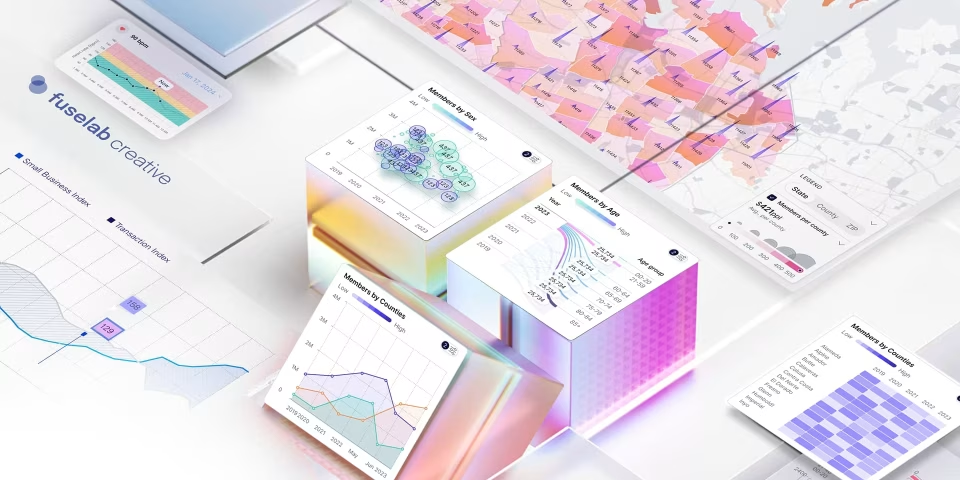
The Fiserv Small Business Index shows why. The platform presents US consumer spending trends by sector and state, with monthly updates, for policymakers, economists, investors, and small business owners studying regional differences. Nobody opens it at 8 a.m. to check a live KPI.
A user arrives with a question. What happened to restaurant spending in the Midwest last quarter? How does one sector compare to another? The visualization’s job is to compress complex data into an answer the reader can absorb and leave with, which is a communication problem rather than an operational one.
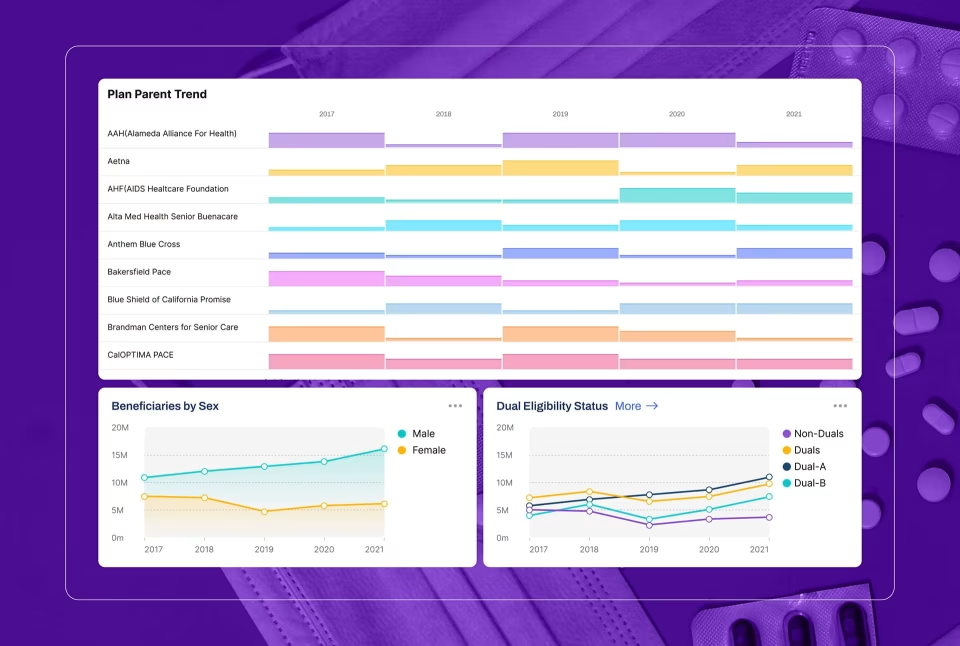
A visualization is not static, even when it is the right output. The Blis platform lets users slice audience data multiple ways, compare segments, and explore geography through GPS mapping, demographic overlays, and competitive analysis. It is interactive, but the intent is exploration. The distinction is what the user came to do: Blis users arrive with a question, while a dashboard user returns every morning with or without one.
Data visualization skills sit between design and statistics, but the hardest part happens before anything gets designed. Which chart type fits this data relationship? Does this scale start at zero, and if not, what story does that tell? Does this color encoding imply a ranking the data does not support?
Those are analytical decisions with consequences, not stylistic ones. The wrong chart type buries the pattern. A compressed y-axis turns a 3% variance into a crisis. The designer’s job is to be honest with the data, which is harder than making it look good and far less rewarded.
Edward Tufte’s data-ink ratio, the principle that every mark on a chart should earn its place by carrying information, is the test most agency visualization work fails. Nielsen Norman Group’s guidance on chart clutter names the failure mode directly: decorative elements that distract from a chart’s meaning, which Tufte called chartjunk.
Decorative gradients, animated transitions, and stylized icons consume design budget while the underlying chart type stays misaligned with the data relationship. Readers come away with an impression of the data rather than an understanding of it. Closing that gap between what the data says and what the audience believes takes more restraint than creativity.
Dashboard design vs data visualization: where the disciplines diverge
Dashboard design vs data visualization comes down to three structural differences: interaction depth, data lifecycle, and deliverable type. A dashboard is a product feature with live data, role-based views, and engineering handoff documentation. A visualization is a communication artifact built around a defined dataset. An agency strong in one has not necessarily shipped the other.
Interaction is the first. Dashboards are built around it: filters, drill-downs, role-based views, permissions, loading states, error states, notifications. The user moves through the system rather than looking at it. A visualization, even a highly interactive one like Blis, is something users primarily read, with interaction serving exploration rather than operation.
A team strong in visualization can produce a dashboard mockup that looks convincing in a portfolio. What they cannot necessarily produce is a dashboard that handles live data when a source goes down, holds together when a user applies three filters, refreshes without a flicker, and stays up when a query times out. Those are product engineering and UX architecture problems.
Data lifecycle is the second. Dashboards connect to live systems where values update continuously, sometimes every second, so the design has to handle latency, partial loads, stale values, and feed failures. Visualizations work with stable datasets that refresh monthly, quarterly, or never. The Fiserv Index updates monthly. Grid AI updates in real time.
That single difference reshapes the technical architecture. Deliverable type is the third. A visualization project ends with assets: charts, files, an interactive embed, or a self-contained microsite. A dashboard project ends with a system, meaning a design system, a component library, documented user flows, role-based view specifications, and edge-case states for engineering.
If an agency’s dashboard deliverable is a Figma file with no edge-case documentation, ask what a developer is supposed to do when a user hits a state nobody designed. The answer separates agencies that have shipped this work from agencies that have designed the happy path and called it done.
What a dashboard does to a visualization
Once a visualization is embedded in a dashboard, the container imposes requirements the standalone chart never had. The same bar chart now has to handle a delayed feed, render differently for a viewer with restricted permissions, and hold its meaning at a fraction of the screen space it was designed for.
A standalone visualization renders once against a dataset that stays put while someone reads it. A chart inside a dashboard reads from a live feed that can lag, stall, or change mid-session. A trend line that went flat because its source dropped off looks identical to one that is genuinely flat, and the design has to distinguish them.
Grid AI shows why that distinction is a design problem rather than an engineering one. An experiment that stopped reporting and an experiment that plateaued produce the same shape on a loss curve. The interface earns its keep by marking the difference before a data scientist kills a run that was still training.
Permissions change what a visualization is allowed to say. A finance lead sees revenue across every business unit while a regional manager sees only the territories they own, and the same component renders different data, different labels, and a different set of comparisons for each. Those variants get specified before the chart becomes reusable, not after.
Density is the third pressure. A standalone visualization gets a full screen to make its point. The same chart on a dashboard shares that screen with seven or eight others, which means it needs fewer gridlines, shorter labels, and a smaller legend. Charts built for a full canvas and then scaled down rarely survive the trip.
Refresh state, permission model, and screen density are design requirements rather than implementation details, and they get written down at the same time the chart type is chosen. A dashboard turns a visualization from a finished artifact into a governed component, and that is the shift most portfolios never show.
When a product needs both a dashboard and data visualization
A product needs both when users have to act on live data during the day and understand patterns across weeks of it. Those are two user modes, not one, and the sequence matters: scope the dashboard as the operational product first, then design the visualizations as components that answer specific analytical questions inside it.
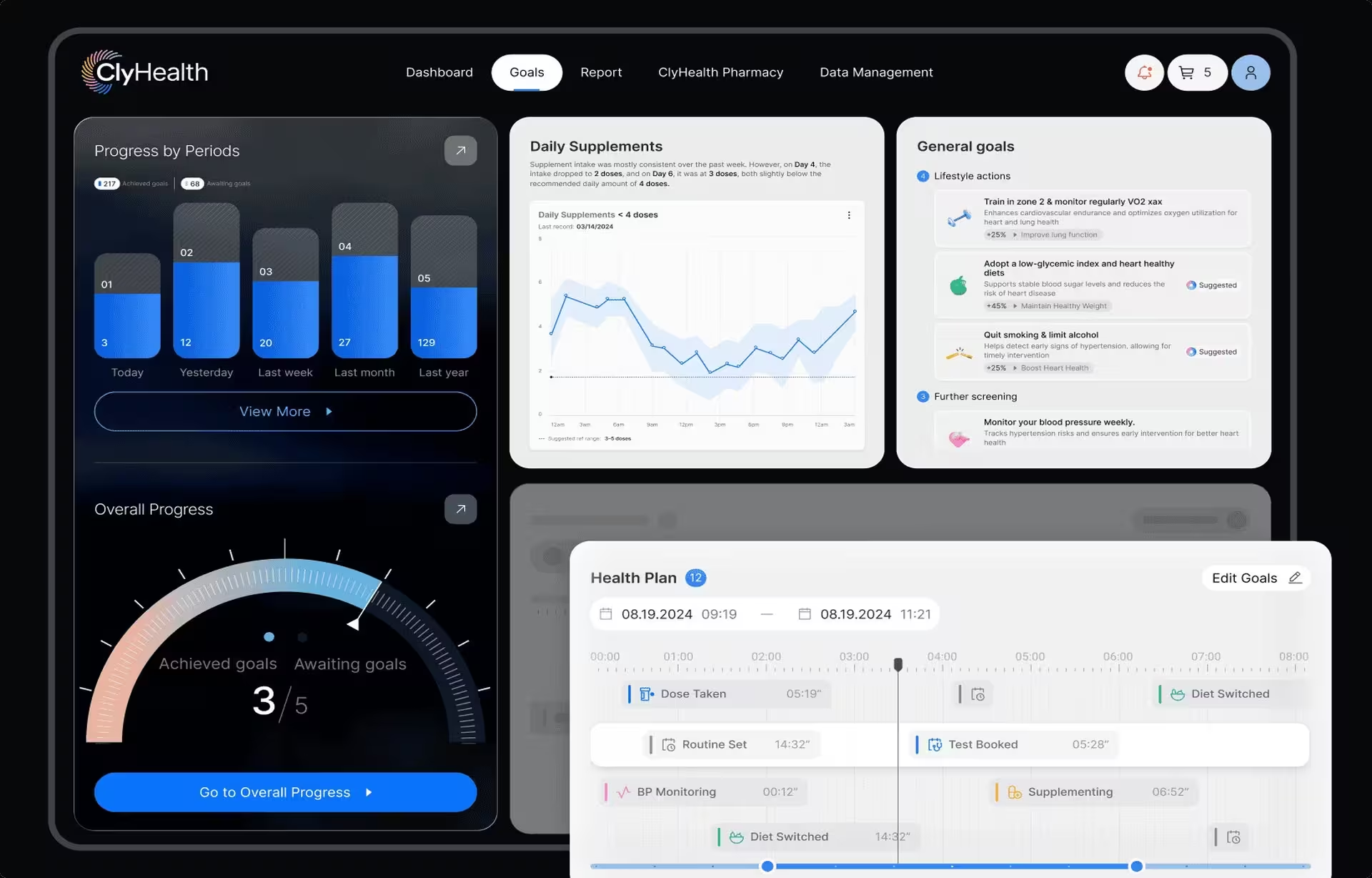
ClyHealth is a healthcare AI platform where the split is drawn properly. The dashboard layer runs the daily clinical workflow: role-based views for administrators and clinicians, real-time patient monitoring, AI-assisted recommendations, and alert routing. It is built for a clinician working under time pressure, and every design decision serves speed.
Inside that container, the visualization layer presents outcomes over time: treatment efficacy across patient cohorts, trend lines for clinical metrics, and comparative analytics across populations. That layer is built for a different mode, where a user has ten minutes rather than ten seconds and is trying to understand a pattern instead of act on an alert.
When teams treat the two layers as one problem, the dashboard becomes too slow and abstract to operate, or the visualization starts behaving like a control panel. Both outcomes confuse users and run the budget over. Scoping the dashboard first, then designing visualizations as components inside it, avoids a common architecture mistake in combined products: building the dashboard around chart aesthetics rather than the workflow.
What this means when you are scoping a project or hiring an agency
The dashboard design vs data visualization decision drives different timelines, skill requirements, and deliverables, so getting it right at the briefing stage prevents scope drift. Scope drift is the project that starts as a few visualizations and turns into a full dashboard halfway through, doubling a budget quoted against the original framing.
Timeline is where the difference first shows. A visualization project, meaning a set of charts, an interactive report, or an infographic, typically runs four to eight weeks. A dashboard product build is a different order of complexity, with live data integration, multiple user roles, and a product designed for daily operational use.
Three to six months is the floor for a serious engagement, assuming the data architecture is defined when design work begins. If it is not, add a discovery phase before design starts. Skipping that phase to hit a faster date reliably produces friction later, because the design team builds against assumptions about data structure that turn out to be wrong once integration starts.
Skill sets are not interchangeable, and a strong portfolio in one discipline does not guarantee capability in the other. Visualization leans on graphic thinking and statistical literacy. Dashboard design leans on product UX: information architecture, interaction design, state management, responsive layout, and API integration planning. Some agencies do both well. Many do not, and the ones that do not rarely volunteer the distinction.
The fastest test is to ask an agency to walk through what one of their dashboards shows when a data source goes offline. An agency that has shipped this work answers from memory, with a specific screen and a specific decision. An agency that starts describing what it would design has not shipped one.
Four questions resolve most scope confusion before an RFP is written. Will users return to this interface daily without being prompted, or open it only when they have a specific question? Daily return without prompting means a dashboard. A specific question with a defined answer means a visualization.
The second question is whether the data is live or fixed, because live data demands a design strategy for failure states that a static dataset never requires. The third is whether different users need different views of the same data. If they do, the project is a dashboard with role-based access rather than a shared visualization URL.
The fourth question is whether the interface needs to do something or only show something. Filters that change what the user does next are dashboard interactions. Filters that help the user locate a data point are visualization interactions. Those are different design problems even when they use the same chart components.
Settling these questions before the scope document is written is the cheapest insurance available in data product work. The dashboard design vs data visualization decision is not a stylistic choice. It is an architectural one, and agencies worth hiring for either discipline will help answer it in the first conversation.
Conclusion
Dashboard design and data visualization are different disciplines with different timelines, deliverables, and teams. The expensive mistakes in this category come from applying the right process to the wrong problem: a dashboard team scoping a report, or a data visualization team building a product. Settle which one the project needs before the brief is written.
Frequently asked questions
What is dashboard design?
Dashboard design is the practice of building an interactive product interface that consolidates live data from multiple sources so users can monitor a system, spot problems, and act on them within their role permissions. It is a product discipline, which means information architecture, state management, and interaction design decisions matter more than how the charts look. The simplest test is whether people open it daily without being told to.
What is data visualization?
Data visualization is the practice of encoding a dataset into visual form, such as charts, maps, or interactive graphics, to reveal patterns, answer questions, or communicate insights. The output is a communication artifact rather than a product, and a visualization can be highly interactive and still be a visualization. The test is whether users arrive with a question or arrive because they have to keep a system running.
Dashboard design vs data visualization: how do they differ?
Dashboard design vs data visualization comes down to what the user is there to do. A dashboard is a product built for repeated daily use against live data, with role-based views, failure states, and engineering handoff documentation. A visualization answers a specific question from a defined dataset and ends as an asset rather than a system.
Can a single agency handle both dashboard design and data visualization?
Some agencies handle both well, but many do not, and most will not volunteer the distinction. Look for case studies describing shipped products with live data integration, role-based views, and developer handoff documentation. Agencies that have only done visualization work tend to show the happy path, because that is all they have designed.
How much does a dashboard project cost compared with a data visualization project?
Data visualization projects typically run $10,000 to $50,000, depending on dataset complexity and the level of interactivity. Dashboard projects typically run $25,000 to $150,000 and above, depending on the number of integrations, user roles, and the complexity of the underlying system. The difference reflects scope rather than quality.
How long does a dashboard project take compared with a data visualization project?
Data visualization projects typically run four to eight weeks, while dashboard projects run three to six months when the data architecture is already defined. Projects that shift from one category to the other mid-scope are a recurring source of budget overruns. The shift usually happens because the distinction was never settled at the briefing stage.
When does a project need both dashboard design and data visualization?
A project needs both when users must act on live data during the working day and also understand trends across weeks of it. The operational mode requires a dashboard with role-based views, alerts, and a design that holds up under time pressure. The analytical mode requires a visualization built for exploration, usually as a layer inside the same product.