13
min read
13
min read
 Oct 7, 2026
Digital twin vs simulation: which does your project need?
Digital twin vs simulation is usually explained as a matter of degree, as though a twin were a simulation with better data behind it. That comparison never quite lands, because the two words describe different kinds of thing. A simulation is a technique for answering a question. A digital twin is a model of one specific physical asset, classified by how data moves between the two.
Two separate tests are doing the work. The first asks where the software gets its conditions: from what an engineer specifies, or from what one real asset is doing. The second asks which way data moves between the software and that asset. A simulation works from stipulated conditions, however long it runs. A digital twin mirrors one real asset, reports its live state, and can send a command back.
Digital twin vs simulation: they answer different questions
A simulation answers what happens under conditions you specify, working from model assumptions rather than one asset’s observed state. A digital twin answers what is happening right now and what should happen next, because it stays bound to one specific physical asset for that asset’s working life.
Simulation is not a rung on the same ladder. The common framing puts it one step below a twin, so teams assume a good enough simulation eventually becomes one. It does not, because maturity is not the variable. Simulation is a technique for testing a hypothesis before committing to it, and a twin can contain one without being one.
Duration is not the tell, and this is where the definition usually gets sloppy. Real-time simulators run continuously, which does not make them twins. What separates the two is where the conditions come from: a simulation works from inputs an engineer sets, and a twin works from what one particular asset is doing right now.
When both live in the same product
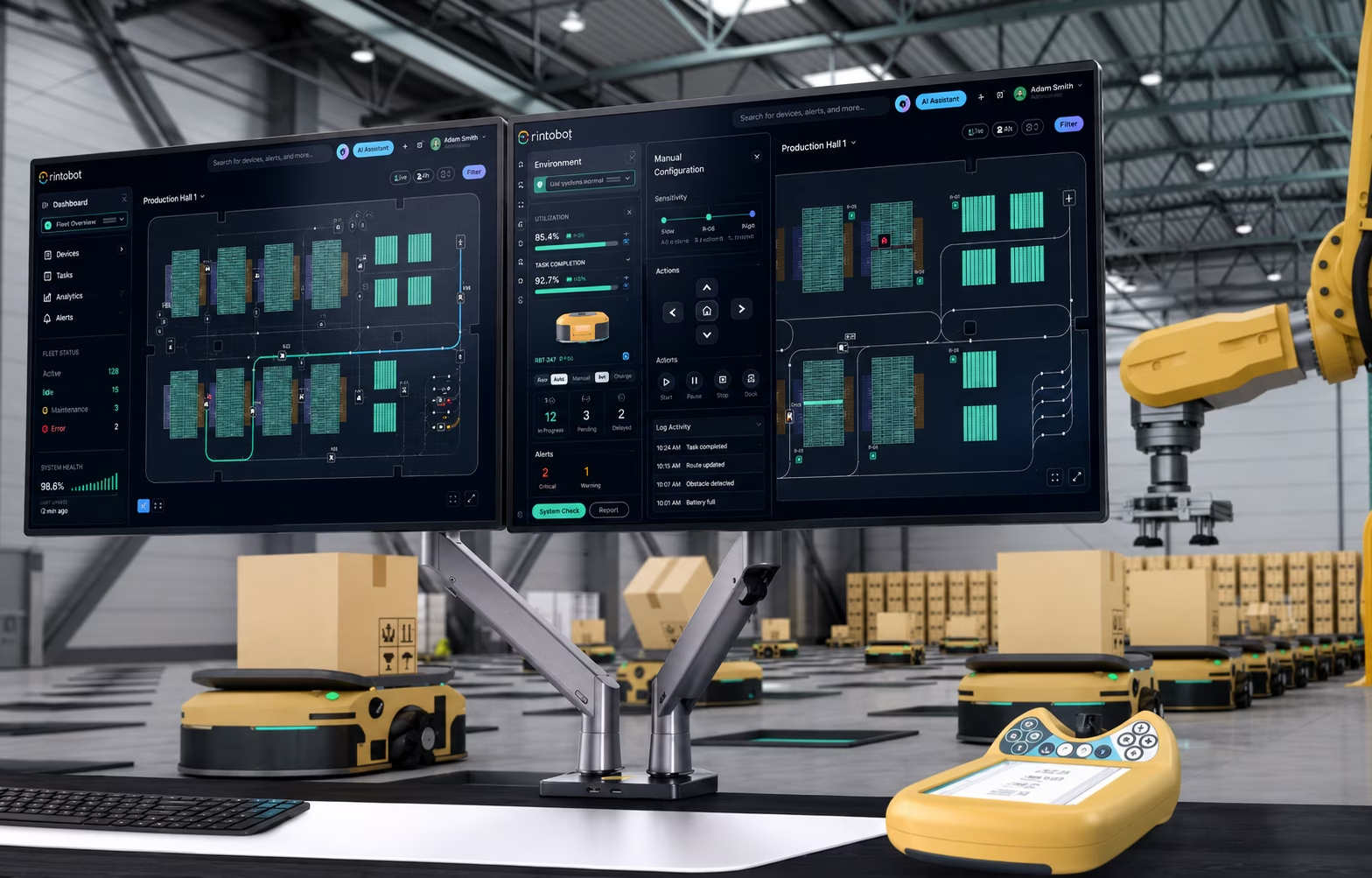
On Hyperfab’s factory floor an operator can preview a cutting operation and watch the motion path animate before any arm moves, then switch to a top-down view of that same arm and stop it mid-run. The first is a simulation. The second is a digital twin. They sit in one dashboard and share almost nothing underneath.
Hyperfab is a native industrial application used by construction crews building walls for commercial buildings, and its operators work through AR goggles on the floor and a desktop dashboard for planning and monitoring. The AI simulation we designed previews a cutting, labeling or assembly operation on request. It is not wired to the robotic arm, and we did not want it to be. Plus, it’s pretty cool looking.
The simulation is worth having because it is cheap to be wrong at this level. An operator runs it to catch a collision or a bad approach angle before the arm executes anything, so connecting it to live equipment would remove the only thing it is for. We have had that argument on more than one industrial build, usually with an engineer who wants everything on a single live feed.
In the same dashboard, the twin does the opposite. It reflects the current state of the workcell continuously, and operators act on it: selecting a device, adjusting positioning, rotation and assignment, and assigning tasks from the interface. An interactive 3D model gives immediate feedback during calibration, so a change can be checked before it reaches the floor. That is digital twin vs simulation inside one screen.
Digital model, digital shadow, digital twin: the difference is data flow
The 2018 classification published by Kritzinger and colleagues in IFAC-PapersOnLine separates the three by how data moves, not by how advanced the software looks. A digital model has no automated link to its physical counterpart. A digital shadow receives data automatically but cannot send anything back. A digital twin does both.
No single definition of a digital twin is universally agreed upon, and vendors work in the gap that leaves. This classification is the one that holds up on a project, because it turns on something you can verify rather than on how advanced the software looks.
A digital model is a representation, kept current by hand or not at all. A CAD file of a manufacturing cell or a 3D building model is the common case. Someone may update it after a change, but nothing connects it to the real thing.
Most products that call themselves twins are digital shadows. Data flows continuously from the asset into the software, so a machine’s temperature, a vehicle’s position or a pipeline’s pressure updates without anyone typing it. The relationship runs one way. The software reports, and that is all it can do.
That is why a shadow can look sophisticated, run in real-time, carry alarms and trend history, and still be structurally incapable of changing anything. This is the tier that gets mislabeled most often, and the mislabel is what costs money later, because scope and price get set against a twin that was never in the architecture.
A digital twin closes the loop. Live data still flows in, and commands, configuration changes or optimization decisions flow back out to the physical system. The interface stops describing the operation and becomes part of it, which is a different product with a different risk profile.
Two-way data flow on its own is not enough, or every thermostat and every PLC loop would qualify. What separates a twin from ordinary automation is that a model of the asset sits in the middle, and the operator reads and acts through that model rather than through the raw control system.
The three are not a maturity stack. A model does not turn into a shadow, and a shadow does not turn into a twin, by switching a feature on. Moving between tiers means building a new connection, which is a project rather than a release, so the tier has to be chosen before anyone designs a screen.
If you need the concept itself rather than the boundaries between the tiers, our guide to what a digital twin is covers the model and the live data link.
Notice where a simulation would sit in that scheme. It has no automated link in either direction, which puts it on the same row as a digital model. The classification has three tiers and simulation is not one of them, because the tiers sort architectures and a simulation is a technique you run against any of them. That is the category error underneath most of the confusion.
Digital twin vs digital shadow: the direction test
A digital shadow reports, and a digital twin reports and acts. Both display live telemetry, equipment status, alerts and history on dashboards that can look identical. The only reliable way to separate them is to ask one question: can anything a person does on the screen change what the physical system does next?
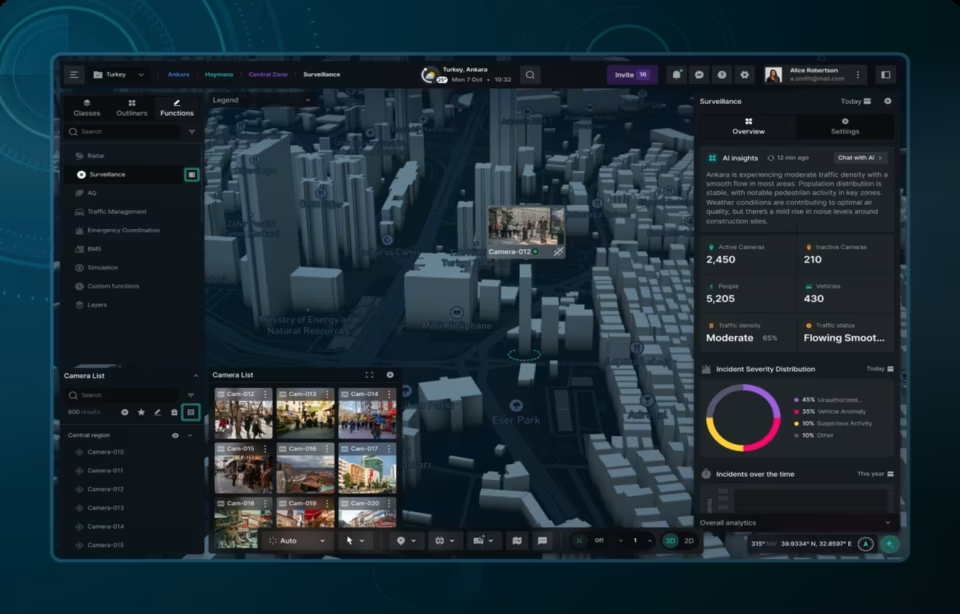
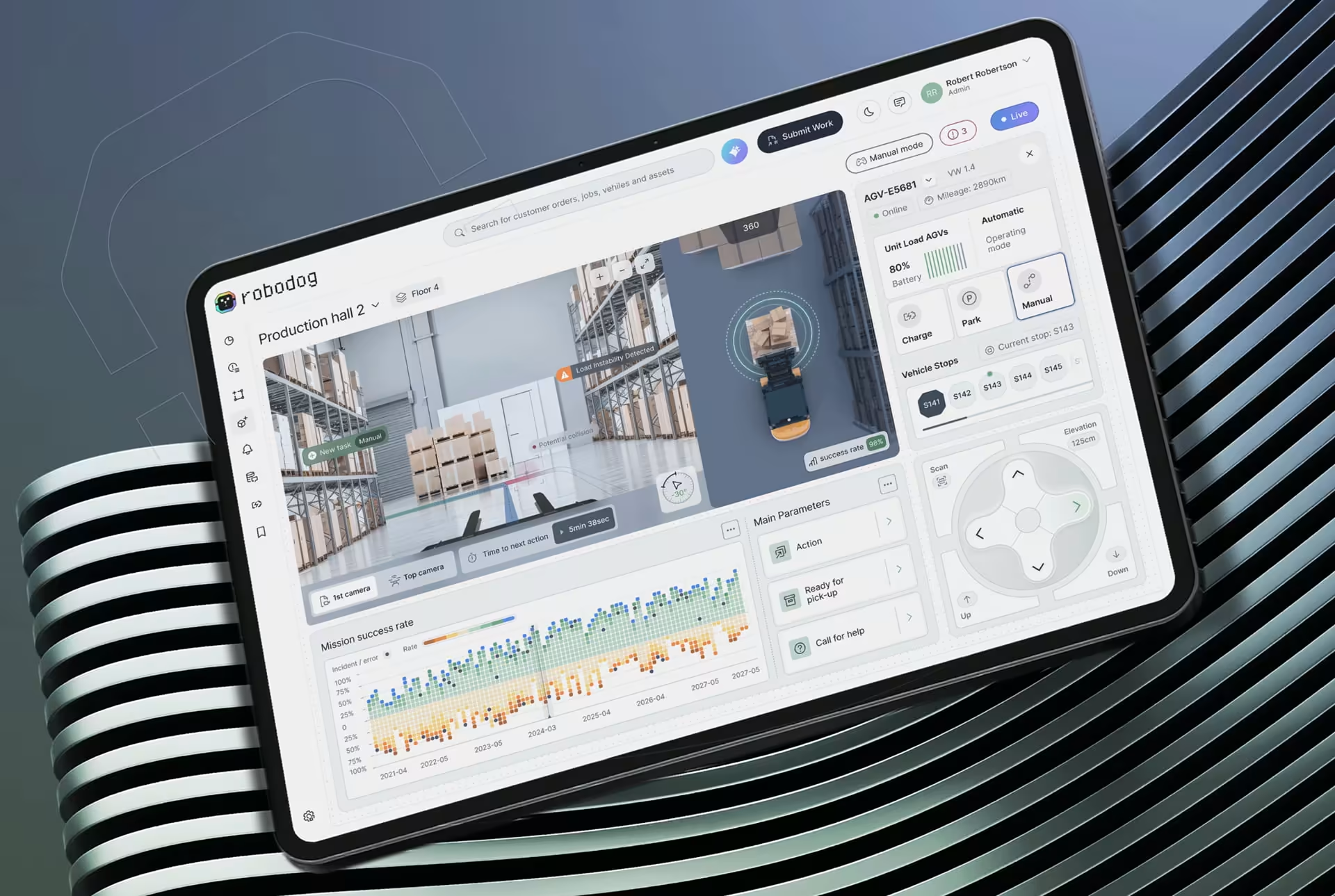
Robodog, an AGV fleet platform we designed for warehouse automation, carries both patterns in one product. Half of it tracks where every vehicle is, the paths it is running, which zones are active, and what is going wrong, whether that is a malfunction, a blocked route or a delay. Information moves in one direction only. That half is a shadow.
Mission control is the other half. Operators assign missions, set priorities, reroute vehicles in real-time, and in manual mode take direct control of a single AGV to handle something the fleet logic cannot. Those actions reach the vehicles. That is what makes it a twin rather than an unusually good monitoring screen. It’s also what makes it incredibly hard to design and perfect, to say the least.
The system recommends; a person commits. Robodog’s load optimization analyzes distribution across the fleet and proposes a rebalance instead of applying one, which is a deliberate line, and the line most vendor demos blur. Once software can move a machine, who authorized the move stops being a philosophical question and becomes an operational requirement.
That question is the second test, and it is hard to answer from a demo, so run it as three checks on the vendor call:
- Does the physical system send live data to the software automatically, with nobody entering it by hand?
- Can an operator issue a command from the interface itself, rather than picking up a radio or opening a separate control system?
- Does that command reach the physical system and change what it does next?
A no on the third check rules out a twin, whatever the product is called. A no on the first rules out a shadow as well, and leaves a digital model.
Digital twin vs simulation: what changes in the interface
Once data flows back to the physical asset, the interface stops being a display and becomes a control surface. A shadow only has to show information clearly. A twin has to present a command, make its physical consequence obvious before anyone confirms it, and prove afterward that it reached the asset.
A simulation interface is a request and a preview. Its job is exploration and comparison: set up a scenario, run it, and put the result next to the alternatives clearly enough that someone can choose between them. Nothing it does touches equipment, so it carries none of the machinery below.
The shadow interface has one job: situational awareness. It has to answer what is happening, what changed, and what deserves attention, on a baseline calm enough that an exception is visible. That is hard work, and it is the work most dashboard teams already know how to do.
A twin interface has to carry accountability. Command execution, confirmation states, role permissions, safety interlocks, an audit trail, and unambiguous feedback that an action landed are all design problems before they are engineering ones. None of them exist on the other two tiers. None can be added at the end either, because each one changes what the screen has to show at the moment a person decides whether to commit.
Error prevention stops being a nicety. Nielsen Norman Group’s work on error prevention argues that stopping the wrong action beats explaining it afterwards. Its example is the false Hawaiian missile alert, where an interface made the wrong action as easy as the right one. On a shadow that is a usability problem. On a twin it is a machine moving.
The visual layer is the cheap part. Most of a twin interface’s design cost sits in the states around each command: who may issue it, what it will do, what happens if it fails halfway, and how the operator finds out. A team that has only created monitoring dashboards has never had to design any of that, and it does not show up in a portfolio review.
We are not neutral about this, and it shows. A design team reads every twin problem as an interface problem. Sometimes the honest answer is that the model itself is wrong, or the sensor coverage is too thin to support the decision the twin was bought for, and no amount of screen work rescues that.
Five misreadings that get the scope wrong
Digital twin vs. simulation confusion tends to arrive in one of five forms. Each has come up on a real project call, usually before scope, where price and architecture were pinned to the wrong tier. They are worth having in front of you when a vendor deck is on the screen and everything on it is being called a twin.
“The dashboard is real time, so it must be a twin.” This is the expensive one. Real time only proves the inbound half works, which makes it a shadow. The second test asks whether a command path exists in the other direction. The answer is usually no, because building one means touching control systems a monitoring vendor was never given access to. Teams find this out after the contract is signed.
“We call it a simulation, but it is really a shadow.” A vendor pitching a live simulation is often describing a dashboard streaming real sensor data. Ask where the conditions come from. If the software is tracking one asset’s actual state rather than conditions someone specified, the word is wrong, however continuously a real simulator might run.
“It is a twin because it uses AI.” A machine learning model can sit inside any of the tiers. It can produce a one-off prediction from conditions someone specifies, run against a live feed and flag anomalies, or issue a command back to equipment. Where it sits is decided by the two tests, not by the fact that it is there at all.
“A twin is just a fancier 3D model.” A twin can run on a plain, spreadsheet-grade interface. The representation in the middle does not have to be visual, and the command path does not care how it looks. A photorealistic render with no live connection is a digital model, the least automated of the three.
“Our twin can double as a simulation.” Twins often do contain a simulation engine for predictive maintenance or capacity planning, and that combination is genuinely useful. Neither direction happens on its own. Adding a live connection and a command path to a simulation is a new build rather than a setting, and so is adding a simulation engine to a twin that shipped without one.
Which of these your project needs
Answer the same two tests, in order. Where does the software get its conditions: from what someone specifies, or from what one real asset is doing? And does anything they do have to reach that asset? The first answer separates a simulation from the rest. The second separates a model from a shadow from a twin.
These rows are not exclusive, which is the part most scoping conversations miss. Hyperfab needed a simulation and a twin in the same dashboard, serving the same operator minutes apart. The useful question is rarely which single one you need. It is which job each screen is doing, and whether anyone has priced the second one.
Start from the job, not the technology. The four rows below are the jobs: preview something before committing to it, keep an accurate reference, watch what is happening, or change it. Each lands on a different architecture, and the interface work that follows differs in kind rather than in size.
The platform vendors own a real slice of this. If the twin lives inside Siemens, Bentley or NVIDIA Omniverse, their tooling already carries the command model and the safety layer. What they ship with it is a generic operator view, so the remaining design work sits on top rather than instead. An independent team earns its place there, and where a twin pulls from systems that were never meant to talk.
Where the two disciplines diverge. A request-and-preview tool is simulation UI design work: one flow, no live pipe, and everything riding on how clearly a result compares against the alternatives. Its safety burden sits in the result rather than the controls: a preview that reads as confident when the model behind it was thin is how a bad plan reaches the floor.
A monitoring-and-control platform is digital twin interface design, which is the same visualization craft plus a command path that has to be safe on its worst day. That command path is where the schedule goes, because every state around it has to be agreed with whoever owns the control system.
Ask both questions in the first meeting
Two questions settle almost every one of these projects. What does the person on this screen need the software to answer, and which way does the data have to move so it can. Asking both at the start costs an hour. Rebuilding a shadow into a twin after launch costs a second project, and that is the bill the vocabulary confusion produces.
Frequently asked questions
Can a digital shadow be upgraded to a digital twin later?
A digital shadow can be extended into a digital twin, but it is a new build rather than a feature release. The return path has to be added to the architecture and to every screen that will carry a command. Teams that plan for it from the start spend less than teams that retrofit it, which is why the tier decision belongs in scoping.
What should a digital twin interface do when the connection to the asset drops?
A digital twin interface should refuse to send commands while the connection is stale, and say so on the screen instead of failing silently. The dangerous pattern is a control that stays live and enabled after the data behind it has stopped updating. Design the disconnected state alongside the connected one, not after launch.
Can a digital twin exist without simulation?
A digital twin does not need a simulation engine to be a twin. What makes it one is the continuous two-way connection to a physical asset, not predictive modeling. Simulation adds analytical capability on top when a team needs to test scenarios against the twin’s data.
Is every live dashboard a digital twin?
Live dashboards are usually digital shadows, because they display operational data without any way to send instructions back. A dashboard becomes part of a digital twin only when an operator can issue a command from it that changes what the physical system does. Real-time data alone is not the qualifying condition.
What does digital twin vs simulation mean for a design budget?
Digital twin vs simulation changes a design budget through command paths, not screen count, so twin work costs more. Across the industry, twin interface projects with a US-based specialist run $25,000 to $150,000 at $100 to $300 per hour, as market ranges rather than quotes. A single-flow simulation tool sits at the lower end of that band and a multi-role twin at the upper.
How long does it take to design a digital twin interface compared with a simulation tool?
A first production-ready twin interface commonly takes 8 to 16 weeks industry-wide, depending on data readiness and how many operator roles it serves. A simulation tool built around a single request-and-preview flow sits at the short end of that range, because it has no command path, permission model or audit trail to design.
How do you prove a vendor's digital twin claim before signing?
Ask the vendor to demonstrate a command issued from the interface that visibly changes the physical asset, then ask which system that command reaches and who is permitted to send it. A vendor with a real twin answers in one screen share. A vendor with a shadow describes a roadmap.