18
min read
18
min read
 Oct 7, 2026
Eye Tracking in UX: Complete Guide to Understanding User Behavior
To understand eye tracking, we must first stop thinking about design and start thinking about survival. Afterall, our brain is an ancient biological machine trying to navigate a modern digital jungle.
Before a user appreciates your brand colors or your clever copy, their subconscious is performing a high-speed audit of your interface to see if it’s worth the caloric effort to stay. If the effort to find information exceeds the perceived value, they bounce. And then there are the biological gasps, such as foveal vision, which covers only about 2% of our visual field, selective or low attention span, text fatigue, and more.
What does all this mean for a business? Well, here’s an example we regularly see at Fuselab: A startup spends six months building a game-changing feature, only for users to skip right past it during the launch. Why? Because the visual weight was off. The user’s eye didn’t even land on the CTA.
What could save the startup all the effort and money – integrating eye tracking in UX!
In this guide, we are pulling back the curtain on Eye Tracking. We will talk about why it’s the ultimate truth serum for UX, how to integrate it without breaking the bank, and why your business, whether you are a 5-person startup or a Fortune 500, needs to stop guessing where people are looking and start knowing.
What is Eye Tracking?
Eye tracking is a technology that measures where a user looks, for how long, and in what sequence. It captures eye movements, such as fixations (when the eye pauses on something) and saccades (quick movements between points), as well as patterns of visual attention across an interface. People rarely follow a direct line of sight or a clear flow as laid out by developers or content creators. For example, people in a supermarket scan shelves, pause on familiar brands, jump to price tags, and settle briefly on promotions. Those micro-movements tell a story about preference, recognition, and decision-making. Eye tracking makes those invisible behaviors measurable.
Most UX research relies on self-reporting (I liked the button) or statistical data (25% of users clicked the button). Eye tracking technology captures the unconscious middle ground. It records gaze points using specialized hardware and software. It detects where the user’s eyes are directed on a screen, device, or physical environment. The output can include heatmaps, gaze plots, and scan paths that show how attention flows.
In UX, this measurement transforms assumptions into data. Instead of asking, “Did users notice the CTA?”, we ask, “Did users fixate on it? For how long? Before or after scanning the navigation?”
At Fuselab, we treat eye tracking as a truth serum. It cuts through the politeness of traditional usability testing. When a user says they like a layout, but their eyes frantically scan for a Buy button they cannot find, the data reveals the friction.
How Eye Tracking Technology Works
Most modern eye tracking systems use a method called Pupil Center Corneal Reflection (PCCR). Here is the breakdown:
High-resolution cameras and specialized sensors emit near-infrared light toward the eye.
This light creates a reflection on the cornea and the pupil.
Sensors capture these reflections and feed them into algorithms.
Advanced algorithms then analyze these reflections and interpret them into usable metrics. The system distinguishes between fixations, saccades, and blinks and filters out the noise.
The data is then mapped onto the screen or an environment.
Before the session begins, an important step is calibration. In this, the user follows a dot on the screen, allowing the technology to map their eye movements to the digital coordinates of the display. This ensures data accuracy by mapping the software to each person’s unique facial attributes.
This high-precision tracking allows us to see the micro-decisions a brain makes before a hand even moves the mouse. It captures the subconscious flicker of interest that defines whether a feature succeeds or fails. By utilizing these sensors and algorithms, we turn the intangible act of looking into a set of measurable data points that businesses can use to optimize their digital presence.
Key Components of Eye Tracking Systems
A complete eye tracking setup includes:
Hardware: The primary equipment comprises high-speed cameras and infrared sensors integrated into a professional tracking device. These components work together to capture eye movements at very high speeds, sometimes up to 1200 times per second.
Software: Data collection platforms aggregate raw gaze data and visualize it through analysis dashboards that turn numbers into narratives.
Calibration tools: Before any session, these tools ensure the technology understands the unique geometry of a user’s eye, ensuring accuracy.
Recording systems: Screen capture, video overlays, and behavioral logging that provide a 360-degree view of the interaction.
Types of Eye Tracking Devices
There are several device types used in UX:
Screen-based trackers: For desktop tracking, these are the gold standard. They sit discreetly at the bottom of a monitor, allowing for a natural browsing experience.
Mobile trackers: Integrated with smartphones or tablets.
Wearable trackers: these include glasses that track gaze in real-world environments, for example, a physical retail space or a VR interface
Remote systems: Non-intrusive setups for natural behaviour capture are perfect for digital products, as they offer the highest accuracy without making the user feel like a lab rat.
The device you choose should match the environment of your eye tracking study. Each device type serves different research goals. Choosing the right one depends on context, budget, and environment.
Eye Tracking in UX Research
In the world of UX, we often find that what a user says is only half the story. To conduct meaningful research, we need to observe the why behind the action. This is where eye tracking becomes a cornerstone of our research methodology.
By integrating eye tracking into our standard UX workflows, we gather data that transforms subjective research into objective science. A user might pass a traditional usability test by eventually finding a button, but eye tracking tells us whether they struggled for 10 seconds or longer to do so.
In structured UX research, eye tracking complements interviews and behavioral metrics. It answers questions like:
Are users noticing primary actions?
Are banners distracting from key tasks?
Do users scan product pages logically?
Ultimately, eye tracking can enhance qualitative UX research by adding data to usability testing, which in turn helps with validating the information architecture prepared by design teams, prioritizing content, and optimizing visual hierarchy.
Here’s an example of how this research can help: A fast-growing D2C fashion brand approached us because its product pages had strong traffic but weak conversion rates. Analytics showed healthy scroll depth. Time on page looked decent. Bounce rate wasn’t alarming. On paper, there was no problem, but clearly, revenue was flattening.
We integrated eye tracking into structured usability testing. Participants were asked to “find a black jacket under $300 and add it to the cart.” What we discovered changed the entire narrative.
Users’ gaze fixated heavily on lifestyle imagery and discount banners. They scanned the page in an F-pattern, but skipped over critical decision-making elements such as size guides, fabric details, and shipping timelines. And the worst? Nearly 60% of participants never fixated on the primary Add to Cart button during their first pass.
Heatmaps showed that the users were looking at the wrong places. Instead of following the laid-out progression from image to CTA, users would start looking at promotional banners! Promotional elements were stealing attention from functional ones.
Repositioning the CTA, simplifying promotional overlays, and restructuring the information stack resulted in an immediate lift in add-to-cart rates.
Understanding Eye Tracking Data
Interpreting the data is where the story truly unfolds. Eye tracking generates several data types:
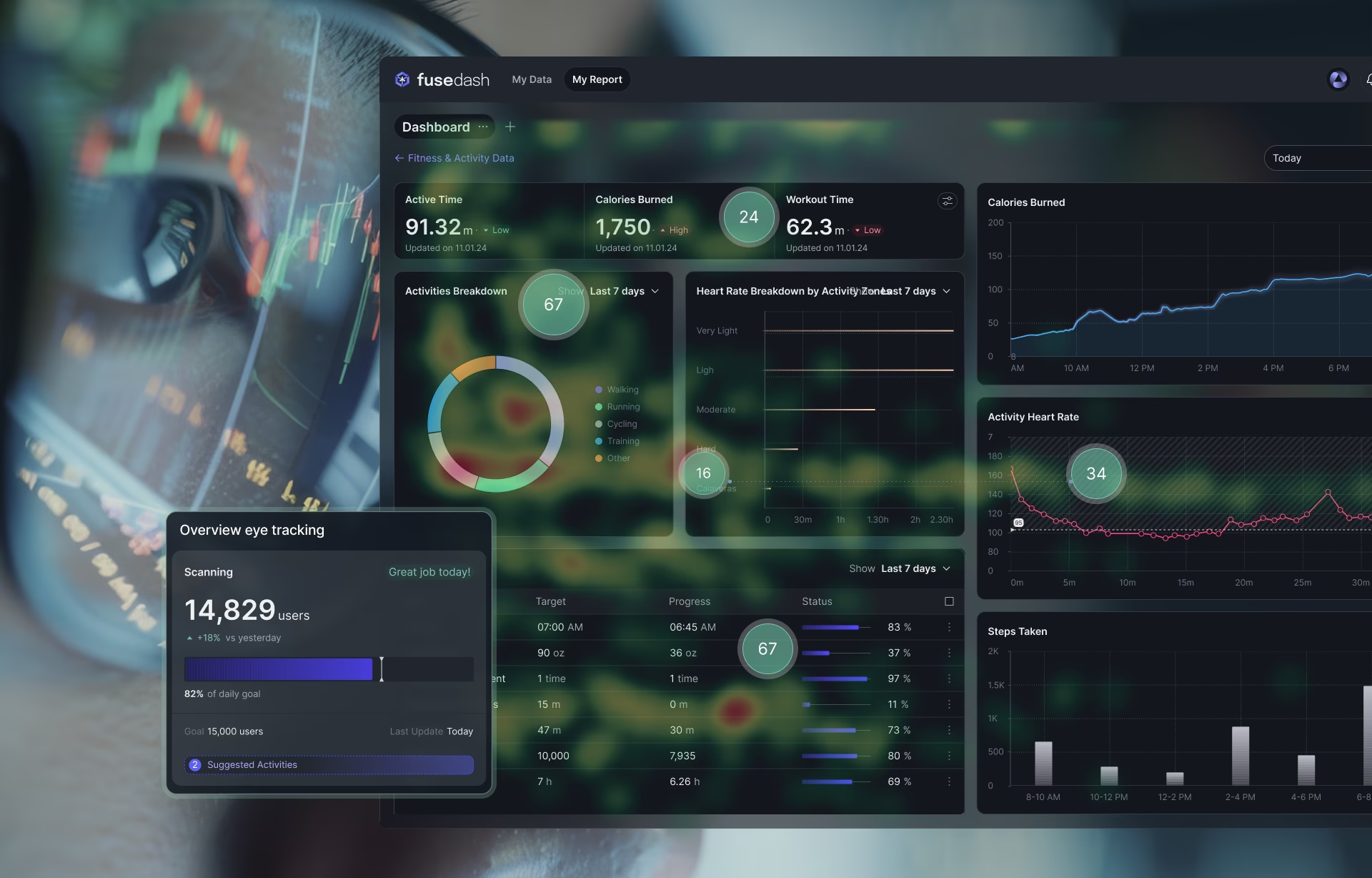
Heatmaps: Aggregated visual attention distribution. which provides a color-coded representation of where users spent the most time. A dense red area indicates a long fixation, suggesting either deep engagement or, occasionally, high confusion.
Gaze plots: Gaze plots show rapid saccades, the jump between points, and reveal the scan path of the user as they look for information.
Areas of Interest (AOIs): Defined interface zones for analysis. This data helps us draw Areas of Interest (AOIs) to calculate exactly how many people saw the primary CTA versus the sidebar ads.
By diving into this data, we can see whether users are following the intended page layout. Are they jumping around erratically, or is their gaze flowing smoothly from the headline to the Buy button? Understanding these metrics is the only way to turn raw eye tracking output into a roadmap for design optimization. It allows us to prove that the data doesn’t lie: if they didn’t look at it, they didn’t read it.
Benefits of Eye Tracking for UX Design
The true value of this technology isn’t just the cool factor; it’s about the tangible ROI. When we pitch this to clients, we focus on how it transforms a product from okay to indispensable. Here are the core benefits:
- Strategic Optimization: By identifying exactly where a user’s gaze lingers or skips, we can make significant improvements to the visual hierarchy. We are not just making things look better; we are enhancing the overall user experience by removing the guessing game from our process.
- Improving Engagement: These deep insights allow us to boost engagement by placing high-value content exactly where the brain naturally hunts for it, giving an immediate lift in usability.
- Identifying Real-World Friction: Traditional usability metrics show users getting stuck at the final CTA points, but research can reveal the why behind it. For example, in a case of cart abandonment, eye tracking could reveal that users are staring at a confusing shipping icon rather than the Pay Now button. Even minor design tweaks can sometimes lead to a massive conversion jump.
- Prioritizing Biological Reality: When the goal is providing a frictionless experience, focusing on the biological reality of UX ensures that every element on the screen serves a purpose and rewards the user for their time.
- Reducing Cognitive Load: We can measure the cognitive load to see if a user is overwhelmed by too many choices. This allows us to simplify the interface and focus on the design’s main value proposition.
At its core, the benefit of eye tracking lies in eliminating guesswork. It provides irrefutable evidence for stakeholder alignment and lays the foundation for data-backed design improvements.
Unlock the Power of Eye Tracking in UX Design
At Fuselab Creative, we’re using cutting-edge eye-tracking technology to revolutionize UX research. By measuring user behavior with precision, we help brands optimize their interfaces and improve usability in real-time.
Discover how eye tracking can inform your design decisions, enhance user experience, and boost conversion rates.
Eye Tracking Usability Testing Methods
To get the best results, you need a robust testing methodology. Here is how we conduct eye tracking usability:
Task: We start by defining specific scenarios that reflect the user’s actual journey. Rather than just asking someone to browse, we give them a specific goal, like Find the return policy or Upgrade your subscription. This focused approach to usability ensures that the eye tracking data we collect is relevant to business outcomes.
Selecting Participants: The success of your research depends heavily on your participants. You want a representative sample of your actual audience, not just friends and family.
Environment: During testing, we follow strict protocols to maintain a consistent environment. We often use a “Think Aloud” method, but with a twist: we ask the user to explain their thoughts after the gaze recording is done. This prevents the verbalization from interfering with their natural, subconscious gaze patterns.
Calibrate equipment: Calibration ensures the system accurately maps the participant’s gaze to the screen. Each user’s eyes are different; pupil size, head position, and distance from the device affect precision, and a proper calibration process is critical.
Record gaze and screen: We always capture synchronized data: gaze overlays, screen recordings, and, when appropriate, facial expressions. This layered recording allows researchers to see not just where users looked, but what was happening on the interface at that exact moment.
Log behavioral data: We also track clicks, scroll depth, hesitation points, and time on task.
Conduct post-session interviews: Gaze shows attention, but interviews reveal intent. A post-session chat shows us what participants expected, what confused them, and what they were thinking during key moments. This closes the loop between visual attention and cognitive interpretation.
Setting Up an Eye Tracking Study
Setting up a successful study requires meticulous research and preparation. You can’t just plug in a device and hope for the best. Here’s how we set up an eye tracking study:
Define hypotheses. We need a clear target or objective for the participants with clear task scripts. It is important to avoid generalizations and map the study to a specific goal. For example, rather than asking participants to just browse and check the site, we focus on smaller yet critical parts of the website we might have identified as chokepoints, such as the onboarding session, landing pages, checkout, or even the buyer’s journey for a certain item.
Identify participants. We need individuals who match the target persona to ensure the gaze patterns are authentic to your actual customers.
Prepare a controlled environment: Whether it’s a lab or a remote setup, the lighting and screen positioning must be stable to ensure the sensors don’t lose the eye. Additionally, the setup should be consistent across different users.
Test equipment calibration. Once the user is in the chair, the most critical step is calibration. We have them follow a dot across the screen so the software can map their unique retinal reflections to the interface. This ensures our research data is accurate down to the millimeter.
Conducting the Research Session
During the session, the focus shifts to real-time observation. As the user navigates through the assigned tasks, we
- Monitor their gaze in real time. This allows the researcher to see if participants are ignoring the navigation or staring at an image for too long.
- We don’t interfere; we simply record the behavior and observe the natural flow.
- We record both the screen and the gaze overlay, creating a permanent record for later data analysis.
- We also watch the users in real-time to find moments or expressions that often don’t show up in a click log.
- Finally, we conduct a post-session interview to gain insights from the users directly. This can be used in conjunction with the data to understand what the users were thinking, whether the data has uncovered subconscious points or backed what the algorithm.
Eye Tracking Tools and Software
Selecting the right eye-tracking tools is a strategic decision that determines the precision of your entire research budget. Below is a breakdown of the industry-leading equipment and software we use:
Analyzing Eye Tracking Research Data
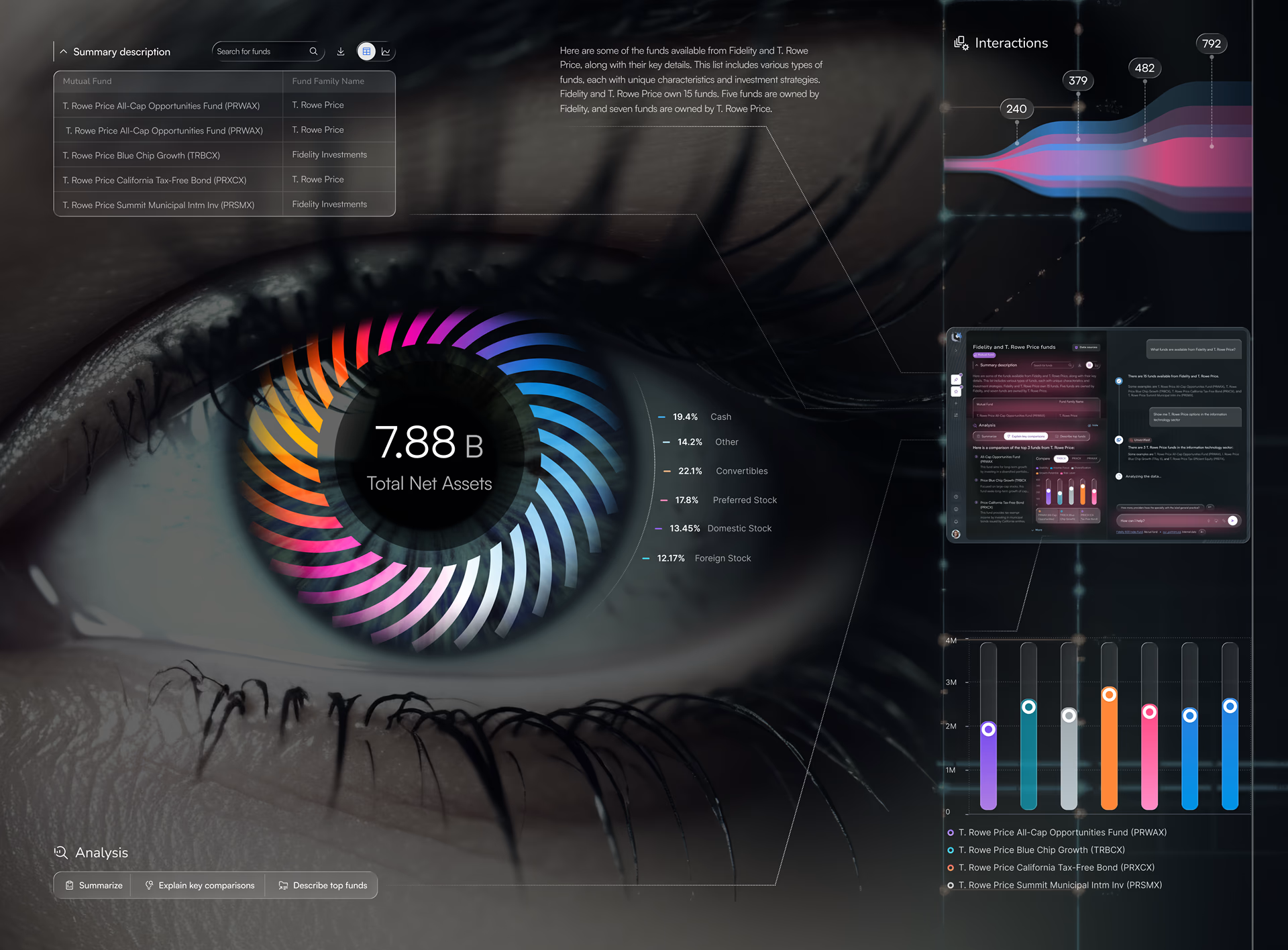
Raw data is just noise until you apply a rigorous analysis framework. The analysis phase focuses on patterns, such as where users look first. What elements are skipped? Do scan paths align with the intended hierarchy?
We begin our analysis by cleaning the raw data, removing blinks and hardware interference to ensure the findings reflect genuine human behavior.
Next, we map the gaze using visualization techniques like gaze plots and scan paths to see the chronological story of how a user navigates the interface.
We also use heatmaps to provide an immediate interpretation of where the most visual attention is concentrated.
Areas of Interest (AOIs) turn eye tracking into hard metrics, for example, calculating exactly what percentage of users saw the primary CTA within the first three seconds.
The ultimate goal is to move from raw data to actionable insights that improve the overall UX. Some of these important metrics we consider are:
Recurring patterns like the “F-Pattern” in text-heavy layouts or the “Layer-Cake” scan in list-based designs.
Cognitive load is measured with metrics like dwell time on simple instructions.
Other metrics include Time to First Fixation (TTFF), Average fixation duration during navigation, and the percentage of participants who notice a feature.
Common Use Cases and Applications
Eye tracking is often associated with UX, but its real power stretches far beyond interface optimization. At its core, it measures human attention, which drives decision-making across diverse domains, such as:
In healthcare research, eye tracking is used to study how surgeons scan diagnostic images, how radiologists detect anomalies, and how patients process medical instructions.
Or in academic and behavioral research, where it can help analyze reading patterns, cognitive load, and attention disorders. It is widely used in psychology and neuroscience labs to study human perception.
It can be used in all types of optimization, design, and manufacturing of equipment, from cockpit dashboards and ship control panels to industrial prototyping where engineers use eye tracking to design safer machinery interfaces.
Within digital products, eye tracking supports:
Web design validation, testing navigation clarity, visual hierarchy, and content prioritization.
Mobile app optimization: understanding gesture flow, thumb zones, and screen density impact.
Interface prototyping: validating early wireframes before development investment.
Ad effectiveness testing: measuring whether branding, messaging, and CTAs are actually noticed.
Landing page refinement: identifying friction before it impacts conversion rates.
Website and Web App Testing
With eye tracking, we can analyze navigation and layout to build high-impact content hierarchy, placing high-value elements where users naturally look first. It also evaluates ‘Banner blindness’ to ensure that the design team overcomes these barriers and gets users to pay attention at the right spots.
Using eye tracking, we can also measure engagement of different page sections and use the insights to reorganize website content to prevent ‘footer fatigue’ and keep users focused.
Additionally, the technology is extremely useful for boosting conversions by making the user journey, especially around checkout, absolutely frictionless. It goes beyond the usual metrics, adding behavioral testing insights to optimize usability and conversion paths.
Mobile UX Testing
Testing on mobile devices requires a unique approach to track how the gaze interacts with touchscreen gestures in a restricted space.
On mobile devices, we optimize the UX for the thumb zone, ensuring that critical UI elements are located at the intersection of where users look and where they can easily tap.
Eye tracking on mobile devices must change to accommodate touch interactions, gesture patterns, smaller visual fields, thumb reach, and many mobile-specific UX needs.
Challenges and Limitations
Even with the best tech, there are limitations, and you could hit a roadblock. Understanding these problem areas is the first step towards ensuring an accurate, trustworthy, and successful outcome.
The What vs. The Why Gap: Eye tracking is brilliant at showing you where a user looked, but it doesn’t give us a why. A 3-second fixation could mean “This is beautiful” or “I am completely confused by this icon.”
The Eye-Mind Assumption: We assume that if someone looks at an object, they are processing it. However, looking doesn’t always equal seeing. Users can stare right at a banner and filter it out (Banner Blindness).
Physical Constraints: Heavy makeup, long eyelashes, or specific types of bifocals/contact lenses can confuse infrared sensors, leading to jittery or lost data.
Posture Drift: If a participant slumps or shifts significantly during a 20-minute session, the initial calibration can drift, making the gaze data look offset by several centimeters.
Equipment cost: Eye-tracking hardware and software aren’t things most people have lying around. Investing in all this equipment and software for just a few rounds of tracking also makes no sense for organizations.
Peripheral Vision Loss: Most trackers focus on the foveal (central) vision. They often miss what a user detects in their periphery, which is how many users actually navigate menus and sidebars.
Limited sample size: In the real world, users come from all walks of life. However, eye tracking research sessions are usually conducted with participants who come closest to the ideal customer as defined by the management. This narrow slice of testers might not uncover all the issues.
Best Practices for Eye Tracking UX Research
These are the golden rules we follow at Fuselab to ensure the data is clean and actionable
Recruit Participants Carefully: When screening participants, ask if they wear heavy glasses or have a specific eye condition.
The “Rule of Five”: You don’t need a hundred people. Testing with 5 – 8 users typically uncovers 85% of usability issues. It’s better to do small, frequent tests than one massive, expensive study.
Set the Right Task: Don’t tell a user to “Click the ‘Register’ button.” Instead, say “Sign up for the newsletter.” This ensures they have to search for the element, allowing you to track their natural discovery process.
Use Retrospective Think-Aloud (RTA): After the session, play the gaze recording back to the user and ask: “I noticed you paused here, what were you looking for?” This bridges the gap between the “What” and the “Why.”
Validate Calibration Constantly: Don’t just calibrate at the start. Check the accuracy between tasks to ensure the data hasn’t drifted.
Avoid over-interpreting single-session results.
One outlier fixation doesn’t mean a design flaw. Look for consistent trends across participants. Another way to validate your insights is through A/B testing. Eye tracking reveals attention patterns. A/B testing confirms business impact. Look at both together before arriving at a conclusion.
Conclusion: From Attention to Advantage
Eye tracking is more than just a high-tech window into user behavior; it is the ultimate truth serum for modern design. While traditional usability testing tells you what users say they did, eye tracking provides the objective, empirical evidence of what they actually saw, and what they ignored.
Eye tracking removes guesswork. It reveals where friction damages performance. In a world where every interface competes for milliseconds of attention, guessing is expensive.
However, the real advantage of eye tracking isn’t in the heatmaps; it comes from the decisions you make with it. The question isn’t whether users are interacting, it’s whether they are seeing what matters most.
And that’s where the difference lies.
If you are ready to move beyond assumptions and design with evidence, it’s time to integrate eye tracking into your UX strategy. Get in touch with our team to understand more details about Eye Tracking and how it can fit into your digital strategy.