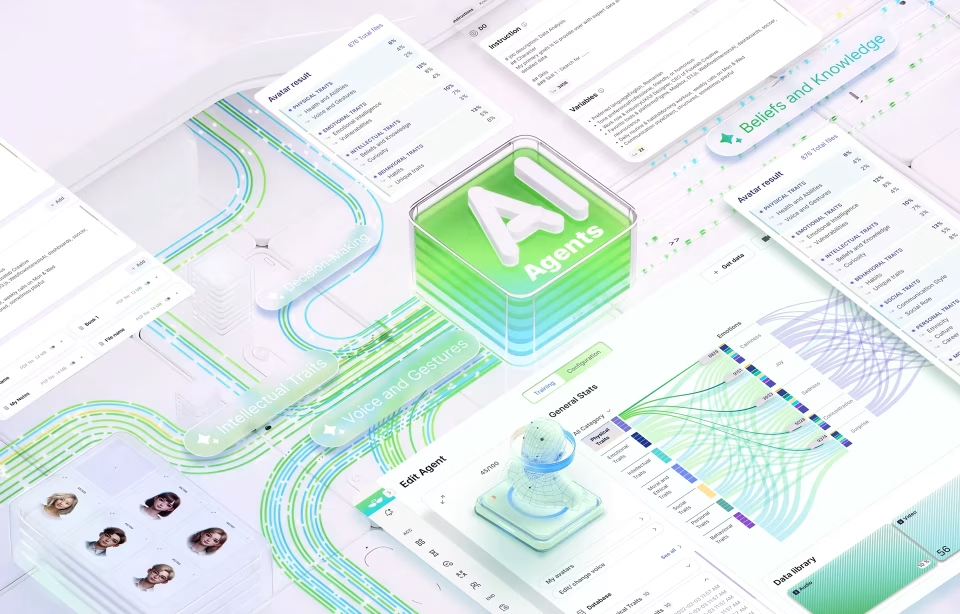
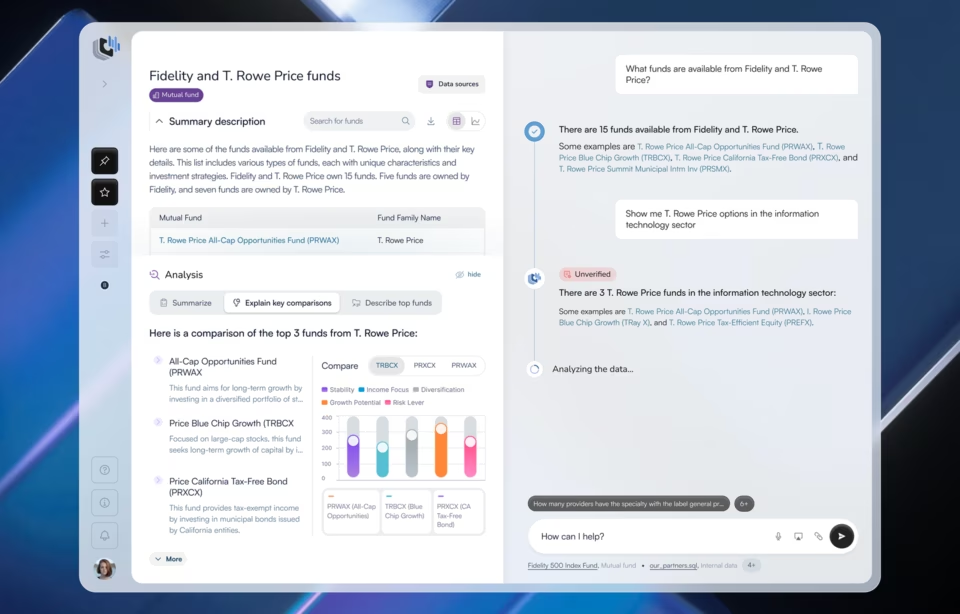
The Rise of Multimodal AI Interfaces: Designing for Voice, Vision, and Gestures

Human communication has always been multi-dimensional. We gesture when we talk. We read expressions. We modulate tone, glance, pause, and sense. Multiple cues – visual and auditory – combine in a split second to convey complex messages in a split second! Our entire nervous system is multimodal, wired to express and interpret through many channels at once.
However, technology, until recently, lagged far behind this richness. Interfaces were flat and designed around efficiency, not empathy. But as new technologies arise, that gap is closing fast. Machines are finally learning to see, hear, and respond across multiple sensory inputs, voice, vision, text, and gesture.
So, what is a Multimodal AI Interface?
These systems can understand and process various types of inputs, such as speech, images, and text, simultaneously, enabling them to interact more naturally with human users. A common example of this integration is found in tools like Zoom, Notion AI, and Microsoft Copilot, which are embedding GenAI to go beyond transcribing speech to now analyzing tone, summarizing visual slides, and suggesting follow-up tasks all in real-time. Another example is AI-powered design tools where a user can speak a concept aloud, upload a reference image, and guide the design output with hand gestures.
Naturally, all this has only become possible due to the recent technological leaps from models like GPT-4V (vision-enabled GPT-4), Google Gemini, and Microsoft Copilot, along with the rise of AR and spatial computing devices, which can blend complex and diverse inputs and provide real-time coherent solutions.
But this evolution is not just a technical upgrade; it’s a philosophical reorientation. For the first time, we’re not designing interfaces that translate human intent into computer logic – we’re designing systems that understand it. The machine is no longer a passive receiver of commands; it’s an active participant in a multimodal dialogue.
What Multimodal UX Means in the Age of AI
Traditional design frameworks were built around devices and screens: the phone, the watch, the desktop, the kiosk. This multi-device design provides consistency and responsiveness across hardware.
Every computing era has been defined by its dominant interface language. We started with CLI (Command Line Interfaces), where we typed and machines listened literally – to GUI (Graphical User Interfaces), where we pointed and clicked – NUI (Natural User Interfaces), where we touched and spoke, and NOW, finally reaching Multimodal UX, where we express intuitively!
Each stage brought technology closer to natural human behavior. Multimodal design is the next step in this progression, which leaves behind hardware altogether! It’s more than designing an interface; it’s about designing the flow of human communication. From a technical perspective, designing these systems requires real-time synchronization between different input channels. For example, the audio stream needs to be processed concurrently with visual data, or maybe also with text or a gesture, while keeping the context intact.
A designer’s role now extends beyond crafting buttons and layouts to sculpting these feedback loops so they feel fluid and human.
Core Design Principles for Voice, Vision, and Gesture-Based Interfaces
Each mode, voice, vision, and gesture has its own strengths, limitations, and emotional resonance. A successful multimodal interface design is a product of combining these into a seamless human experience. While designers MUST possess and prioritize an understanding of our natural human communication flow, it is also critical for them to master design tools and workflows of ALL modes.
Designing for Voice
Voice is the oldest and most intuitive of human expressions – it’s fast and deeply contextual and lies at the heart of conversational AI UX.
Voice-first design requires an understanding of dialogue structure, tone, and feedback loops. Users should always feel heard, literally and emotionally. Here are some points that require attention while integrating voice into Interfaces.
Clarity and brevity: Keep prompts conversational, not command-like.
Feedback cues: Subtle sounds or visual confirmations prevent uncertainty.
Contextual awareness: Voice systems should remember what’s been said, understand intent, and respond fluidly rather than resetting every turn.
Tone and personality: The voice of an AI carries brand identity. It can be formal, playful, or empathetic, but it must be consistent.
Voice interaction works best with adaptive interfaces in hands-free environments, such as cars, kitchens, and wearable devices, where typing or touching is cumbersome. And while we tend to think in these narrow terms to replicate screens through voice, the design goal should be to free users from them
Designing for Vision
Vision enables machines to see; it allows AI to interpret the world around users, within their context and intent.
In UX, visual AI is a feature such as object recognition, augmented overlays, or real-time image analysis. While one piece of the challenge is technical accuracy, the other, a much harder to solve, end is building trust; to help users understand what the system sees, how it interprets it, and how it acts on that input.
Key design principles include:
Visual feedback: Always show what’s being captured or recognized to build confidence.
Explainability: Allow users to query or correct visual interpretations. (“No, that’s not a lamp.”)
Privacy boundaries: Visual AI interaction should be transparent about when it’s on, off, or storing data.
Spatial context: Design interfaces that understand depth, proximity, and focus, especially in AR and MR environments.
Designing for Gestures
Pointing, swiping, and nodding are universal human languages. In multimodal AI systems, gestures bridge the gap between intention and expression.
The biggest challenge in gesture-based UX is two-fold! The easy part is gesture recognition, but the slightly harder to achieve is Discoverability. Users need to know which gestures exist, when to use them, and how the system perceives them.
This requires very intuitive designs and a deep understanding of ergonomics and cultural nuance. What feels natural in one region may feel awkward or even offensive in another.
Key considerations:
Simplicity over spectacle: A gesture should feel instinctive, not performative.
Comfort and fatigue: Avoid repetitive or strenuous motion.
Cross-modal integration: Combine gestures with gaze or voice for clarity (e.g., looking at an object and saying, “select this”).
Feedback: Haptic or visual cues validate successful gestures.
A true multimodal experience is not about offering multiple options, but creating fluid transitions. A user may start with a gesture, continue with speech, and finish with visual confirmation. Designers must choreograph these moments like a conversation.
Best Practices for Integrating Multimodal AI into Digital Products
Design for Context, Not Features
Each mode is useful in certain contexts, for example, voice for hands-free use, gesture for quick spatial actions, and vision for contextual awareness. Instead of forcing all modes everywhere, design around user context and intent. Ask “What is the most natural way for someone to express this command here and now?”
The design-centered approach begins by empathizing with users and internalizing their experiences. Tools like Empathy Maps can help in visualizing emotional responses, motivations, and pain points. For multimodal systems, this step is critical because it helps designers grasp how humans naturally blend sensory input.
Build an Orchestration Layer
When dealing with expressive humans habituated to combining all 3 modes of communication, multimodal systems must decide which input to prioritize at any moment. Should voice override gesture? Should gaze take precedence over touch? What if the person is saying one thing but looking somewhere else altogether? An orchestration layer, often powered by AI, is critical to resolve these conflicts intelligently. Here, designers need to define clear rules for input priority and conflict resolution.
Hierarchical Design Principle
In multimodal environments, users transition between modes, voice, gesture, touch, very rapidly. Along with an orchestration Layer, designers must also follow a hierarchical design principle to ensure that the layout, content, and functions follow an intuitive order, minimizing cognitive load. This is not about conflict resolution rather building a system that builds categories, navigation menus, and actions which mirror user expectations across modalities. A logical, predictable structure allows users to quickly locate functions and reduce friction.
Continuity and Grouping
Consistency binds multimodal experiences together. Designers must consciously work at building continuity by maintaining recognizable patterns, icons, and flows across devices and modalities.
For example, if a gesture or voice command triggers a certain function in one interface, it should behave similarly elsewhere. This consistency builds user confidence and prevents disorientation.
The grouping principle complements this by clustering related functions together, such as grouping camera, mic, and AR tools under a single “input” hub.

Prototype Beyond the Screen
Multimodal systems are inherently complex, and no single design cycle can predict all user behaviors. Iterative design, testing, learning, and refining are needed to ensure products align with user needs.
To design multimodal experiences, teams must prototype using sensors, voice inputs, and motion capture. Tools like Unity, Unreal, and Runway allow designers to simulate space, sound, and sight together.
Prototyping multimodal experiences allows teams to explore how users transition between inputs or how AI interprets overlapping commands. When combined with real-world feedback, this approach often uncovers unanticipated friction points, which can easily be fine-tuned in subsequent versions.
Test with Real Human Behavior
Usability testing must evolve from button clicks to behavioral cues. Observe how people naturally gesture, pause, or speak. Evaluate emotional comfort as much as functional success. Include diverse participants to account for accents, disabilities, and cultural variation.
Accessibility and Inclusion by Design
By design, multimodal systems are great for building an inclusive ecosystem. For example, for users with speech impairments, gesture and vision can substitute voice, while for visually impaired users, voice and haptics can be pressed into service. However, designers need to ensure that accessibility is not an afterthought.
(A great example of inclusive UX design is our work with the Pogo Tracker, a COVID-19 Government spending tracker that made massive amounts of data available to a wide base of diverse users.)
Address Latency and Transparency
Real-time responsiveness is critical, especially in spatial or conversational contexts.
Equally important is transparency and letting users know which mode is active and why. Subtle cues, such as light indicators or haptic pulses, help maintain trust.
Continuous Learning and User Education
Multimodal AI should be predictive, learning user preferences over time, adapting the dominant interaction mode to each individual’s comfort.
Simultaneously, designers should provide light-touch education and guidance, onboarding cues, micro-tutorials, or adaptive hints, to help users understand and get more out of human-computer interactions.
Integrate Traditional Design
It is easy to get carried away by the exciting opportunities opened by multimodal AI interface design, but it’s also important for designers to reflect on the profile of the users. Many are accustomed to, and enjoy, the traditional ways of using digital products. In the rush to deploy cutting-edge tech, it is critical to also research how far and how fast all users will take to multimodal interfaces. It would be best not to throw decades of design processes in a hurry to be experimental; rather, the smarter way would be to include traditional design experience options within your experiments to appeal to the broadest user group.
Case Studies: Voice Assistants, AR Interfaces, and Intelligent Agents
Here are a few examples of current multimodal UX products in action:
Voice Car Assistants
Siri, Alexa, and Google Assistant began as voice-only utilities; they were useful but limited. The new generation, powered by LLMs, blends voice UI design with text and vision.
For example, in a car, the voice commands can be merged with text-based inputs, and online maps or car cameras and sensors in traffic – all of these come together to provide not just a hands-free phone call but a frictionless driving experience.
AR and Spatial Computing Interfaces in Gaming
Apple’s Vision Pro and Meta Quest devices demonstrate how vision and gesture-based UX converge. Eye tracking, hand motion, and spatial audio together create a sense of immersion. Multiple inputs give gamers more control and more ways to engage with the gaming environment.
Intelligent Agents and Screenless Devices
Products like the Humane AI Pin or Meta’s smart glasses represent a new idea that breaks away from screens altogether. These devices use cameras, microphones, and LLMs to act as “ambient assistants.”
You can ask them questions verbally, show them an object, or gesture to control. They respond through speech or projection, blending digital intelligence with physical reality.
The Future of Multimodal AI UX: Beyond the Screen
The screen was never meant to be the final stage of design; it was always a stage in the evolution of technology. As multimodal AI matures, we finally get to move toward the final frontier of human-machine interactions with ambient computing. This is where intelligence lives in shapes, color, surfaces, and sound, not only inside a device.
In this post-screen world:
Your home becomes a responsive environment.
Your car listens, looks, and adapts.
Your wearable perceives emotion and motion.
Interaction happens through glance, tone, or proximity.
Naturally, the role of the designer also shifts to accommodate this new reality. In a world awaiting an AI takeover, the UX designer becomes an even more important figure – helping humans talk to machines and vice versa! They will choreograph light, motion, sound, and response.
Yet, this future demands ethical clarity. Designing transparency, consent, and emotional intelligence will be as critical as crafting beautiful interactions.
As the role changes, so must the skills and knowledge. The future designer’s role expands from interface architect to experience choreographer, blending psychology, design, and technology into one living system.
Conclusion
Designing for the Human, Not the Interface
For decades, we taught humans how to use machines. Now, we are teaching machines how to understand humans. This shift has upended the digital world order, but brings a level of frictionless integration that feels truly futuristic.
However, it needs to feel familiar first! We need interfaces that adapt to our moods, contexts, and senses; that listen when we speak, see what we mean, and move when we gesture.
One thing is clear: the future of interaction will not be defined by what is typed, tapped, or swiped. It will be led by how products feel.
At Fuselab, we see this as the next leap in human-centered innovation – one that doesn’t just imagine smarter machines, but more expressive humans.